
- ✔ Verified by VirusTotal
- ✔ 100% Original Product & Virus-Free
- ✔ Lifetime Free Updates on Single Purchase
- ✔ Unlimited Website Usage
- ✔ Prices in USD (Tax Included)
🔥 Limited-Time Deal — Ends Soon!
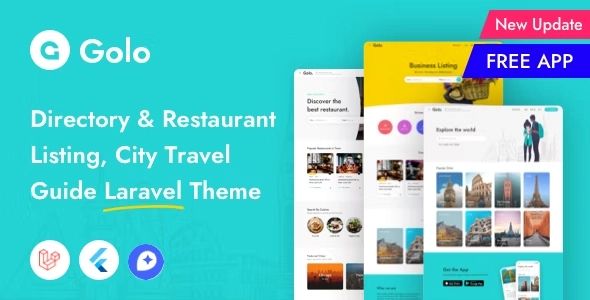
Golo – Directory & Listing, City Travel Guide Laravel Theme 1.7.1
$57.00 Original price was: $57.00.$2.99Current price is: $2.99.
Instant Access
7 Day Money Back Guarantee
Online Support 24/7
Secure Payment
Description
Golo Theme – Directory & Listing, City Travel Guide WordPress Theme (GPL)
Golo is a powerful WordPress theme designed to create professional local or global directory websites with modern UI/UX and smart functionalities. Perfect for city guides, travel websites, restaurant listings, and local business directories, Golo is inspired by popular travel sites like Yelp, Airbnb, Culturetrip, Lonelyplanet, Triposo, and Dorsia.
Key Features
1. Map Integration & Flexibility
Supports OpenStreetMaps and Mapbox (no credit card required).
Easily change map styles and integrate seamlessly with listings.
2. Theme Options
200+ flexible options for customizing every section without coding.
3. Listing Custom Fields
Fully customize listings with built-in custom fields system.
Create, edit, or delete fields to match your directory requirements.
4. User & Partner Dashboard
Manage Listings, Bookings, Packages, Profiles, Reviews easily.
Two different roles: Guest & Owner for browsing or adding listings.
5. Membership Packages
Partners/Suppliers can buy free or paid packages to submit listings.
6. Business Hours
Set opening hours by day or in intervals (e.g., 8:00 AM–12:00 AM).
7. Save Favorites
Users can save listings for future reference.
8. Advanced Listing Search & Filters
Smart search with multiple templates.
Filters by Type, Category, Amenities, Pricing, City, Neighborhood.
Neighborhood feature allows child locations of cities/towns to appear in search results.
9. Menu Management
Restaurants and service businesses can showcase menus with pricing dynamically.
10. Multi-Criteria Reviews
Users can give ratings based on multiple configurable criteria.
11. User Login Options
Email/password login plus social login via Facebook & Google.
12. Map View
Search and view listings in the vicinity.
13. One-Click Demo Import
Import gorgeous demo designs instantly to get started quickly.
14. Mega Menu Support
Easily enable mega menus and display banners on menus.
15. Claim Listing Feature
Allow real owners to claim and edit their business listings.
16. Developer Friendly
Child-theme ready for code preservation.
Sketch source files included for mock-up designs.
17. SEO & Performance
SEO-ready for better Google ranking.
Built with HTML5 & CSS3, semantic and valid code.
18. Built-In Icons
Includes icon packs like Line Awesome Icons for visual enhancements.
19. WooCommerce Compatibility
Seamless integration with WooCommerce for paid listings or products.
20. Responsiveness & Updates
Fully responsive on all devices.
Lifetime free updates and professional developer support.
Online and easy-to-follow documentation.
Summary:
Golo Theme is ideal for anyone looking to build a modern, feature-rich directory or city guide website. Its combination of flexible search, listing management, membership packages, multi-criteria reviews, and map integration makes it a complete solution for travel guides, local business listings, and restaurant directories.
Be the first to review “Golo – Directory & Listing, City Travel Guide Laravel Theme 1.7.1” Cancel reply
How to Install
Follow these quick steps to install from a .zip file or directly from your WP dashboard.
- 1
Go to Plugins → Add New
In your WordPress dashboard, open Plugins and click Add New.
- 2
Click Upload Plugin
Press Upload Plugin → Choose File and select the downloaded
plugin-name.zip. - 3
Install & Activate
Click Install Now, then Activate. You’re done!
- 4
(Optional) Enter License / Use Shortcode
Open Plugins → Your Plugin → Settings to enter your license. Add the box on the product page with:
[plugin_info_box]
Alternative: Install from WordPress directory
Go to Plugins → Add New, search the plugin name, click Install then Activate.
Manual (FTP) method
Unzip locally → upload the folder to /wp-content/plugins/ using FTP → activate from Plugins.
- 1
Go to Appearance → Themes
Click Add New → Upload Theme.
- 2
Upload the .zip file
Select
theme-name.zip, click Install Now, then Activate. - 3
Install Required Plugins
If prompted, click Begin installing plugins and activate them.
- 4
(Optional) Import Starter Content
Use the theme’s Demo Import (if provided) to load sample pages and settings.
Manual (FTP) theme install
Unzip the theme → upload to /wp-content/themes/ → activate from Appearance → Themes.




Reviews
There are no reviews yet.