
- ✔ Verified by VirusTotal
- ✔ 100% Original Product & Virus-Free
- ✔ Lifetime Free Updates on Single Purchase
- ✔ Unlimited Website Usage
- ✔ Prices in USD (Tax Included)
🔥 Limited-Time Deal — Ends Soon!
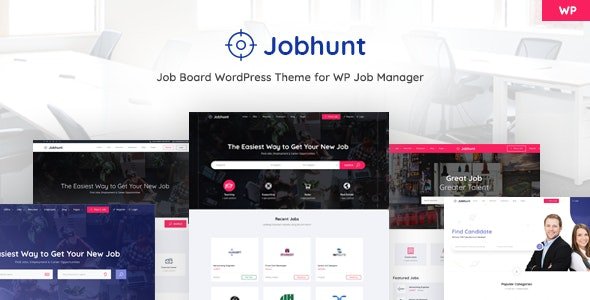
Jobhunt Theme – Job Board WordPress theme for WP Job Manager 2.1.0
$59.00 Original price was: $59.00.$2.99Current price is: $2.99.
Instant Access
7 Day Money Back Guarantee
Online Support 24/7
Secure Payment
Description
🌐 Jobhunt – Job Board WordPress Theme for WP Job Manager (GPL Version)
Jobhunt is a professional, fast, and clean Job Board WordPress theme designed specifically for WP Job Manager. Unlike other themes that try to do everything, Jobhunt strictly follows the principle of separation of concerns: it manages how your website looks, while WP Job Manager handles how your job board works. This ensures full flexibility, easy updates, and no risk of losing website functionality.
⚡ Key Features of Jobhunt Theme
1. Built for WP Job Manager
Works seamlessly with the WP Job Manager plugin, maintained by Automattic
Supports core job board functionalities:
Filterable Job Listings
Job Submissions
Employer Dashboard
Resume Manager, Job Alerts, Paid Listings (via Core Add-ons)
Ensures plugin territory remains untouched for safe updates
2. Modern Design & Layout Options
5 Home Page demos with 15 content blocks
5 headers and 5 footers to choose from
3 job listing styles and 3 single job page styles
3 blog styles and 8 static pages included
Structured and SEO-friendly layout with rich data support
3. Advanced Job Features
Job and location autocomplete using Google GeoLocate
Advanced filtering and sorting options for job seekers
WooCommerce Paid Listings compatible
Resume Manager, Indeed Integration, Job Applications support via WP Job Manager Add-on Bundle
4. User & Employer Support
Separate dashboards for employers and candidates
User-friendly interface ensures smooth navigation
Mobile responsive and retina-ready for all devices
5. Performance & Flexibility
Light & fast theme optimized for speed and efficiency
Built with King Composer support
One-click demo import for quick setup
Line Awesome & Font Awesome icons included
Fully compatible with WooCommerce for monetization options
💡 Ideal For
Online job boards
Recruitment agencies
Freelance marketplaces
Employment portals
Niche job listing websites
🔹 Summary
Jobhunt is the ultimate Job Board WordPress theme for WP Job Manager. Its modern design, lightweight code, and advanced compatibility with job management add-ons make it ideal for employers, candidates, and recruiters. With easy setup, multiple layouts, and seamless plugin integration, Jobhunt ensures a professional and efficient job portal experience.
Be the first to review “Jobhunt Theme – Job Board WordPress theme for WP Job Manager 2.1.0” Cancel reply
How to Install
Follow these quick steps to install from a .zip file or directly from your WP dashboard.
-
1
Go to Plugins → Add New
In your WordPress dashboard, open Plugins and click Add New.
-
2
Click Upload Plugin
Press Upload Plugin → Choose File and select the downloaded
plugin-name.zip. -
3
Install & Activate
Click Install Now, then Activate. You’re done!
-
4
(Optional) Enter License / Use Shortcode
Open Plugins → Your Plugin → Settings to enter your license. Add the box on the product page with:
[plugin_info_box]
Alternative: Install from WordPress directory
Go to Plugins → Add New, search the plugin name, click Install then Activate.
Manual (FTP) method
Unzip locally → upload the folder to /wp-content/plugins/ using FTP → activate from Plugins.
-
1
Go to Appearance → Themes
Click Add New → Upload Theme.
-
2
Upload the .zip file
Select
theme-name.zip, click Install Now, then Activate. -
3
Install Required Plugins
If prompted, click Begin installing plugins and activate them.
-
4
(Optional) Import Starter Content
Use the theme’s Demo Import (if provided) to load sample pages and settings.
Manual (FTP) theme install
Unzip the theme → upload to /wp-content/themes/ → activate from Appearance → Themes.




Reviews
There are no reviews yet.