
- ✔ Verified by VirusTotal
- ✔ 100% Original Product & Virus-Free
- ✔ Lifetime Free Updates on Single Purchase
- ✔ Unlimited Website Usage
- ✔ Prices in USD (Tax Included)
🔥 Limited-Time Deal — Ends Soon!
Donation For WooCommerce 3.9.6
$58.00 Original price was: $58.00.$2.99Current price is: $2.99.
Instant Access
7 Day Money Back Guarantee
Online Support 24/7
Secure Payment
Description
Donation For WooCommerce – Powerful Fundraising Made Easy 💖
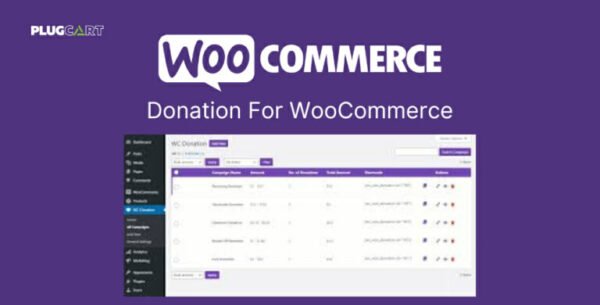
Take your WooCommerce store beyond sales with Donation For WooCommerce, a versatile extension that allows you to create custom donation campaigns and collect contributions effortlessly. Whether you want to raise funds for a cause, support charity, or add options to your products, this plugin gives you full control and flexibility.
Key Features of 🎯
Campaign & Management
Create multiple campaigns simultaneously
Accept custom amounts and display predefined options
Allow users to donate to multiple campaigns at once
Users can add decimal values for precise donations
Filter orders by campaign name
Charge users credit card processing fees if needed
Track campaign statistics and generate CSV & PDF reports
Support Gutenberg Blocks for easy campaign display
Recurring 🔄
Collect daily, weekly, or monthly
Set intervals and length for recurring
Display donation order details (campaign, type, ID)
Let users create their own recurring plan
Goals & Progress 📊
Show progress bars with donation amounts in currency or percentage
Define number of or days left for the campaign
Display unique donor counts
Display a custom “thank you” message when goals are reached
Widgets & Placement 🛒
Display widgets on cart, checkout, shop, or product pages
Customize button text, colors, and placement
Add donation widgets in sidebar, footer, or using shortcode
Round-Up 💸
Enable users to round up their bill and donate the difference
Customize “Round Off” popups with title, message, and colors
Use Round-Up multipliers to calculate new totals for
Why Choose? 🌟
Boost fundraising with one-time and recurring
Fully customizable campaigns and widgets
Increase donor engagement with progress bars and round-up features
Easy integration with WooCommerce and WordPress pages
With For WooCommerce, you can turn your online store into a platform for meaningful impact while providing a seamless experience for your users.
Be the first to review “Donation For WooCommerce 3.9.6” Cancel reply
How to Install
Follow these quick steps to install from a .zip file or directly from your WP dashboard.
-
1
Go to Plugins → Add New
In your WordPress dashboard, open Plugins and click Add New.
-
2
Click Upload Plugin
Press Upload Plugin → Choose File and select the downloaded
plugin-name.zip. -
3
Install & Activate
Click Install Now, then Activate. You’re done!
-
4
(Optional) Enter License / Use Shortcode
Open Plugins → Your Plugin → Settings to enter your license. Add the box on the product page with:
[plugin_info_box]
Alternative: Install from WordPress directory
Go to Plugins → Add New, search the plugin name, click Install then Activate.
Manual (FTP) method
Unzip locally → upload the folder to /wp-content/plugins/ using FTP → activate from Plugins.
-
1
Go to Appearance → Themes
Click Add New → Upload Theme.
-
2
Upload the .zip file
Select
theme-name.zip, click Install Now, then Activate. -
3
Install Required Plugins
If prompted, click Begin installing plugins and activate them.
-
4
(Optional) Import Starter Content
Use the theme’s Demo Import (if provided) to load sample pages and settings.
Manual (FTP) theme install
Unzip the theme → upload to /wp-content/themes/ → activate from Appearance → Themes.




Reviews
There are no reviews yet.