
- ✔ Verified by VirusTotal
- ✔ 100% Original Product & Virus-Free
- ✔ Lifetime Free Updates on Single Purchase
- ✔ Unlimited Website Usage
- ✔ Prices in USD (Tax Included)
🔥 Limited-Time Deal — Ends Soon!
myCred Pending Points Addon 1.0.2
$57.00
Instant Access
7 Day Money Back Guarantee
Online Support 24/7
Secure Payment
Description
💰 myCred Pending Points Addon (Latest Version)
This is a GPL-distributed version — clean, secure, and legally redistributed under the GPL license (no official support included).
The myCred Pending Points Addon gives administrators full control over when and how points are awarded to users. Instead of granting points instantly, you can hold them in a pending state for a specific duration before automatic or manual release. This feature is perfect for platforms that require verification, delayed rewards, or fraud prevention.
Whether you’re running a loyalty program, membership site, or gamified eCommerce system, this addon ensures your point distribution is both controlled and transparent.
⚙️ Key Features of myCred Pending Points
⏳ Set Pending Status Before Awarding Points
Admins can easily set points to “pending” before they are officially credited to users. This helps manage reward timing and verification.
👥 Include or Exclude Specific Roles or Users
Choose to apply pending status to selected user roles, badges, or ranks—or to all users globally, depending on your reward rules.
🔁 Automatic Status Change
Define how long points should remain in pending status. After the set number of days, points are automatically released and added to the user’s balance.
💎 Support for Multiple Point Types
Easily apply pending rules to single or multiple point types, ensuring flexibility across different reward systems in your WordPress site.
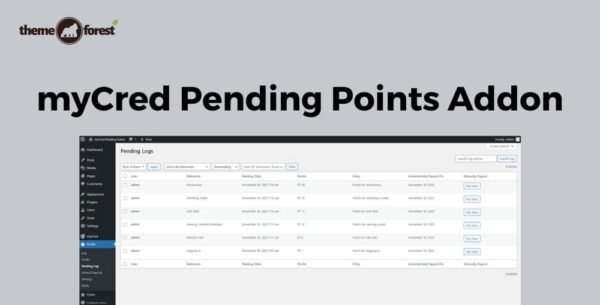
📋 Dedicated Pending Log Page
Track all pending transactions in one place with a dedicated pending log that displays user details, pending points, and release dates.
🧾 Manual Release Option
Admins can manually release points for any user at any time from the pending log, offering total control over reward timing.
💡 What We Offer
Flexible control over reward timing and approval workflows
Protect your system from fake or incomplete user actions
Maintain transparent tracking of pending and released points
Customize pending behavior based on roles, badges, and ranks
Ensure automatic updates with hands-free point management
🏁 Conclusion
The myCred Pending Points Addon is an essential tool for site owners who want to delay, verify, or manage point awards efficiently. By holding points in a pending state, you ensure that users earn rewards fairly while maintaining full administrative control.
Be the first to review “myCred Pending Points Addon 1.0.2” Cancel reply
How to Install
Follow these quick steps to install from a .zip file or directly from your WP dashboard.
-
1
Go to Plugins → Add New
In your WordPress dashboard, open Plugins and click Add New.
-
2
Click Upload Plugin
Press Upload Plugin → Choose File and select the downloaded
plugin-name.zip. -
3
Install & Activate
Click Install Now, then Activate. You’re done!
-
4
(Optional) Enter License / Use Shortcode
Open Plugins → Your Plugin → Settings to enter your license. Add the box on the product page with:
[plugin_info_box]
Alternative: Install from WordPress directory
Go to Plugins → Add New, search the plugin name, click Install then Activate.
Manual (FTP) method
Unzip locally → upload the folder to /wp-content/plugins/ using FTP → activate from Plugins.
-
1
Go to Appearance → Themes
Click Add New → Upload Theme.
-
2
Upload the .zip file
Select
theme-name.zip, click Install Now, then Activate. -
3
Install Required Plugins
If prompted, click Begin installing plugins and activate them.
-
4
(Optional) Import Starter Content
Use the theme’s Demo Import (if provided) to load sample pages and settings.
Manual (FTP) theme install
Unzip the theme → upload to /wp-content/themes/ → activate from Appearance → Themes.




Reviews
There are no reviews yet.