
- ✔ Verified by VirusTotal
- ✔ 100% Original Product & Virus-Free
- ✔ Lifetime Free Updates on Single Purchase
- ✔ Unlimited Website Usage
- ✔ Prices in USD (Tax Included)
🔥 Limited-Time Deal — Ends Soon!
Dynamic Toolbox for Bricks 1.1.1
$64.00 Original price was: $64.00.$2.99Current price is: $2.99.
Instant Access
7 Day Money Back Guarantee
Online Support 24/7
Secure Payment
Description
🧰 Dynamic Toolbox for Bricks – Build Smarter, More Dynamic WordPress Sites
Dynamic Toolbox for Bricks is a powerful suite of tools that supercharges your Bricks Builder experience. Designed for developers, designers, and creators, it adds dynamic elements, advanced integrations, and intelligent form features to make website creation faster, smarter, and more flexible than ever before.
⚙️ Key Features
Dynamic Elements: Expand Bricks Builder with new powerful dynamic components and functionalities.
Advanced Integrations: Seamlessly connect with ACF, Meta Box, and external APIs — with more integrations on the way.
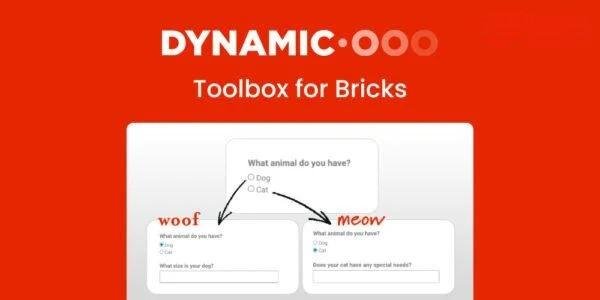
Smart Form Fields: Create interactive forms with conditional logic and dynamic data display.
Calculation-Ready Forms: Perform real-time calculations within your forms for quotes, bookings, and custom pricing.
Add to Calendar Feature: Let users add events directly to Google, iOS, or Outlook calendars.
Favorites System: Allow visitors to mark and manage favorite posts, pages, or products.
Continuous Updates: Enjoy constant enhancements and new tools that keep your Bricks Builder cutting-edge.
Proven Experience: Developed by experts with years of experience crafting dynamic solutions since 2018.
🚀 What We Offer
With Dynamic Toolbox for Bricks, you’re not just extending Bricks Builder — you’re transforming it into a powerful, fully dynamic development environment. Whether you’re building interactive forms, event-driven sites, or personalized user experiences, this plugin equips you with everything you need to go beyond static design.
🏆 Conclusion
Dynamic Toolbox for Bricks empowers WordPress professionals to create truly dynamic, data-driven websites without coding complexity. With seamless integrations, smart automation, and user-focused tools, it’s the ultimate add-on to take your Bricks Builder projects from ordinary to extraordinary.
Be the first to review “Dynamic Toolbox for Bricks 1.1.1” Cancel reply
How to Install
Follow these quick steps to install from a .zip file or directly from your WP dashboard.
-
1
Go to Plugins → Add New
In your WordPress dashboard, open Plugins and click Add New.
-
2
Click Upload Plugin
Press Upload Plugin → Choose File and select the downloaded
plugin-name.zip. -
3
Install & Activate
Click Install Now, then Activate. You’re done!
-
4
(Optional) Enter License / Use Shortcode
Open Plugins → Your Plugin → Settings to enter your license. Add the box on the product page with:
[plugin_info_box]
Alternative: Install from WordPress directory
Go to Plugins → Add New, search the plugin name, click Install then Activate.
Manual (FTP) method
Unzip locally → upload the folder to /wp-content/plugins/ using FTP → activate from Plugins.
-
1
Go to Appearance → Themes
Click Add New → Upload Theme.
-
2
Upload the .zip file
Select
theme-name.zip, click Install Now, then Activate. -
3
Install Required Plugins
If prompted, click Begin installing plugins and activate them.
-
4
(Optional) Import Starter Content
Use the theme’s Demo Import (if provided) to load sample pages and settings.
Manual (FTP) theme install
Unzip the theme → upload to /wp-content/themes/ → activate from Appearance → Themes.




Reviews
There are no reviews yet.