
- ✔ Verified by VirusTotal
- ✔ 100% Original Product & Virus-Free
- ✔ Lifetime Free Updates on Single Purchase
- ✔ Unlimited Website Usage
- ✔ Prices in USD (Tax Included)
🔥 Limited-Time Deal — Ends Soon!
Love Story Theme | A Beautiful Wedding and Event Planner WordPress Theme 1.3.3
$69.00 Original price was: $69.00.$2.99Current price is: $2.99.
Instant Access
7 Day Money Back Guarantee
Online Support 24/7
Secure Payment
Description
💍 Love Story – Beautiful Wedding & Event Planner WordPress Theme
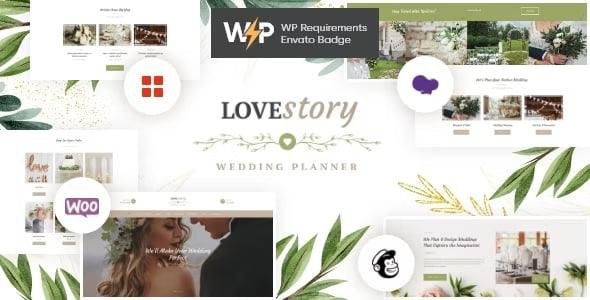
Love Story Theme is an elegant and romantic Wedding & Event Planner WordPress theme designed for wedding planning agencies, individual wedding planners, and event management companies. With its stylish, tender, and modern design, Love Story is perfect for showcasing wedding services, party arrangements, birthday celebrations, business meetings, or conferences.
Packed with powerful features, one-click demo import, WooCommerce integration, and multiple layout options, this theme gives you everything you need to build a stunning, professional, and fully functional event planning website.
✨ Why Choose Love Story Theme?
🎨 Elegant & Stylish Design – Crafted specifically for weddings and events.
🖱️ One-Click Demo Import – Launch your site in minutes.
📱 Fully Responsive & Retina Ready – Looks perfect on all devices.
🛍️ WooCommerce Ready – Sell wedding services, products, or event packages online.
🔎 SEO Optimized & Fast – Built with clean HTML5 & CSS3 code for best performance.
🛠️ Drag-and-Drop Builder – Powered by WPBakery Page Builder for easy customization.
🌍 Multilingual Support – WPML & GDPR-ready for global reach.
🎥 Stunning Sliders – Revolution Slider & Swiper Slider included.
🏆 Love Story Theme Full Features
Gutenberg Compatible
GDPR Framework WP Plugin Included
Cross-Browser Compatible (Chrome, Safari, Firefox, IE11+)
Boxed & Wide Layouts
Multiple Header Styles
User Menu & Main Menu Support
Interactive Ajax Search
Swiper & Revolution Sliders
Custom Shortcodes (Timeline, Content Slider, Blogger, Video List & More)
Essential Grid Integration
Media Content Manager
Advanced Theme Options Panel
Unlimited Homepage Layout Variants
Built-in Google Fonts & Icon Packs
WooCommerce Shop Integration
Optimized for Best Performance
Professional Support & Documentation
Regular Updates
🎯 Who Can Use Love Story Theme?
Wedding Planning Agencies 💍
Professional Event Planners 🎉
Birthday, Anniversary & Party Organizers 🎂
Conference & Business Event Managers 🏢
Personal Wedding Portfolios & Blogs 💌
With Love Story WordPress Theme, you can build a romantic, stylish, and high-performing wedding or event planner website that captures your audience’s heart while growing your business.
🔑 SEO Keywords
Love Story Theme, Wedding WordPress Theme, Event Planner WordPress Theme, Wedding Planning Template, WooCommerce Wedding Theme, Wedding & Event Management Website Theme
Be the first to review “Love Story Theme | A Beautiful Wedding and Event Planner WordPress Theme 1.3.3” Cancel reply
How to Install
Follow these quick steps to install from a .zip file or directly from your WP dashboard.
-
1
Go to Plugins → Add New
In your WordPress dashboard, open Plugins and click Add New.
-
2
Click Upload Plugin
Press Upload Plugin → Choose File and select the downloaded
plugin-name.zip. -
3
Install & Activate
Click Install Now, then Activate. You’re done!
-
4
(Optional) Enter License / Use Shortcode
Open Plugins → Your Plugin → Settings to enter your license. Add the box on the product page with:
[plugin_info_box]
Alternative: Install from WordPress directory
Go to Plugins → Add New, search the plugin name, click Install then Activate.
Manual (FTP) method
Unzip locally → upload the folder to /wp-content/plugins/ using FTP → activate from Plugins.
-
1
Go to Appearance → Themes
Click Add New → Upload Theme.
-
2
Upload the .zip file
Select
theme-name.zip, click Install Now, then Activate. -
3
Install Required Plugins
If prompted, click Begin installing plugins and activate them.
-
4
(Optional) Import Starter Content
Use the theme’s Demo Import (if provided) to load sample pages and settings.
Manual (FTP) theme install
Unzip the theme → upload to /wp-content/themes/ → activate from Appearance → Themes.




Reviews
There are no reviews yet.