
- ✔ Verified by VirusTotal
- ✔ 100% Original Product & Virus-Free
- ✔ Lifetime Free Updates on Single Purchase
- ✔ Unlimited Website Usage
- ✔ Prices in USD (Tax Included)
🔥 Limited-Time Deal — Ends Soon!
Powerful Filters for wpDataTables – Cascade Filter for WordPress Tables 1.4.5
$195.00 Original price was: $195.00.$2.99Current price is: $2.99.
Instant Access
7 Day Money Back Guarantee
Online Support 24/7
Secure Payment
Description
🌟 Powerful Filters for wpDataTables – Cascade Filter Addon for WordPress
Powerful Filters is a multifunctional addon for wpDataTables that significantly extends the default filtering capabilities of WordPress tables. It allows you to create dynamic, cascading, and advanced filters, giving your users a seamless and highly interactive table-searching experience.
This addon is ideal for large datasets, catalogs, or any WordPress table where advanced filtering improves usability and data exploration.
🚀 Key Features
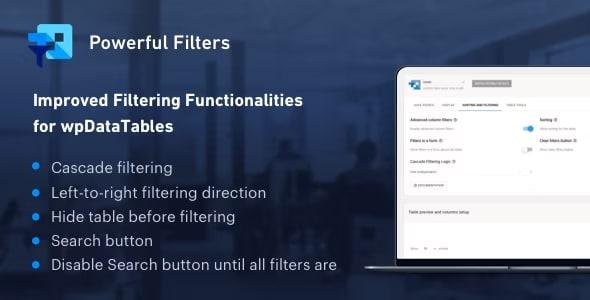
✅ Cascade Filtering – Dependent (Left-to-Right)
Filter options appear in order from left to right.
Each next filter’s options are narrowed down based on the previous selection.
Next filters remain disabled until a selection is made in the preceding filter.
✅ Cascade Filtering – Independent (Free)
Apply cascading filters without strict left-to-right order.
Users can select any filter first, and it dynamically narrows down other filters.
Works similarly to Excel or Google Spreadsheet filter behavior.
✅ Hide Table Before Filtering
Display only filters initially and keep the table hidden until a selection is made.
Ideal for large catalogs or datasets where showing all data upfront is not necessary.
Filters must be rendered outside the table to enable this feature.
✅ Search Button Option
By default, tables update live with every filter change.
With this option, tables update only when the Search button is clicked.
Requires filters to be rendered in a form outside the table.
✅ Disable Search Button Until All Filters Are Selected
Ensures users select options in all filters before applying them.
Works in combination with the Search button feature.
🛠️ Benefits of Powerful Filters
Improve user experience by creating dynamic and responsive filters
Handle large datasets efficiently without overwhelming users
Offer advanced table search capabilities similar to spreadsheet tools
Fully compatible with wpDataTables, extending its native functionality
Be the first to review “Powerful Filters for wpDataTables – Cascade Filter for WordPress Tables 1.4.5” Cancel reply
How to Install
Follow these quick steps to install from a .zip file or directly from your WP dashboard.
-
1
Go to Plugins → Add New
In your WordPress dashboard, open Plugins and click Add New.
-
2
Click Upload Plugin
Press Upload Plugin → Choose File and select the downloaded
plugin-name.zip. -
3
Install & Activate
Click Install Now, then Activate. You’re done!
-
4
(Optional) Enter License / Use Shortcode
Open Plugins → Your Plugin → Settings to enter your license. Add the box on the product page with:
[plugin_info_box]
Alternative: Install from WordPress directory
Go to Plugins → Add New, search the plugin name, click Install then Activate.
Manual (FTP) method
Unzip locally → upload the folder to /wp-content/plugins/ using FTP → activate from Plugins.
-
1
Go to Appearance → Themes
Click Add New → Upload Theme.
-
2
Upload the .zip file
Select
theme-name.zip, click Install Now, then Activate. -
3
Install Required Plugins
If prompted, click Begin installing plugins and activate them.
-
4
(Optional) Import Starter Content
Use the theme’s Demo Import (if provided) to load sample pages and settings.
Manual (FTP) theme install
Unzip the theme → upload to /wp-content/themes/ → activate from Appearance → Themes.




Reviews
There are no reviews yet.