
- ✔ Verified by VirusTotal
- ✔ 100% Original Product & Virus-Free
- ✔ Lifetime Free Updates on Single Purchase
- ✔ Unlimited Website Usage
- ✔ Prices in USD (Tax Included)
🔥 Limited-Time Deal — Ends Soon!
Justified Image Grid – Premium WordPress Gallery 4.7.2
$18.00 Original price was: $18.00.$2.99Current price is: $2.99.
Instant Access
7 Day Money Back Guarantee
Online Support 24/7
Secure Payment
Description
🖼️ Justified Image Grid – Premium WordPress Gallery Plugin (GPL)
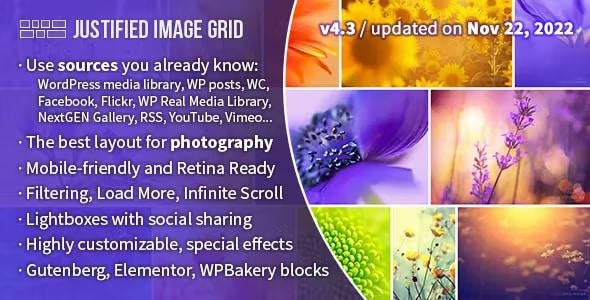
Justified Image Grid is a powerful and fully responsive WordPress gallery plugin, expertly designed to showcase your images in the most beautiful and authentic way. Perfect for photographers, designers, architects, or anyone who wants their visual content to tell a story in style.
This is a GPL-distributed version:
✅ Clean, secure, and legal
✅ Same as original developer’s premium plugin
❌ No official support included
🎨 Key Features
Visual Control & Layouts
Automatic justified layout for natural LTR/RTL reading direction
Dynamic row heights and handling of incomplete last row
Limit images or maximum rows; hidden limit for lightbox only
Flexible aspect ratios and random widths for thumbnails
Fully responsive, with mobile-specific settings
Retina ready, supporting high-resolution displays
Special effects like de-saturate, blur, sepia, glow
Customizable overlay, border, shadow, and icons on thumbnails
Advanced thumbnail captions with sliding, fading, polaroid, and vertical centering
Gallery Behavior
Custom links to pages or videos
Video support: YouTube, Vimeo, self-hosted
Filtering by tags, categories, or custom taxonomies
Load more and infinite scroll options
CDN compatible for faster galleries
Multiple instances on a single page
Conditional script loading for optimized performance
Right-click protection and optional download links
Content Sources
WordPress galleries, posts, pages, custom post types
WooCommerce products, portfolios, albums, collections
NextGEN Gallery, Real Media Library, Flickr, YouTube, Vimeo, DeviantArt, 500px, Pinterest, Tumblr
Recent, random, or search-based images
Lightbox Options
Bundled with prettyPhoto, PhotoSwipe, Magnific Popup, ColorBox, FooBox, Jetpack Carousel
Mobile and desktop friendly, with social sharing
Additional Features
WPBakery Page Builder integration with live preview
Shortcode editor and template tags for full customization
Hundreds of configurable settings with contextual help
WPML and translation-ready (includes Spanish)
Supports animated GIFs and transparent PNGs
Optional members-only galleries
Adds images to XML Sitemap via WordPress SEO plugin
Justified Image Grid turns your website into a visually stunning showcase for all types of media, giving you complete control over layout, design, and interactivity. Perfect for portfolios, online stores, and creative agencies.
Be the first to review “Justified Image Grid – Premium WordPress Gallery 4.7.2” Cancel reply
How to Install
Follow these quick steps to install from a .zip file or directly from your WP dashboard.
-
1
Go to Plugins → Add New
In your WordPress dashboard, open Plugins and click Add New.
-
2
Click Upload Plugin
Press Upload Plugin → Choose File and select the downloaded
plugin-name.zip. -
3
Install & Activate
Click Install Now, then Activate. You’re done!
-
4
(Optional) Enter License / Use Shortcode
Open Plugins → Your Plugin → Settings to enter your license. Add the box on the product page with:
[plugin_info_box]
Alternative: Install from WordPress directory
Go to Plugins → Add New, search the plugin name, click Install then Activate.
Manual (FTP) method
Unzip locally → upload the folder to /wp-content/plugins/ using FTP → activate from Plugins.
-
1
Go to Appearance → Themes
Click Add New → Upload Theme.
-
2
Upload the .zip file
Select
theme-name.zip, click Install Now, then Activate. -
3
Install Required Plugins
If prompted, click Begin installing plugins and activate them.
-
4
(Optional) Import Starter Content
Use the theme’s Demo Import (if provided) to load sample pages and settings.
Manual (FTP) theme install
Unzip the theme → upload to /wp-content/themes/ → activate from Appearance → Themes.




Reviews
There are no reviews yet.