
- ✔ Verified by VirusTotal
- ✔ 100% Original Product & Virus-Free
- ✔ Lifetime Free Updates on Single Purchase
- ✔ Unlimited Website Usage
- ✔ Prices in USD (Tax Included)
🔥 Limited-Time Deal — Ends Soon!
WooCommerce Upload Files 87.8
$25.00 Original price was: $25.00.$2.99Current price is: $2.99.
Instant Access
7 Day Money Back Guarantee
Online Support 24/7
Secure Payment
Description
WooCommerce Upload Files 87.8
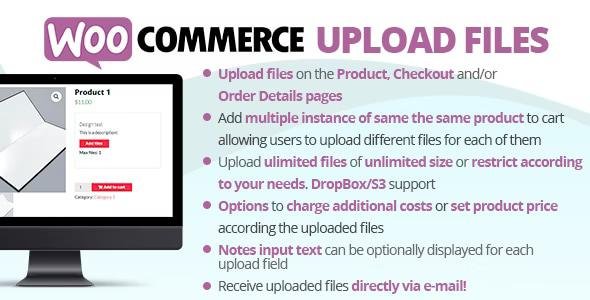
The WooCommerce Upload Files plugin allows customers to upload files directly from the product, cart, checkout, or order pages. Perfect for stores selling customized, print-on-demand, or personalized products, this plugin ensures that customers can easily attach the necessary files (images, documents, artwork, etc.) when placing an order.
This is a GPL-distributed version – clean, secure, and legally redistributed under the GPL license, with no official support.
📤 Key Features of WooCommerce Upload Files
🔧 Flexible Upload Options
Allow file uploads on product page, cart, checkout, or order details.
Enable single or multiple file uploads.
Limit uploads to specific products or categories.
🎨 File Customization & Management
Customize the upload button text and placement.
Support for drag & drop uploads.
Customers can preview uploaded files before confirming.
📂 File Types & Restrictions
Support for images, documents, audio, video, and compressed files.
Define allowed file types (JPG, PNG, PDF, DOC, ZIP, etc.).
Set file size limits for uploads.
🔒 Secure Storage & Management
Uploaded files are securely stored in a dedicated directory.
Admin can access and download files from the order page.
Option to delete or replace files as needed.
👤 Customer Experience
Customers can upload files after purchase via their account/order page.
Display confirmation messages after successful uploads.
Option to make uploads mandatory or optional.
🚀 Benefits of WooCommerce Upload Files
Ideal for personalized products like t-shirts, mugs, photo albums, business cards, and more.
Save time by collecting necessary files directly during purchase.
Improve order accuracy with clear file submissions.
Enhance customer satisfaction by allowing easy file uploads anytime.
Seamless integration with WooCommerce checkout flow.
📝 Summary
The WooCommerce Upload Files 87.8 plugin is an essential tool for any WooCommerce store offering custom, print-ready, or personalized products. With its flexible upload locations, secure file handling, customizable settings, and wide file type support, it simplifies the process of collecting customer files during orders.
If your store needs a reliable way for customers to submit artwork, designs, documents, or other files, this plugin provides a complete solution.
Be the first to review “WooCommerce Upload Files 87.8” Cancel reply
How to Install
Follow these quick steps to install from a .zip file or directly from your WP dashboard.
-
1
Go to Plugins → Add New
In your WordPress dashboard, open Plugins and click Add New.
-
2
Click Upload Plugin
Press Upload Plugin → Choose File and select the downloaded
plugin-name.zip. -
3
Install & Activate
Click Install Now, then Activate. You’re done!
-
4
(Optional) Enter License / Use Shortcode
Open Plugins → Your Plugin → Settings to enter your license. Add the box on the product page with:
[plugin_info_box]
Alternative: Install from WordPress directory
Go to Plugins → Add New, search the plugin name, click Install then Activate.
Manual (FTP) method
Unzip locally → upload the folder to /wp-content/plugins/ using FTP → activate from Plugins.
-
1
Go to Appearance → Themes
Click Add New → Upload Theme.
-
2
Upload the .zip file
Select
theme-name.zip, click Install Now, then Activate. -
3
Install Required Plugins
If prompted, click Begin installing plugins and activate them.
-
4
(Optional) Import Starter Content
Use the theme’s Demo Import (if provided) to load sample pages and settings.
Manual (FTP) theme install
Unzip the theme → upload to /wp-content/themes/ → activate from Appearance → Themes.




Reviews
There are no reviews yet.