
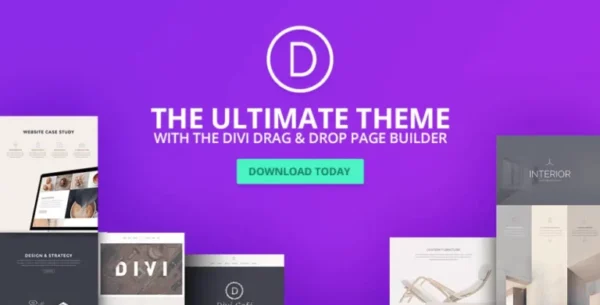
- ✔ Verified by VirusTotal
- ✔ 100% Original Product & Virus-Free
- ✔ Lifetime Free Updates on Single Purchase
- ✔ Unlimited Website Usage
- ✔ Prices in USD (Tax Included)
🔥 Limited-Time Deal — Ends Soon!
Elegant Themes The Divi Builder 4.27.4
$89.00 Original price was: $89.00.$2.99Current price is: $2.99.
Instant Access
7 Day Money Back Guarantee
Online Support 24/7
Secure Payment
Description
SEO Long Description for Elegant Themes – The Divi Builder (GPL)
The Divi Builder – Latest GPL Version
Build stunning WordPress websites with The Divi Builder, a powerful visual drag-and-drop page builder plugin from Elegant Themes. This is a GPL-distributed version—clean, secure, and legally redistributed under the GPL license. Please note: no official support is included.
The Divi Builder gives you complete creative freedom with endless design possibilities. Whether you’re using the Divi Theme or any other WordPress theme, this plugin lets you create professional layouts, interactive modules, and pixel-perfect designs—all without touching a single line of code.
🌟 Why Choose The Divi Builder?
Visual Drag & Drop Editing – Build pages in real time with an intuitive interface.
46+ Content Modules – Use modules like sliders, galleries, forms, buttons, pricing tables, and more.
Works With Any Theme – Use it seamlessly with the Divi Theme or any other WordPress theme.
Endless Layout Options – Combine rows, columns, and modules to create unique designs.
Library System – Save layouts, sections, rows, or modules for instant reuse across your site.
Custom CSS & Advanced Design Settings – For full control over spacing, typography, and styling.
Responsive Design – Every layout automatically adapts beautifully to desktops, tablets, and mobiles.
Undo/Redo & History Log – Easily roll back changes and experiment freely.
🛠️ Powerful Features for Professionals and Beginners
Advanced Columns & Spacing Control – Manage padding, margins, widths, and responsive scaling.
Copy & Paste Across Pages – Move sections, rows, or modules instantly—even between different layouts.
Disable or Lock Elements – Temporarily hide content on the frontend or protect modules from edits.
Reusable Layouts – Save time by storing and reusing custom elements and full-page designs.
Complete Creative Flexibility – Use pre-built templates or build everything from scratch.
🎨 Modules That Empower Your Creativity
Divi Builder modules are building blocks you can combine in countless ways:
Sliders, Galleries, & Portfolios
Pricing Tables & Call-To-Action Blocks
Testimonials, Blog Layouts, & Social Media Integration
Tabs, Accordions, & Toggle Elements
Contact Forms, Email Opt-ins & Custom Code Blocks
Whatever you imagine, the Divi Builder has a module to make it possible.
🚀 Your Complete Web Design Toolkit
Whether you’re a beginner or an experienced designer, The Divi Builder equips you with the tools to create landing pages, sales funnels, blogs, portfolios, and full websites with ease. With its live editing, reusable elements, and unmatched flexibility, Divi Builder transforms the way you build WordPress websites forever.
Be the first to review “Elegant Themes The Divi Builder 4.27.4” Cancel reply
How to Install
Follow these quick steps to install from a .zip file or directly from your WP dashboard.
-
1
Go to Plugins → Add New
In your WordPress dashboard, open Plugins and click Add New.
-
2
Click Upload Plugin
Press Upload Plugin → Choose File and select the downloaded
plugin-name.zip. -
3
Install & Activate
Click Install Now, then Activate. You’re done!
-
4
(Optional) Enter License / Use Shortcode
Open Plugins → Your Plugin → Settings to enter your license. Add the box on the product page with:
[plugin_info_box]
Alternative: Install from WordPress directory
Go to Plugins → Add New, search the plugin name, click Install then Activate.
Manual (FTP) method
Unzip locally → upload the folder to /wp-content/plugins/ using FTP → activate from Plugins.
-
1
Go to Appearance → Themes
Click Add New → Upload Theme.
-
2
Upload the .zip file
Select
theme-name.zip, click Install Now, then Activate. -
3
Install Required Plugins
If prompted, click Begin installing plugins and activate them.
-
4
(Optional) Import Starter Content
Use the theme’s Demo Import (if provided) to load sample pages and settings.
Manual (FTP) theme install
Unzip the theme → upload to /wp-content/themes/ → activate from Appearance → Themes.

Reviews
There are no reviews yet.