
- ✔ Verified by VirusTotal
- ✔ 100% Original Product & Virus-Free
- ✔ Lifetime Free Updates on Single Purchase
- ✔ Unlimited Website Usage
- ✔ Prices in USD (Tax Included)
🔥 Limited-Time Deal — Ends Soon!
PowerPack Elements for Elementor 2.12.12
$57.00 Original price was: $57.00.$2.99Current price is: $2.99.
Instant Access
7 Day Money Back Guarantee
Online Support 24/7
Secure Payment
Description
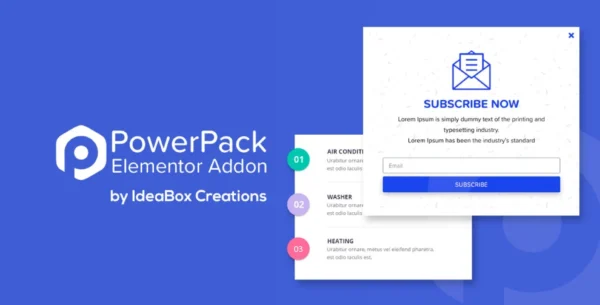
PowerPack Elements for Elementor – Latest GPL Version
This is a GPL-distributed version of PowerPack Elements for Elementor.
It is 100% clean, secure, and legally redistributed under the GPL license.
Please note: no official support is included with this package.
🌟 Overview
PowerPack Elements for Elementor is one of the most popular and powerful add-ons for Elementor Page Builder. Packed with creative widgets, productivity boosters, and advanced styling options, PowerPack helps you build professional websites faster than ever.
From dynamic content support to white-label branding, PowerPack gives designers, developers, and agencies the flexibility to create unique client websites without coding. Whether you want eye-catching elements, interactive layouts, or streamlined workflows—PowerPack unlocks the next level of Elementor design.
🎨 Creative Widgets at Your Fingertips
With over 70+ flexible Elementor widgets, PowerPack adds endless design possibilities to your projects:
🎬 Advanced Image Galleries & Sliders
🗂 Tabs, Accordions & Info Boxes
📊 Counters, Progress Bars & Pie Charts
📍 Maps & Location Widgets
💬 Testimonials, Reviews & Call-to-Actions
🎥 Video Galleries & Popups
🛒 WooCommerce Product Grids, Categories & Carousels
Every widget comes with deep customization controls so you can match your website’s style perfectly.
⚡ Performance & Compatibility
✅ Elementor 2.0 Dynamic Fields Compatible – Display posts, products, and other dynamic content with ease.
✅ Lightweight & Optimized – Built with performance in mind to keep your website fast.
✅ Fully Responsive – All widgets are mobile-ready for flawless viewing on every device.
✅ Works with Any Theme – Seamlessly integrates with popular WordPress themes.
🏷 White Label Branding for Agencies
Deliver a seamless experience to your clients by rebranding PowerPack with your own logo and name. This feature makes it perfect for freelancers and agencies who want to maintain a professional, branded workflow while using GPL plugins.
🚀 Why Choose PowerPack for Elementor?
Build stunning websites faster with ready-made widgets.
Add dynamic content integration with Elementor Pro.
Use white label branding to reinforce your business identity.
Optimize workflow and reduce dependency on multiple plugins.
Create professional-grade websites without coding.
📌 Use Cases
🌐 Business Websites – Elegant service showcases, contact forms, and CTA banners.
🛒 E-Commerce Stores – Product grids, category carousels, and sales banners.
📚 Educational Platforms – FAQ sections, course highlights, and interactive layouts.
🎨 Creative Portfolios – Showcase galleries, sliders, and testimonials beautifully.
📈 Agencies & Freelancers – Speed up development with ready-to-use widgets.
🎯 Conclusion
With PowerPack Elements for Elementor (GPL Version), you’re not just getting extra widgets—you’re unlocking a complete creative toolkit for Elementor. Packed with innovative design options, dynamic integrations, and white-label features, PowerPack is the perfect solution for professionals who want to design websites that impress, engage, and convert.
Be the first to review “PowerPack Elements for Elementor 2.12.12” Cancel reply
How to Install
Follow these quick steps to install from a .zip file or directly from your WP dashboard.
-
1
Go to Plugins → Add New
In your WordPress dashboard, open Plugins and click Add New.
-
2
Click Upload Plugin
Press Upload Plugin → Choose File and select the downloaded
plugin-name.zip. -
3
Install & Activate
Click Install Now, then Activate. You’re done!
-
4
(Optional) Enter License / Use Shortcode
Open Plugins → Your Plugin → Settings to enter your license. Add the box on the product page with:
[plugin_info_box]
Alternative: Install from WordPress directory
Go to Plugins → Add New, search the plugin name, click Install then Activate.
Manual (FTP) method
Unzip locally → upload the folder to /wp-content/plugins/ using FTP → activate from Plugins.
-
1
Go to Appearance → Themes
Click Add New → Upload Theme.
-
2
Upload the .zip file
Select
theme-name.zip, click Install Now, then Activate. -
3
Install Required Plugins
If prompted, click Begin installing plugins and activate them.
-
4
(Optional) Import Starter Content
Use the theme’s Demo Import (if provided) to load sample pages and settings.
Manual (FTP) theme install
Unzip the theme → upload to /wp-content/themes/ → activate from Appearance → Themes.



Reviews
There are no reviews yet.