
- ✔ Verified by VirusTotal
- ✔ 100% Original Product & Virus-Free
- ✔ Lifetime Free Updates on Single Purchase
- ✔ Unlimited Website Usage
- ✔ Prices in USD (Tax Included)
🔥 Limited-Time Deal — Ends Soon!
WP Guard – Security, Firewall & Anti-Spam plugin for WordPress 2.5
$20.00 Original price was: $20.00.$2.99Current price is: $2.99.
Instant Access
7 Day Money Back Guarantee
Online Support 24/7
Secure Payment
Description
WP Guard – Security, Firewall & Anti-Spam (GPL)
This is a GPL-distributed version of WP Guard. 100% clean, safe, and legally redistributed under the GPL license. (No official developer support included.)
🔐 Overview
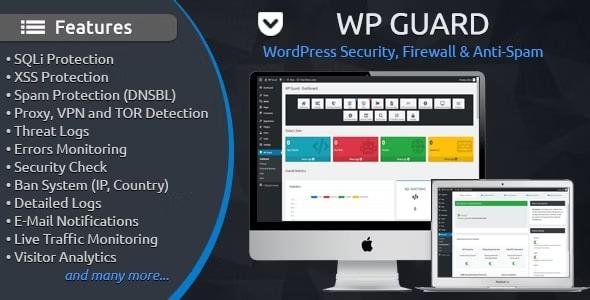
is a powerful WordPress security plugin that protects your site against hackers, brute force, SQLi injections, XSS vulnerabilities, malware, spam, and bad bots. With its intelligent algorithms and industrial-strength firewall, WP Guard offers enterprise-grade protection for WordPress websites of any size.
Integrated directly with WordPress, WP Guard provides a Ban System, Threat Logs, Real-Time Traffic Monitoring, and Advanced Analytics – all accessible from your admin panel. Lightweight, responsive, and optimized for performance, WP Guard ensures maximum security with minimal server load.
⚡ Key Features of
🛡 Advanced Threat Protection
Blocks SQL Injection (SQLi) & Cross-Site Scripting (XSS)
Stops proxy, VPN, and TOR visitors
Protects against spam bots & malicious crawlers
📡 Intelligent Security System
Pattern recognition for zero-day attacks
Detects fake bots & suspicious headers
Auto-ban bad bots & exploit attempts
📊 Monitoring & Logs
Detailed attack & threat logs with country, browser, OS, IP, and more
Live traffic monitoring & real-time visitor tracking
Login history & errors monitoring
🌍 Ban & Access Control
Block specific IPs, ranges, countries, ISPs, OS, and referrers
IP & file whitelisting for trusted sources
DNSBL integration to block blacklisted visitors
📬 Notifications & Tools
Instant email alerts for attacks
Dashboard with protection stats
Built-in .htaccess editor, PHP configuration checker & hash generator
💻 Optimized & User-Friendly
Lightweight, won’t slow down your website
Fully responsive admin panel
Quick & easy installation
🎯 Why Choose?
With enterprise-grade firewall protection, real-time monitoring, and intelligent threat detection, WP Guard ensures your website is safe from hackers, malware, spam, and unauthorized access. Whether you’re running a blog, business website, or e-commerce store, WP Guard is your all-in-one WordPress security solution.
Be the first to review “WP Guard – Security, Firewall & Anti-Spam plugin for WordPress 2.5” Cancel reply
How to Install
Follow these quick steps to install from a .zip file or directly from your WP dashboard.
-
1
Go to Plugins → Add New
In your WordPress dashboard, open Plugins and click Add New.
-
2
Click Upload Plugin
Press Upload Plugin → Choose File and select the downloaded
plugin-name.zip. -
3
Install & Activate
Click Install Now, then Activate. You’re done!
-
4
(Optional) Enter License / Use Shortcode
Open Plugins → Your Plugin → Settings to enter your license. Add the box on the product page with:
[plugin_info_box]
Alternative: Install from WordPress directory
Go to Plugins → Add New, search the plugin name, click Install then Activate.
Manual (FTP) method
Unzip locally → upload the folder to /wp-content/plugins/ using FTP → activate from Plugins.
-
1
Go to Appearance → Themes
Click Add New → Upload Theme.
-
2
Upload the .zip file
Select
theme-name.zip, click Install Now, then Activate. -
3
Install Required Plugins
If prompted, click Begin installing plugins and activate them.
-
4
(Optional) Import Starter Content
Use the theme’s Demo Import (if provided) to load sample pages and settings.
Manual (FTP) theme install
Unzip the theme → upload to /wp-content/themes/ → activate from Appearance → Themes.




Reviews
There are no reviews yet.