
- ✔ Verified by VirusTotal
- ✔ 100% Original Product & Virus-Free
- ✔ Lifetime Free Updates on Single Purchase
- ✔ Unlimited Website Usage
- ✔ Prices in USD (Tax Included)
🔥 Limited-Time Deal — Ends Soon!
ACF Custom Database Tables 1.1.3
$57.00 Original price was: $57.00.$2.99Current price is: $2.99.
Instant Access
7 Day Money Back Guarantee
Online Support 24/7
Secure Payment
Description
🗄️ ACF Custom Database Tables (GPL) – Save ACF Data in Structured Tables
🚀 Organize Advanced Custom Fields in Custom Database Tables
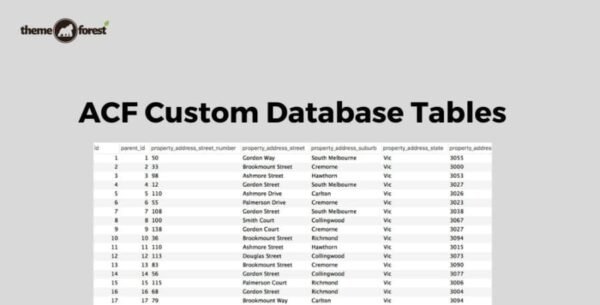
By default, Advanced Custom Fields (ACF) stores data in the WordPress post meta table, which can get messy and slow ⚠️. The ACF Custom Database Tables (GPL) add-on solves this by saving your custom field data in structured, optimized database tables for faster performance, cleaner organization, and easier data management.
✨ Key Features of ACF Custom Database Tables
1️⃣ Create Custom Database Tables
Build structured tables automatically from your ACF fields 🛠️
Each field has its own dedicated column for efficient data storage 📊
2️⃣ Native ACF Integration
Works seamlessly with ACF’s native functions
No need to change how you use ACF in your WordPress dashboard ✅
3️⃣ Faster Searches & Queries
Optimized tables mean quicker lookups and searches 🔍
Ideal for large sites, WooCommerce stores, and data-heavy applications ⚡
4️⃣ Easy Data Export
Export structured data directly from your database 📤
Cleaner exports for reporting, analytics, or migrations
5️⃣ Schema Change Log
Keeps a detailed log of schema changes 📝
Helps developers track modifications and maintain database integrity
6️⃣ Extendable with Filters
Includes WordPress filters for customizing and extending functionality 🔌
Developer-friendly for advanced workflows
📋 Supported ACF Fields
ACF Custom Database Tables supports a wide range of commonly used fields, including:
📝 Text, Text Area
🔢 Number, Range
📧 Email, URL, Password
🖼️ Image, File
🏆 Why Use ACF Custom Database Tables (GPL)?
✅ Boost site performance with structured data storage
✅ Reduce clutter in the WordPress post meta table
✅ Simplify data export for analytics or external use
✅ 100% GPL licensed – secure, clean, and legally redistributed 🔒
✅ Perfect for developers building scalable WordPress applications
🎯 Final Thoughts
The ACF Custom Database Tables (GPL) add-on is the ultimate tool for developers and advanced WordPress users who want to optimize data storage and speed up searches 🚀. If you’re already using Advanced Custom Fields, this add-on will take your site’s performance and scalability to the next level.
Be the first to review “ACF Custom Database Tables 1.1.3” Cancel reply
How to Install
Follow these quick steps to install from a .zip file or directly from your WP dashboard.
-
1
Go to Plugins → Add New
In your WordPress dashboard, open Plugins and click Add New.
-
2
Click Upload Plugin
Press Upload Plugin → Choose File and select the downloaded
plugin-name.zip. -
3
Install & Activate
Click Install Now, then Activate. You’re done!
-
4
(Optional) Enter License / Use Shortcode
Open Plugins → Your Plugin → Settings to enter your license. Add the box on the product page with:
[plugin_info_box]
Alternative: Install from WordPress directory
Go to Plugins → Add New, search the plugin name, click Install then Activate.
Manual (FTP) method
Unzip locally → upload the folder to /wp-content/plugins/ using FTP → activate from Plugins.
-
1
Go to Appearance → Themes
Click Add New → Upload Theme.
-
2
Upload the .zip file
Select
theme-name.zip, click Install Now, then Activate. -
3
Install Required Plugins
If prompted, click Begin installing plugins and activate them.
-
4
(Optional) Import Starter Content
Use the theme’s Demo Import (if provided) to load sample pages and settings.
Manual (FTP) theme install
Unzip the theme → upload to /wp-content/themes/ → activate from Appearance → Themes.




Reviews
There are no reviews yet.