
- ✔ Verified by VirusTotal
- ✔ 100% Original Product & Virus-Free
- ✔ Lifetime Free Updates on Single Purchase
- ✔ Unlimited Website Usage
- ✔ Prices in USD (Tax Included)
🔥 Limited-Time Deal — Ends Soon!
Advanced iFrame Pro 2025.8
$19.00 Original price was: $19.00.$2.99Current price is: $2.99.
Instant Access
7 Day Money Back Guarantee
Online Support 24/7
Secure Payment
Description
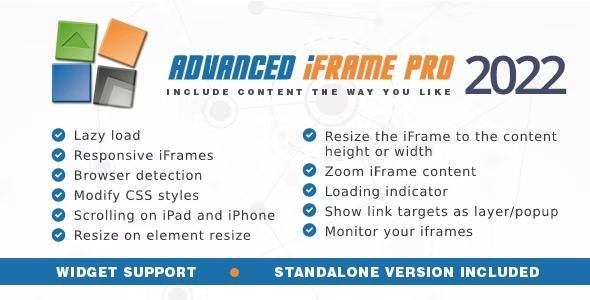
The Advanced iFrame Pro Plugin is a powerful WordPress tool that allows you to seamlessly embed and manage iframes on your website with advanced customization and security options. Unlike standard iframe embeds, this plugin gives you full control over size, styling, scrolling, and display rules, making it the ultimate solution for embedding external or internal content.
Installation is simple — upload the plugin files to your WordPress /wp-content/plugins/ directory, activate the plugin, and use the shortcode [advanced_iframe] in your pages or posts. You can also configure an optional security key from the settings to restrict unauthorized usage.
A standout feature of Advanced iFrame Pro is its built-in iframe checker. This feature automatically scans and monitors all iframes on your site daily (even non-Advanced iFrame ones), ensuring they are still active and preventing visitors from encountering blank pages.
Additionally, the plugin includes a standalone version that can be used on any PHP page, not just WordPress. This makes it versatile for developers and site owners who want iframe functionality across different environments.
🔑 Key Features of Advanced iFrame Pro:
Embed iframes with the
[advanced_iframe]shortcode.Full control over iframe size, scrolling, and appearance.
Iframe checker – automatically test and monitor iframe availability daily.
Works with both Advanced iFrame embeds and standard iframes.
Optional security key for iframe protection.
Standalone version – use outside WordPress on any PHP page.
Parallel iframe checking for performance.
Prevents users from seeing blank or broken iframe content.
Easy setup and integration with WordPress.
⚡ Requires WordPress (or PHP environment for standalone version).
⚡ 100% GPL licensed – clean, secure, and legally redistributed.
⚡ Perfect for embedding external apps, forms, third-party services, or cross-domain content.
Be the first to review “Advanced iFrame Pro 2025.8” Cancel reply
How to Install
Follow these quick steps to install from a .zip file or directly from your WP dashboard.
-
1
Go to Plugins → Add New
In your WordPress dashboard, open Plugins and click Add New.
-
2
Click Upload Plugin
Press Upload Plugin → Choose File and select the downloaded
plugin-name.zip. -
3
Install & Activate
Click Install Now, then Activate. You’re done!
-
4
(Optional) Enter License / Use Shortcode
Open Plugins → Your Plugin → Settings to enter your license. Add the box on the product page with:
[plugin_info_box]
Alternative: Install from WordPress directory
Go to Plugins → Add New, search the plugin name, click Install then Activate.
Manual (FTP) method
Unzip locally → upload the folder to /wp-content/plugins/ using FTP → activate from Plugins.
-
1
Go to Appearance → Themes
Click Add New → Upload Theme.
-
2
Upload the .zip file
Select
theme-name.zip, click Install Now, then Activate. -
3
Install Required Plugins
If prompted, click Begin installing plugins and activate them.
-
4
(Optional) Import Starter Content
Use the theme’s Demo Import (if provided) to load sample pages and settings.
Manual (FTP) theme install
Unzip the theme → upload to /wp-content/themes/ → activate from Appearance → Themes.




Reviews
There are no reviews yet.