
- ✔ Verified by VirusTotal
- ✔ 100% Original Product & Virus-Free
- ✔ Lifetime Free Updates on Single Purchase
- ✔ Unlimited Website Usage
- ✔ Prices in USD (Tax Included)
🔥 Limited-Time Deal — Ends Soon!
Advanced Shipment Tracking Pro – (AST PRO) 4.8.3
Instant Access
7 Day Money Back Guarantee
Online Support 24/7
Secure Payment
Description
🎯 Advanced Shipment Tracking Pro (AST PRO) Overview
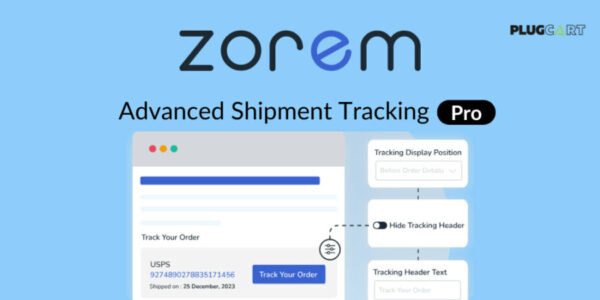
Advanced Shipment Tracking Pro (AST PRO) 4.8.3 is the ultimate fulfillment manager for WooCommerce. Add tracking information to orders effortlessly, automate your fulfillment workflows, and ensure your customers stay informed throughout the shipping process.
This plugin is designed to simplify shipping management while improving customer satisfaction.
🛠️ Key Features
📦 WooCommerce Order Tracking
Easily add tracking information to all WooCommerce orders.
Support for multiple carriers and shipment methods.
🔄 Automated Fulfillment Workflows
Automate shipment status updates.
Reduce manual work and streamline order fulfillment.
🔔 Customer Notifications
Automatically notify customers about shipment status.
Enhance customer experience and satisfaction.
🌟 Additional Features
Compatible with most WooCommerce setups.
Supports custom carriers for flexibility.
Reliable tracking for domestic and international shipments.
🌟 Benefits
Save time with automated fulfillment processes.
Keep customers informed to reduce inquiries.
Improve trust and reliability in your WooCommerce store.
Track shipments efficiently across multiple carriers.
🏁 Conclusion
Advanced Shipment Tracking Pro (AST PRO) 4.8.3 is the perfect WooCommerce solution for store owners who want efficient shipping management and happy, informed customers. Automate tracking, streamline fulfillment, and enhance the overall shopping experience with AST PRO.
Be the first to review “Advanced Shipment Tracking Pro – (AST PRO) 4.8.3” Cancel reply
How to Install
Follow these quick steps to install from a .zip file or directly from your WP dashboard.
-
1
Go to Plugins → Add New
In your WordPress dashboard, open Plugins and click Add New.
-
2
Click Upload Plugin
Press Upload Plugin → Choose File and select the downloaded
plugin-name.zip. -
3
Install & Activate
Click Install Now, then Activate. You’re done!
-
4
(Optional) Enter License / Use Shortcode
Open Plugins → Your Plugin → Settings to enter your license. Add the box on the product page with:
[plugin_info_box]
Alternative: Install from WordPress directory
Go to Plugins → Add New, search the plugin name, click Install then Activate.
Manual (FTP) method
Unzip locally → upload the folder to /wp-content/plugins/ using FTP → activate from Plugins.
-
1
Go to Appearance → Themes
Click Add New → Upload Theme.
-
2
Upload the .zip file
Select
theme-name.zip, click Install Now, then Activate. -
3
Install Required Plugins
If prompted, click Begin installing plugins and activate them.
-
4
(Optional) Import Starter Content
Use the theme’s Demo Import (if provided) to load sample pages and settings.
Manual (FTP) theme install
Unzip the theme → upload to /wp-content/themes/ → activate from Appearance → Themes.




Reviews
There are no reviews yet.