
- ✔ Verified by VirusTotal
- ✔ 100% Original Product & Virus-Free
- ✔ Lifetime Free Updates on Single Purchase
- ✔ Unlimited Website Usage
- ✔ Prices in USD (Tax Included)
🔥 Limited-Time Deal — Ends Soon!
AffiliateWP Signup Referrals Addon 1.2.1
$58.00 Original price was: $58.00.$2.99Current price is: $2.99.
Instant Access
7 Day Money Back Guarantee
Online Support 24/7
Secure Payment
Description
🤝 AffiliateWP – Signup Referrals Addon (Latest GPL Version)
This is a GPL-licensed version. No official support. Clean, secure, and legally redistributed under the GPL license.
🌟 Introduction
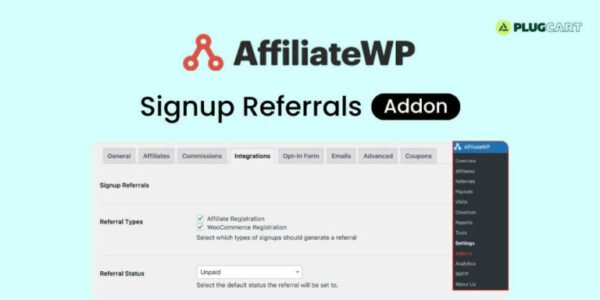
The AffiliateWP Signup Referrals Addon changes the game by rewarding affiliates not just for sales but also for user sign-ups. Instead of waiting for purchases, affiliates can earn a flat-rate commission whenever a referred user creates an account on your site. Perfect for businesses that value new leads, community growth, and registrations.
⚡ Key Features
🔑 Supported Actions
👥 Award referral when a user registers as an affiliate
🛒 Track new account registrations via WooCommerce
🎟️ Capture signups from Easy Digital Downloads (EDD)
📋 Award referrals through Gravity Forms + User Registration add-on
🧑🤝🧑 Supports Ultimate Member and UserPro registrations
💲 Flexible Commission Control
Set per-integration flat rates
Assign different commission amounts for WooCommerce, EDD, Gravity Forms, etc.
Option to set $0.00 commissions when no payout is required
📝 Referral Status Options
Mark referrals as Pending or Unpaid
Easily track affiliate sign-ups separately from sales referrals
🔍 Transparency for Admins
See which affiliate referred the new user right from the WordPress admin
Affiliate ID visible on the new affiliate’s edit screen
💡 Benefits of AffiliateWP Signup Referrals
🚀 Boost Sign-Ups – Encourage affiliates to drive more registrations.
🎯 Lead Generation Made Easy – Ideal for memberships, courses, or communities.
⚙️ Seamless Integrations – Works with WooCommerce, EDD, Gravity Forms & more.
📊 Track Everything – Full visibility on which affiliates deliver the most signups.
✅ Conclusion
The AffiliateWP Signup Referrals Addon empowers you to reward affiliates for growing your user base, not just for making sales. With flexible flat-rate commissions, per-integration settings, and seamless tracking, it’s the perfect solution for boosting registrations, memberships, and community signups.
Be the first to review “AffiliateWP Signup Referrals Addon 1.2.1” Cancel reply
How to Install
Follow these quick steps to install from a .zip file or directly from your WP dashboard.
-
1
Go to Plugins → Add New
In your WordPress dashboard, open Plugins and click Add New.
-
2
Click Upload Plugin
Press Upload Plugin → Choose File and select the downloaded
plugin-name.zip. -
3
Install & Activate
Click Install Now, then Activate. You’re done!
-
4
(Optional) Enter License / Use Shortcode
Open Plugins → Your Plugin → Settings to enter your license. Add the box on the product page with:
[plugin_info_box]
Alternative: Install from WordPress directory
Go to Plugins → Add New, search the plugin name, click Install then Activate.
Manual (FTP) method
Unzip locally → upload the folder to /wp-content/plugins/ using FTP → activate from Plugins.
-
1
Go to Appearance → Themes
Click Add New → Upload Theme.
-
2
Upload the .zip file
Select
theme-name.zip, click Install Now, then Activate. -
3
Install Required Plugins
If prompted, click Begin installing plugins and activate them.
-
4
(Optional) Import Starter Content
Use the theme’s Demo Import (if provided) to load sample pages and settings.
Manual (FTP) theme install
Unzip the theme → upload to /wp-content/themes/ → activate from Appearance → Themes.




Reviews
There are no reviews yet.