
- ✔ Verified by VirusTotal
- ✔ 100% Original Product & Virus-Free
- ✔ Lifetime Free Updates on Single Purchase
- ✔ Unlimited Website Usage
- ✔ Prices in USD (Tax Included)
🔥 Limited-Time Deal — Ends Soon!
AH Survey – Survey Builder With Multiple Questions Types 1.8.0
$10.00 Original price was: $10.00.$2.99Current price is: $2.99.
Instant Access
7 Day Money Back Guarantee
Online Support 24/7
Secure Payment
Description
📝 AH Survey – Survey Builder With Multiple Question Types
AH Survey is a versatile WordPress plugin that allows you to create unlimited surveys with multiple question types. It is fully compatible with both WPBakery and Gutenberg, making it easy to build and integrate surveys into your site regardless of the page builder you use. This plugin is perfect for gathering feedback, conducting research, or creating interactive content to engage your users.
🔹 Key Features of AH Survey – Survey Builder
Unlimited Surveys – Create as many surveys as you need without restrictions.
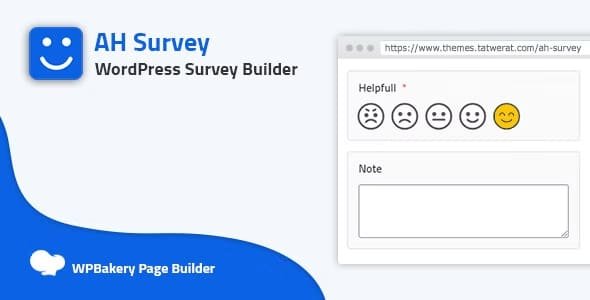
Multiple Question Types – Supports Short Text, Long Text, Number, Date, Date-Time, Time, Slider, Select Dropdown, Radio List, Buttons Choice, Emoji Buttons, Stars Rating, Like & Dislike, Photos Choices List, Checkbox List, and 5-Point Choice.
Easy Integration – Works seamlessly with WPBakery and Gutenberg editors for easy survey placement.
User Engagement – Interactive question types like emoji buttons, stars rating, and photo choices increase user participation.
Flexible Design – Customize the look and feel of your surveys to match your website theme.
✅ Conclusion
AH Survey – Survey Builder With Multiple Question Types is an ideal solution for WordPress sites that want to collect detailed user feedback or engage visitors with interactive surveys. Its wide range of question types, compatibility with popular editors, and easy-to-use interface make survey creation simple, effective, and highly customizable.
Be the first to review “AH Survey – Survey Builder With Multiple Questions Types 1.8.0” Cancel reply
How to Install
Follow these quick steps to install from a .zip file or directly from your WP dashboard.
-
1
Go to Plugins → Add New
In your WordPress dashboard, open Plugins and click Add New.
-
2
Click Upload Plugin
Press Upload Plugin → Choose File and select the downloaded
plugin-name.zip. -
3
Install & Activate
Click Install Now, then Activate. You’re done!
-
4
(Optional) Enter License / Use Shortcode
Open Plugins → Your Plugin → Settings to enter your license. Add the box on the product page with:
[plugin_info_box]
Alternative: Install from WordPress directory
Go to Plugins → Add New, search the plugin name, click Install then Activate.
Manual (FTP) method
Unzip locally → upload the folder to /wp-content/plugins/ using FTP → activate from Plugins.
-
1
Go to Appearance → Themes
Click Add New → Upload Theme.
-
2
Upload the .zip file
Select
theme-name.zip, click Install Now, then Activate. -
3
Install Required Plugins
If prompted, click Begin installing plugins and activate them.
-
4
(Optional) Import Starter Content
Use the theme’s Demo Import (if provided) to load sample pages and settings.
Manual (FTP) theme install
Unzip the theme → upload to /wp-content/themes/ → activate from Appearance → Themes.




Reviews
There are no reviews yet.