
- ✔ Verified by VirusTotal
- ✔ 100% Original Product & Virus-Free
- ✔ Lifetime Free Updates on Single Purchase
- ✔ Unlimited Website Usage
- ✔ Prices in USD (Tax Included)
🔥 Limited-Time Deal — Ends Soon!
All in One WP Migration Unlimited Extension – ServMask 2.79
$67.00 Original price was: $67.00.$2.99Current price is: $2.99.
Instant Access
7 Day Money Back Guarantee
Online Support 24/7
Secure Payment
Description
🧩 All in One WP Migration Unlimited Extension (Latest Version)
This is a GPL-distributed version. No official support. Clean, secure, and legally redistributed under the GPL license.
🚀 Overview
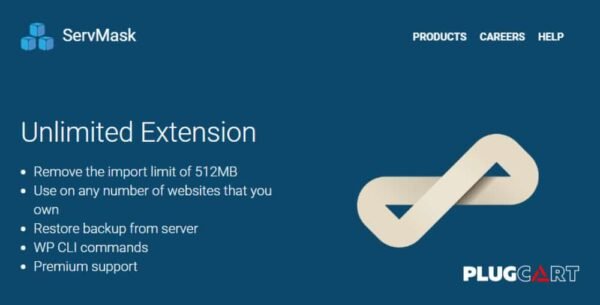
The All in One WP Migration Unlimited Extension is an essential addon for the All in One WP Migration plugin. It removes the default 512MB import limit, enabling you to import and restore unlimited-sized backups of your WordPress site.
Whether you’re migrating large websites, complex multisite networks, or multiple client projects, this extension ensures a smooth, reliable, and time-saving migration process.
It also allows server-side restores, WP-CLI command support, and integration with numerous cloud storage extensions — offering total control and flexibility in your WordPress migration workflow.
⚙️ Key Features
📦 Remove Import Limit
Eliminate the 512MB upload restriction.
Import unlimited-size backups without any manual intervention.
🌐 Unlimited Website Usage
Use the extension on any number of websites you own.
Perfect for developers, agencies, and WordPress managers handling multiple sites.
🔁 Restore Backups from Server
Quickly restore backups directly from your server without needing to re-upload large files.
🧠 WP CLI Integration
Use WP CLI commands for seamless automation and faster migrations.
Ideal for developers and advanced users who prefer command-line efficiency.
🔌 Compatible with All Extensions
Works alongside all All in One WP Migration storage extensions, including:
Dropbox
Google Drive
Amazon S3
OneDrive
Box
Mega
DigitalOcean
Microsoft Azure Storage
pCloud
Backblaze B2
Google Cloud Storage
Amazon Glacier
FTP, S3 Client, WebDAV, and more
⚡ Reliable and Secure
Built by ServMask, the creators of the original All in One WP Migration plugin.
Maintains compatibility with all modern WordPress versions.
🌟 Benefits
Migrate large websites without limitations
Restore directly from server backups
Integrate with cloud storage services for remote imports
Simplify migrations using WP CLI commands
Use on unlimited personal or client websites
🏁 Conclusion
The All in One WP Migration Unlimited Extension is the ultimate upgrade for users who want to overcome the 512MB import limit and enjoy seamless, full-scale WordPress migrations.
Whether you’re a developer managing multiple websites or a site owner with large media libraries, this addon provides the freedom, speed, and reliability you need for effortless site transfers.
Unlock unlimited migration power and take complete control of your WordPress backups today.
Be the first to review “All in One WP Migration Unlimited Extension – ServMask 2.79” Cancel reply
How to Install
Follow these quick steps to install from a .zip file or directly from your WP dashboard.
-
1
Go to Plugins → Add New
In your WordPress dashboard, open Plugins and click Add New.
-
2
Click Upload Plugin
Press Upload Plugin → Choose File and select the downloaded
plugin-name.zip. -
3
Install & Activate
Click Install Now, then Activate. You’re done!
-
4
(Optional) Enter License / Use Shortcode
Open Plugins → Your Plugin → Settings to enter your license. Add the box on the product page with:
[plugin_info_box]
Alternative: Install from WordPress directory
Go to Plugins → Add New, search the plugin name, click Install then Activate.
Manual (FTP) method
Unzip locally → upload the folder to /wp-content/plugins/ using FTP → activate from Plugins.
-
1
Go to Appearance → Themes
Click Add New → Upload Theme.
-
2
Upload the .zip file
Select
theme-name.zip, click Install Now, then Activate. -
3
Install Required Plugins
If prompted, click Begin installing plugins and activate them.
-
4
(Optional) Import Starter Content
Use the theme’s Demo Import (if provided) to load sample pages and settings.
Manual (FTP) theme install
Unzip the theme → upload to /wp-content/themes/ → activate from Appearance → Themes.




Reviews
There are no reviews yet.