
- ✔ Verified by VirusTotal
- ✔ 100% Original Product & Virus-Free
- ✔ Lifetime Free Updates on Single Purchase
- ✔ Unlimited Website Usage
- ✔ Prices in USD (Tax Included)
🔥 Limited-Time Deal — Ends Soon!
Analytify Pro WooCommerce Addon 5.5.1
$71.00 Original price was: $71.00.$2.99Current price is: $2.99.
Instant Access
7 Day Money Back Guarantee
Online Support 24/7
Secure Payment
Description
📊 Analytify Pro WooCommerce Add-On – Latest Version
This is a GPL-distributed version. No official support. Clean, secure, and legally redistributed under the GPL license.
🌟 Introduction
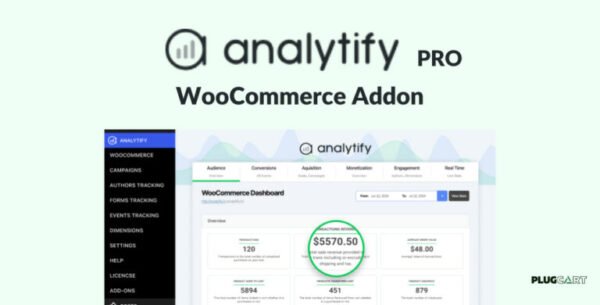
The Analytify Pro WooCommerce Add-On takes your store analytics to the next level. With zero setup required, it brings world-class eCommerce insights right inside your WordPress dashboard. No more digging into Google Analytics—everything you need is just a click away.
🚀 Key Features & Functionality
🔎 Track Product Clicks & Impressions
Monitor how many times a product gets impressions on the homepage, related products, or archive pages.
Track clicks and detailed product page views with ease.
🎟️ Coupons & Refund Tracking
Measure coupon usage and conversions.
See how many transactions came from coupons.
Track total refunds to identify true revenue and optimize marketing efforts.
🌍 Country-Wise Tracking
Get location-based sales reports directly in your WordPress dashboard.
Focus on strong-performing regions and discover opportunities in weaker ones.
🛒 Checkout & Purchase Tracking
Analyze the full checkout flow: add-to-cart clicks, abandoned carts, and successful purchases.
Understand where customers drop off and optimize the funnel.
📈 Products Performance Reports
See revenue, cart-to-detail rate, unique purchases, and buy-to-detail rate per product.
Identify best-selling items and products needing improvement.
🔄 Shopping Behaviour Funnel
Integrated enhanced eCommerce Google Analytics tracking.
View funnels directly in your WordPress dashboard or inside Google Analytics.
💡 Why Use Analytify Pro WooCommerce Add-On?
With actionable data at your fingertips, you can:
✅ Improve conversions
✅ Optimize product listings
✅ Identify sales opportunities
✅ Reduce abandoned carts
✅ Track customer behavior more effectively
✅ Conclusion
The Analytify Pro WooCommerce Add-On transforms complex Google Analytics data into clear, actionable insights—all from within WordPress. If you want to scale your WooCommerce business with smart, data-driven decisions, this add-on is a must-have.
Be the first to review “Analytify Pro WooCommerce Addon 5.5.1” Cancel reply
How to Install
Follow these quick steps to install from a .zip file or directly from your WP dashboard.
-
1
Go to Plugins → Add New
In your WordPress dashboard, open Plugins and click Add New.
-
2
Click Upload Plugin
Press Upload Plugin → Choose File and select the downloaded
plugin-name.zip. -
3
Install & Activate
Click Install Now, then Activate. You’re done!
-
4
(Optional) Enter License / Use Shortcode
Open Plugins → Your Plugin → Settings to enter your license. Add the box on the product page with:
[plugin_info_box]
Alternative: Install from WordPress directory
Go to Plugins → Add New, search the plugin name, click Install then Activate.
Manual (FTP) method
Unzip locally → upload the folder to /wp-content/plugins/ using FTP → activate from Plugins.
-
1
Go to Appearance → Themes
Click Add New → Upload Theme.
-
2
Upload the .zip file
Select
theme-name.zip, click Install Now, then Activate. -
3
Install Required Plugins
If prompted, click Begin installing plugins and activate them.
-
4
(Optional) Import Starter Content
Use the theme’s Demo Import (if provided) to load sample pages and settings.
Manual (FTP) theme install
Unzip the theme → upload to /wp-content/themes/ → activate from Appearance → Themes.




Reviews
There are no reviews yet.