
- ✔ Verified by VirusTotal
- ✔ 100% Original Product & Virus-Free
- ✔ Lifetime Free Updates on Single Purchase
- ✔ Unlimited Website Usage
- ✔ Prices in USD (Tax Included)
🔥 Limited-Time Deal — Ends Soon!
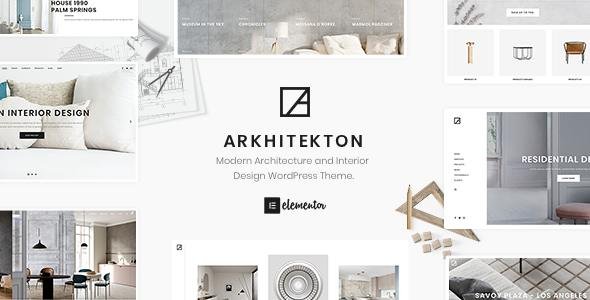
Arkhitekton Theme – Modern Architecture and Interior Design WordPress Theme 1.7.0
$59.00 Original price was: $59.00.$2.99Current price is: $2.99.
Instant Access
7 Day Money Back Guarantee
Online Support 24/7
Secure Payment
Description
Arkhitekton Theme – Modern Architecture
Arkhitekton is a modern and professional WordPress theme crafted for architects, interior designers, construction companies, creative agencies, freelancers, and design studios. Built with the Elementor page builder, Arkhitekton makes it simple to create a visually stunning website without touching a single line of code.
This is a GPL-distributed version – clean, secure, and legally redistributed under the GPL license. No official developer support is provided.
✨ Arkhitekton Theme Key Features
🎨 Design & Customization
Built on Elementor – Drag & Drop Page Builder.
50+ prebuilt elements for easy page creation.
Header & Footer Builder with 10+ demo templates.
Unlimited color schemes & gradient colors.
Advanced typography settings with 600+ Google Fonts.
Shape dividers, parallax effects, smooth animations.
Live Customizer for real-time design previews.
Template Library – save & reuse designs across pages.
🛒 Business & eCommerce Ready
Fully integrated with WooCommerce.
Ajax Mini Cart for smooth shopping experience.
Product grids, shop metro layouts, carousel displays.
Compatible with all WooCommerce pages.
Portfolio, shop & blog layouts (grid, metro, carousel).
📸 Media & Portfolio Showcase
Revolution Slider included (save $26).
Hero sections with images & videos.
Multiple portfolio layouts: grid, metro, carousel.
Isotope filtering & packery layout for creative projects.
Fancybox image gallery & lightbox support.
🌍 Multilingual & Translation Ready
Compatible with WPML, Polylang, and Loco Translate.
Supports RTL languages.
Translation-ready for global use.
📱 Responsive & Optimized Performance
100% responsive & retina-ready design.
Optimized for desktop, tablet, and mobile.
Adaptive images for fast load times.
SEO-optimized with structured attributes.
Built-in schema-friendly layouts for Google indexing.
🛠️ Advanced Features
One-click demo importer – launch in minutes.
Mega Menu support with advanced options.
Custom 404 page, coming soon & maintenance modes.
Smooth scroll, parallax headers, and gradient backgrounds.
Compatible with Yoast SEO, Jetpack, Contact Form 7.
Custom sidebars, widgets, and taxonomy page options.
Lifetime updates & well-documented files.
🔹 Extended Features at a Glance
✔ Elementor Ready
✔ Header & Footer Builder
✔ Revolution Slider Included
✔ WooCommerce Compatible
✔ Ajax Load More + Mini Cart
✔ Advanced Grid & Isotope Filters
✔ ACF Repeater & Flexible Content Support
✔ Gutenberg Ready
✔ Team Members Layouts (Grid, Carousel, Metro)
✔ Social Media Integration + Sharing Options
✔ Lightbox, Fancybox, Video Backgrounds
✔ 1000+ Icons + Font Awesome
✔ Professional Documentation
🌟 Why Choose Arkhitekton?
Perfect for architects, interior designers, contractors, and agencies.
All-in-one solution for creative portfolios, design showcases, and eCommerce stores.
Combines powerful functionality + elegant minimal design.
Built on the world’s most popular tools: Elementor + WooCommerce.
GPL licensed – use it on unlimited sites legally.
Be the first to review “Arkhitekton Theme – Modern Architecture and Interior Design WordPress Theme 1.7.0” Cancel reply
How to Install
Follow these quick steps to install from a .zip file or directly from your WP dashboard.
-
1
Go to Plugins → Add New
In your WordPress dashboard, open Plugins and click Add New.
-
2
Click Upload Plugin
Press Upload Plugin → Choose File and select the downloaded
plugin-name.zip. -
3
Install & Activate
Click Install Now, then Activate. You’re done!
-
4
(Optional) Enter License / Use Shortcode
Open Plugins → Your Plugin → Settings to enter your license. Add the box on the product page with:
[plugin_info_box]
Alternative: Install from WordPress directory
Go to Plugins → Add New, search the plugin name, click Install then Activate.
Manual (FTP) method
Unzip locally → upload the folder to /wp-content/plugins/ using FTP → activate from Plugins.
-
1
Go to Appearance → Themes
Click Add New → Upload Theme.
-
2
Upload the .zip file
Select
theme-name.zip, click Install Now, then Activate. -
3
Install Required Plugins
If prompted, click Begin installing plugins and activate them.
-
4
(Optional) Import Starter Content
Use the theme’s Demo Import (if provided) to load sample pages and settings.
Manual (FTP) theme install
Unzip the theme → upload to /wp-content/themes/ → activate from Appearance → Themes.




Reviews
There are no reviews yet.