
- ✔ Verified by VirusTotal
- ✔ 100% Original Product & Virus-Free
- ✔ Lifetime Free Updates on Single Purchase
- ✔ Unlimited Website Usage
- ✔ Prices in USD (Tax Included)
🔥 Limited-Time Deal — Ends Soon!
Auto Robot – WordPress Autoblogging Plugin 3.0.9
$57.00 Original price was: $57.00.$2.99Current price is: $2.99.
Instant Access
7 Day Money Back Guarantee
Online Support 24/7
Secure Payment
Description
🚀 Auto Robot Plugin – WordPress Autoblogging Plugin (GPL Version)
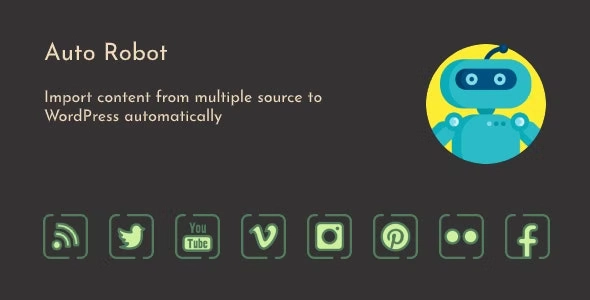
Auto Robot is a powerful WordPress autoblogging plugin that allows you to automatically generate posts from unlimited sources, including RSS feeds, social media platforms, videos, images, and more. With its flexible scraper campaigns and content aggregation tools, Auto Robot helps you create a fully automated content hub, making it easier than ever to keep your site updated and drive traffic.
This is a GPL-distributed version – clean, secure, and legally redistributed under the GPL license. (No official support included.)
With Auto Robot, you can scrape, curate, and publish content from across the web, customize post templates with your ad codes (like Google AdSense), and turn your WordPress site into a profitable autoblogging machine in minutes.
🔹 Why Choose Auto Robot?
News Websites: Keep your news portal always updated with fresh stories.
Blogs & Content Sites: Engage your audience with auto-curated content.
SEO Boosting: Improve organic traffic with a constant flow of fresh, keyword-targeted content.
Affiliate Marketers: Easily aggregate and monetize product listings or RSS affiliate feeds.
Business Sites: Add a news or blog section to enhance your brand’s online presence.
Web Developers: Quickly set up client demos with curated content.
🔥 Key Features:
✅ Unlimited Keywords & Scraper Campaigns: Autoblog content based on unlimited keywords, including long-tail search terms.
✅ Social Media Integration: Import content from Facebook, Twitter, Instagram, Pinterest, and more.
✅ RSS Feed Aggregation: Bulk import and organize multiple RSS feeds into WordPress posts, pages, or custom post types.
✅ YouTube Integration: Import videos from channels, playlists, or search queries using YouTube API v3.
✅ Content Translation: Automatically translate source content with Google Translate API before publishing.
✅ Custom Post Templates: Insert dynamic shortcodes for titles, videos, thumbnails, and metadata.
✅ Advanced Scheduling: Use WP-Cron to automate content scraping and publishing.
✅ Duplicate Content Protection: Built-in checker to avoid reposting duplicate content.
✅ Flexible Publishing Options: Choose post status (publish, draft, private, pending), author, and featured images.
✅ Detailed Logs & Error Reports: Track all scraping and publishing activities.
✅ Fully Responsive: Content looks great across all devices and platforms.
🏆 Perfect for:
News aggregators
Affiliate marketers
Content curators
Bloggers & niche site owners
Digital marketers
Developers building demo or portfolio sites
Be the first to review “Auto Robot – WordPress Autoblogging Plugin 3.0.9” Cancel reply
How to Install
Follow these quick steps to install from a .zip file or directly from your WP dashboard.
-
1
Go to Plugins → Add New
In your WordPress dashboard, open Plugins and click Add New.
-
2
Click Upload Plugin
Press Upload Plugin → Choose File and select the downloaded
plugin-name.zip. -
3
Install & Activate
Click Install Now, then Activate. You’re done!
-
4
(Optional) Enter License / Use Shortcode
Open Plugins → Your Plugin → Settings to enter your license. Add the box on the product page with:
[plugin_info_box]
Alternative: Install from WordPress directory
Go to Plugins → Add New, search the plugin name, click Install then Activate.
Manual (FTP) method
Unzip locally → upload the folder to /wp-content/plugins/ using FTP → activate from Plugins.
-
1
Go to Appearance → Themes
Click Add New → Upload Theme.
-
2
Upload the .zip file
Select
theme-name.zip, click Install Now, then Activate. -
3
Install Required Plugins
If prompted, click Begin installing plugins and activate them.
-
4
(Optional) Import Starter Content
Use the theme’s Demo Import (if provided) to load sample pages and settings.
Manual (FTP) theme install
Unzip the theme → upload to /wp-content/themes/ → activate from Appearance → Themes.




Reviews
There are no reviews yet.