
- ✔ Verified by VirusTotal
- ✔ 100% Original Product & Virus-Free
- ✔ Lifetime Free Updates on Single Purchase
- ✔ Unlimited Website Usage
- ✔ Prices in USD (Tax Included)
🔥 Limited-Time Deal — Ends Soon!
BerqWP – WordPress Speed & Core Web Vitals Optimization Plugin 2.2.56
$71.00 Original price was: $71.00.$2.99Current price is: $2.99.
Instant Access
7 Day Money Back Guarantee
Online Support 24/7
Secure Payment
Description
⚡ Description
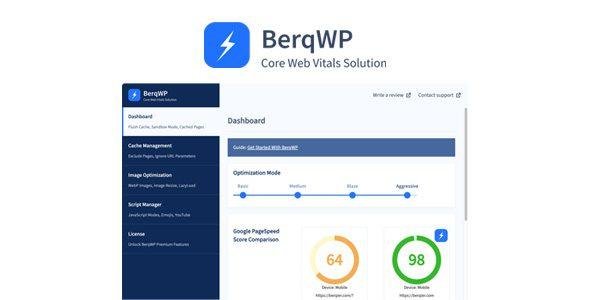
BerqWP WordPress is an all-in-one WordPress optimization plugin designed to supercharge your website’s speed and Core Web Vitals without any technical setup. Distributed under the GPL license, it combines the power of multiple premium optimization tools into one clean, secure, and easy-to-use plugin. With BerqWP, achieving top PageSpeed scores and lightning-fast performance is as simple as a few clicks — no coding or configuration required.
🔑 Key Features of BerqWP – WordPress
🚀 Automatic Speed Optimization: Get top PageSpeed scores for both mobile and desktop instantly.
⚙️ Zero Configuration Setup: Simply install and activate — BerqWP handles everything automatically.
📊 Web Vitals Analytics: Monitor Core Web Vitals and track real-time performance metrics.
🌍 Built-in BerqWP CDN: Deliver images, CSS, JS, and fonts globally with ultra-fast load times.
💡 Core Web Vitals Improvement: Automatically applies Google-recommended methods to enhance LCP, CLS, and FID metrics.
🧩 All-in-One Performance Plugin: Combines the benefits of caching, CDN, image optimization, and code minification in one package.
👩💻 Non-Technical Friendly: Ideal for users with no coding or optimization knowledge.
💥 Why Choose BerqWP – WordPress
🏁 Conclusion
BerqWP – WordPress is your hassle-free solution to a faster, more optimized WordPress site. Whether you’re a beginner or a professional, BerqWP delivers top-tier performance, improved Core Web Vitals, and effortless speed optimization — all in one plugin. Install it once, and enjoy blazing-fast results forever.
Be the first to review “BerqWP – WordPress Speed & Core Web Vitals Optimization Plugin 2.2.56” Cancel reply
How to Install
Follow these quick steps to install from a .zip file or directly from your WP dashboard.
-
1
Go to Plugins → Add New
In your WordPress dashboard, open Plugins and click Add New.
-
2
Click Upload Plugin
Press Upload Plugin → Choose File and select the downloaded
plugin-name.zip. -
3
Install & Activate
Click Install Now, then Activate. You’re done!
-
4
(Optional) Enter License / Use Shortcode
Open Plugins → Your Plugin → Settings to enter your license. Add the box on the product page with:
[plugin_info_box]
Alternative: Install from WordPress directory
Go to Plugins → Add New, search the plugin name, click Install then Activate.
Manual (FTP) method
Unzip locally → upload the folder to /wp-content/plugins/ using FTP → activate from Plugins.
-
1
Go to Appearance → Themes
Click Add New → Upload Theme.
-
2
Upload the .zip file
Select
theme-name.zip, click Install Now, then Activate. -
3
Install Required Plugins
If prompted, click Begin installing plugins and activate them.
-
4
(Optional) Import Starter Content
Use the theme’s Demo Import (if provided) to load sample pages and settings.
Manual (FTP) theme install
Unzip the theme → upload to /wp-content/themes/ → activate from Appearance → Themes.




Reviews
There are no reviews yet.