

- ✔ Verified by VirusTotal
- ✔ 100% Original Product & Virus-Free
- ✔ Lifetime Free Updates on Single Purchase
- ✔ Unlimited Website Usage
- ✔ Prices in USD (Tax Included)
🔥 Limited-Time Deal — Ends Soon!
BigHearts Theme – Charity & Donation WordPress Theme 3.1.8
$39.00 Original price was: $39.00.$2.99Current price is: $2.99.
Instant Access
7 Day Money Back Guarantee
Online Support 24/7
Secure Payment
Description
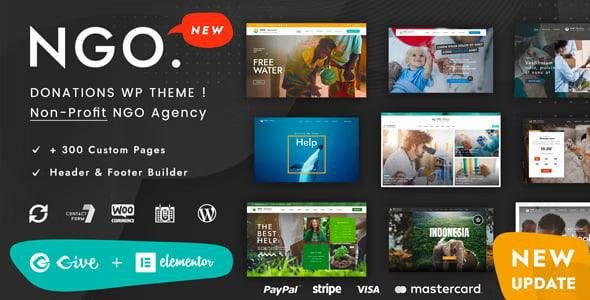
💖🌍BigHearts Theme– Charity & Donation WordPress Theme
Make a Difference with Your Non-Profit Website ✨
BigHearts is a powerful, modern WordPress theme designed specifically for charity organizations, non-profits, and donation-based foundations. Whether your goal is to raise funds, promote social causes, or bring relief to those in need, BigHearts provides all the tools to connect with donors and volunteers effectively.
With GiveWP integration and pre-designed layouts, BigHearts makes it easy to create a professional, fully responsive website without any coding knowledge.
Who Can Benefit from BigHearts Theme? 🏆
BigHearts is perfect for:
Charity foundations and NGOs 🌱
Fundraising campaigns 💰
Volunteer networks 🙌
Community organizations and social projects 🤝
Key Features of BigHearts Theme ⭐
💻 Elementor Page Builder Compatible
Design pages easily using Elementor’s drag-and-drop interface. No coding is required, and you can customize every section, header, and layout with intuitive tools.
💖 GiveWP Donation Plugin Integration
Accept donations online with GiveWP, one of the most popular donation plugins for WordPress. Manage fundraising campaigns, track donations, and encourage recurring contributions.
🏠 Gorgeous Home Page Layouts
BigHearts offers pre-designed homepages and inner pages such as About Us, Our Team, Portfolio, Blog, and more. Quickly build a professional-looking website using one-click demo import.
🎨 Fully Customizable Design
Flexible colors and fonts to match your brand
Over 100 theme options for global customization
Meta boxes for local page settings
WGL Framework with Elementor Header Builder and animations
📱 Fully Responsive & Mobile-Friendly
Your website will look perfect on desktop, tablet, and smartphone devices, ensuring a seamless experience for all visitors.
🖼️ Portfolio & Team Modules
Showcase your projects, campaigns, and team members with flexible portfolio grids, infinite scroll, load more buttons, and team modules to engage your audience.
🛒 WooCommerce Ready
Sell merchandise or charity-related products directly on your website using WooCommerce integration.
🔧 Extra Features
Over 30 modules with all necessary settings
Drag & drop header builder with presets
Extended row animations for visual appeal
Translation-ready and child theme included
Extensive documentation and support for easy setup
Why Choose BigHearts Theme ? 💡
Modern, responsive design optimized for non-profits
Powerful donation and fundraising tools with GiveWP
Easy customization with Elementor
Pre-built pages to save time and effort
Fully GPL-licensed and legally redistributable
Connect, Inspire, and Raise Funds 🌟
BigHearts is more than a WordPress theme – it’s a complete toolkit for charities and non-profits. Raise awareness, attract volunteers, and collect donations seamlessly. With user-friendly design, responsive layouts, and advanced features, you can focus on what matters most – making the world a better place.
Be the first to review “BigHearts Theme – Charity & Donation WordPress Theme 3.1.8” Cancel reply
How to Install
Follow these quick steps to install from a .zip file or directly from your WP dashboard.
-
1
Go to Plugins → Add New
In your WordPress dashboard, open Plugins and click Add New.
-
2
Click Upload Plugin
Press Upload Plugin → Choose File and select the downloaded
plugin-name.zip. -
3
Install & Activate
Click Install Now, then Activate. You’re done!
-
4
(Optional) Enter License / Use Shortcode
Open Plugins → Your Plugin → Settings to enter your license. Add the box on the product page with:
[plugin_info_box]
Alternative: Install from WordPress directory
Go to Plugins → Add New, search the plugin name, click Install then Activate.
Manual (FTP) method
Unzip locally → upload the folder to /wp-content/plugins/ using FTP → activate from Plugins.
-
1
Go to Appearance → Themes
Click Add New → Upload Theme.
-
2
Upload the .zip file
Select
theme-name.zip, click Install Now, then Activate. -
3
Install Required Plugins
If prompted, click Begin installing plugins and activate them.
-
4
(Optional) Import Starter Content
Use the theme’s Demo Import (if provided) to load sample pages and settings.
Manual (FTP) theme install
Unzip the theme → upload to /wp-content/themes/ → activate from Appearance → Themes.



Reviews
There are no reviews yet.