
- ✔ Verified by VirusTotal
- ✔ 100% Original Product & Virus-Free
- ✔ Lifetime Free Updates on Single Purchase
- ✔ Unlimited Website Usage
- ✔ Prices in USD (Tax Included)
🔥 Limited-Time Deal — Ends Soon!
Bixol Theme – Cleaning Services WordPress 1.7.1
$59.00 Original price was: $59.00.$2.99Current price is: $2.99.
Instant Access
7 Day Money Back Guarantee
Online Support 24/7
Secure Payment
Description
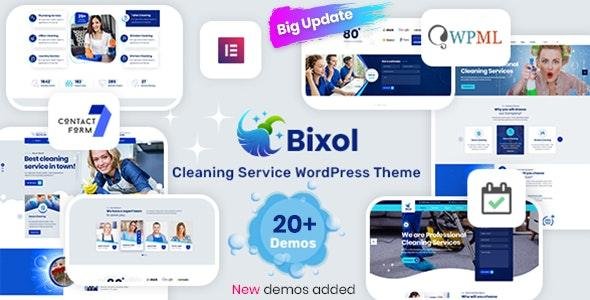
Bixol Theme
Bixol GPL is a modern, clean, and professional WordPress theme designed specifically for cleaning companies, janitorial services, maid services, and facility maintenance businesses. Its sleek design and responsive layout ensure that your cleaning services stand out online while providing an intuitive user experience for your visitors.
Built with Elementor Page Builder and Revolution Slider, Bixol allows you to create stunning pages and layouts without touching a single line of code. With one-click demo installation, pre-built layouts, and video tutorials, your website can be ready in minutes.
Why Choose Bixol Theme?
Bixol is tailored to boost your cleaning business online, offering ease of use, flexibility, and advanced functionality.
Key Advantages:
Professional Design: Clean, modern, and fully responsive for desktops, tablets, and mobiles.
Fast & Easy Setup: One-click demo import and pre-built layouts get your site running instantly.
Elementor & Revolution Slider: Drag-and-drop page building with stunning animated sliders.
Booking Ready: Integrated Booked Appointment Plugin to schedule cleaning services.
Multilingual Ready: Compatible with WPML and Polylang for multilingual websites.
SEO Optimized & Retina Ready: Ensures your website looks great and ranks high in search engines.
Features of Bixol Theme
Page Building & Customization
Drag-and-drop Elementor Page Builder for easy layout creation.
Footer Builder to create unique footers without coding.
Advanced Typography & Google Fonts for unique branding.
16 pre-built homepage demos (8 Multi-page + 8 One-page).
08 Header layouts for flexible design choices.
One-click demo import to quickly replicate the demo site.
Video & Parallax Backgrounds for stunning visual effects.
Cleaning Business Essentials
Images Before/After Slider to showcase cleaning results.
Booking system with Booked Appointment Plugin integration.
WooCommerce Ready for selling cleaning products or services online.
Contact Form 7 compatible for custom inquiry forms.
Performance & Compatibility
Fully responsive and retina ready.
Cross-browser optimized for Chrome, Firefox, Safari, Edge, and IE10+.
SEO-friendly design for higher search engine ranking.
High-speed performance with smooth transitions and animations.
Sticky header for improved navigation.
Additional Features
+35 custom widgets for enhanced functionality.
Unlimited color options and real-time WP Customizer settings.
FontAwesome icons integration.
Detailed documentation and video tutorials included.
RTL language support.
Dedicated support team available.
Who Should Use Bixol Theme?
Cleaning service providers
Janitorial and maid service businesses
Window cleaning and carpet cleaning companies
Facility maintenance and home services
Startups offering professional cleaning solutions
Be the first to review “Bixol Theme – Cleaning Services WordPress 1.7.1” Cancel reply
How to Install
Follow these quick steps to install from a .zip file or directly from your WP dashboard.
-
1
Go to Plugins → Add New
In your WordPress dashboard, open Plugins and click Add New.
-
2
Click Upload Plugin
Press Upload Plugin → Choose File and select the downloaded
plugin-name.zip. -
3
Install & Activate
Click Install Now, then Activate. You’re done!
-
4
(Optional) Enter License / Use Shortcode
Open Plugins → Your Plugin → Settings to enter your license. Add the box on the product page with:
[plugin_info_box]
Alternative: Install from WordPress directory
Go to Plugins → Add New, search the plugin name, click Install then Activate.
Manual (FTP) method
Unzip locally → upload the folder to /wp-content/plugins/ using FTP → activate from Plugins.
-
1
Go to Appearance → Themes
Click Add New → Upload Theme.
-
2
Upload the .zip file
Select
theme-name.zip, click Install Now, then Activate. -
3
Install Required Plugins
If prompted, click Begin installing plugins and activate them.
-
4
(Optional) Import Starter Content
Use the theme’s Demo Import (if provided) to load sample pages and settings.
Manual (FTP) theme install
Unzip the theme → upload to /wp-content/themes/ → activate from Appearance → Themes.




Reviews
There are no reviews yet.