
- ✔ Verified by VirusTotal
- ✔ 100% Original Product & Virus-Free
- ✔ Lifetime Free Updates on Single Purchase
- ✔ Unlimited Website Usage
- ✔ Prices in USD (Tax Included)
🔥 Limited-Time Deal — Ends Soon!
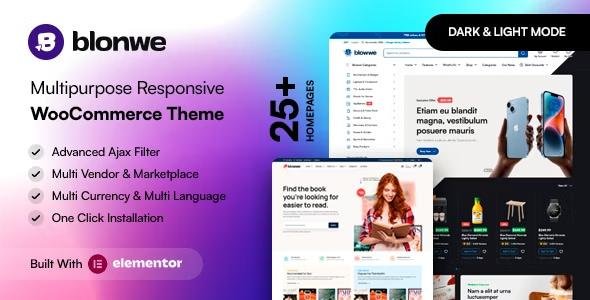
Blonwe Theme – Multipurpose WooCommerce Theme 1.2.8
$19.00 Original price was: $19.00.$2.99Current price is: $2.99.
Instant Access
7 Day Money Back Guarantee
Online Support 24/7
Secure Payment
Description
Blonwe Theme – WooCommerce WordPress Theme for Online Stores 🛒✨
Build Your Dream E-Commerce Website Effortlessly 💻
Blonwe is a modern, versatile, and Elementor-friendly WooCommerce WordPress theme designed to help you create your online store quickly. Whether you’re selling electronics, fashion, groceries, furniture, cosmetics, or multi-vendor products, Blonwe comes packed with all the features needed for a professional e-commerce store.
Even if you have no experience building websites, Blonwe’s user-friendly interface and pre-built components make it easy to set up a fully functional online store within hours.
Who Can Benefit from Blonwe Theme? 🏆
Blonwe is perfect for:
Electronics & Gadget Stores 📱 – Showcase products with advanced filters and quick view
Fashion & Accessories Shops 👗💍 – Highlight clothing, jewelry, and accessories elegantly
Furniture & Home Decor 🛋️ – Build beautiful layouts for catalogs and portfolios
Multi-Vendor Marketplaces 🏬 – Fully compatible with Dokan plugin
Specialty Stores 🧸🍷 – Toys, pet supplies, wine, organic products, and more
Global Shops 🌐 – RTL-ready, multilingual, and GDPR-compliant
Key Features of Blonwe Theme⭐
🖌️ Elementor Page Builder
Design custom pages and layouts visually using Elementor. No coding required. Build product pages, landing pages, and homepage sections with ease.
🛒 Blonwe Theme WooCommerce Ready & Multi-Vendor Compatible
Blonwe fully supports WooCommerce and is compatible with Dokan, making it ideal for single-vendor or multi-vendor marketplaces.
⚡ Advanced AJAX Features
AJAX Shop Filters – Filter products instantly
AJAX Product Search – Search without page reload
AJAX Add/Remove from Cart – Smooth shopping experience
Load More & Infinite Scroll Pagination – Keep customers engaged
🏷️ Product Features
Quick View for product details
Product Image Zoom & Video (YouTube/Vimeo)
360° Product View
Sticky Add to Cart for mobile
Buy Now Button & Single Product Stock Progress Bar
Filters by Color, Brand, Category, and Status
📱 Mobile-Friendly & RTL Support
Blonwe is fully responsive, ensuring your store looks perfect on mobile, tablet, and desktop devices. RTL support makes it ideal for Arabic and right-to-left languages.
🌐 Multilingual & GDPR-Compliant
WPML, Polylang, Loco Translate ready
GDPR cookie consent
Popup newsletter for email subscriptions
✨ Additional Features
Mobile bottom menu
Recently viewed products
Min/Max quantity & min order amount
Catalog mode for product showcase
Free shipping bar & added-to-cart popup notifications
Login/Register form with tab & AJAX login
Video tutorials included for setup
Blog layouts ready for content marketing
Google Web Fonts & Metabox support
Why Choose Blonwe? 💡
Modern and versatile design for all types of online stores
Fully integrated with WooCommerce and Elementor
AJAX-powered shopping for smooth user experience
Multi-vendor ready for marketplaces
Mobile-friendly, RTL-ready, and multilingual
Advanced product features including 360° view, video, filters, and sticky cart
GDPR-compliant and optimized for conversions
Perfect for Any E-Commerce Niche 🚀
Blonwe is more than just a WooCommerce theme – it’s a complete toolkit for building professional, responsive, and high-converting online stores. Sell electronics, fashion, furniture, groceries, or even run a multi-vendor marketplace with ease.
With Blonwe, you can launch your e-commerce store quickly, provide a smooth shopping experience, and scale your business globally. 🛒💻
Be the first to review “Blonwe Theme – Multipurpose WooCommerce Theme 1.2.8” Cancel reply
How to Install
Follow these quick steps to install from a .zip file or directly from your WP dashboard.
-
1
Go to Plugins → Add New
In your WordPress dashboard, open Plugins and click Add New.
-
2
Click Upload Plugin
Press Upload Plugin → Choose File and select the downloaded
plugin-name.zip. -
3
Install & Activate
Click Install Now, then Activate. You’re done!
-
4
(Optional) Enter License / Use Shortcode
Open Plugins → Your Plugin → Settings to enter your license. Add the box on the product page with:
[plugin_info_box]
Alternative: Install from WordPress directory
Go to Plugins → Add New, search the plugin name, click Install then Activate.
Manual (FTP) method
Unzip locally → upload the folder to /wp-content/plugins/ using FTP → activate from Plugins.
-
1
Go to Appearance → Themes
Click Add New → Upload Theme.
-
2
Upload the .zip file
Select
theme-name.zip, click Install Now, then Activate. -
3
Install Required Plugins
If prompted, click Begin installing plugins and activate them.
-
4
(Optional) Import Starter Content
Use the theme’s Demo Import (if provided) to load sample pages and settings.
Manual (FTP) theme install
Unzip the theme → upload to /wp-content/themes/ → activate from Appearance → Themes.




Reviews
There are no reviews yet.