
- ✔ Verified by VirusTotal
- ✔ 100% Original Product & Virus-Free
- ✔ Lifetime Free Updates on Single Purchase
- ✔ Unlimited Website Usage
- ✔ Prices in USD (Tax Included)
🔥 Limited-Time Deal — Ends Soon!
Blonwe Theme – Multipurpose WooCommerce Theme 1.2.9
$19.00 Original price was: $19.00.$2.99Current price is: $2.99.
Instant Access
7 Day Money Back Guarantee
Online Support 24/7
Secure Payment
Description
🛍️ Blonwe WooCommerce WordPress Theme – Latest Version
This is a GPL-distributed version — clean, secure, and legally redistributed under the GPL license.
No official support is provided.
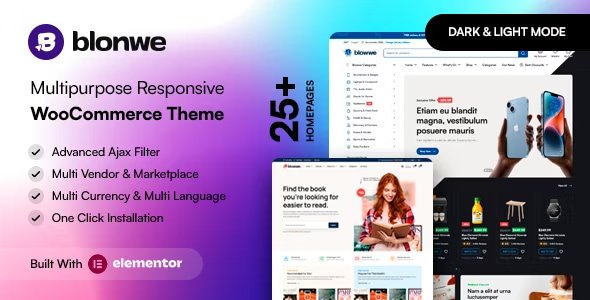
With its unique design and user-friendly interface, Blonwe Theme is the ultimate eCommerce WordPress theme that helps you build beautiful, high-performing online stores — from electronics to fashion, groceries, furniture, and more — all within hours.
🌟 Build Any Store You Can Imagine
Whether you’re creating a marketplace, multi-vendor store, or niche shop, Blonwe gives you everything you need. Its Elementor integration and WooCommerce-ready design make customization effortless, even for beginners.
Create stores for:
Electronics & Gadgets
Grocery & Organic Shops
Fashion, Jewellery, and Watches
Furniture & Home Decor
Auto Parts & Tools
Sportswear, Books, Kids, or Pet Stores
Wine, Gardening, and Toy Shops
Coupon and Multi-Vendor Marketplaces
⚙️ Blonwe Theme GPL Features
🎨 Design & Builder Tools
Elementor Page Builder – Drag-and-drop visual editor
WooCommerce Ready – Sell physical and digital products with ease
Dokan Multi-Vendor Support – Turn your store into a marketplace
RTL Compatibility – Supports Right-to-Left languages
Fully Responsive Design – Optimized for desktop, tablet, and mobile
⚡ AJAX-Powered Shopping Experience
AJAX Shop Filters & Product Search for instant results
AJAX Add/Remove from Cart (supports variable and grouped products)
Load More & Infinite Scroll Pagination (AJAX)
Quick View & Product Video (YouTube/Vimeo)
Product 360° View & Zoom
💎 Customer Engagement & UX Enhancements
Wishlist & Recently Viewed Products
Free Shipping Bar & Stock Progress Bar
Sticky Add to Cart (Mobile) & Buy Now Button
Popup Newsletter & GDPR Cookie Consent
Order Tracking & Order on WhatsApp
Mobile Bottom Menu for easy navigation
🧩 Product Management & Customization
Product Filters by Color, Brand, and Category
Min/Max Quantity & Minimum Order Amount Controls
Catalog Mode – Hide prices or disable checkout for quotes
Product Status Indicators (Stock/On Sale)
Sticky Titles for Product Detail Pages
🌍 Localization & Translation Support
WPML, Polylang, and Loco Translate supported
.POT file included for easy language translation
RTL ready for Arabic and other right-to-left languages
🧠 Additional Features
Login/Register Forms (AJAX Tabs)
Video Tutorials & Documentation
One-Click Demo Importer
Google Fonts Integration
Maintenance / Coming Soon Mode
Metabox & Contact Form 7 Support
🚀 Why Choose Blonwe Theme?
Blonwe is more than just a WooCommerce theme — it’s a complete eCommerce powerhouse designed for performance, flexibility, and ease of use. With its AJAX-based filters, multi-vendor compatibility, and mobile-first design, it ensures your customers enjoy a seamless and modern shopping experience.
🏁 Conclusion
Blonwe Theme (GPL) empowers you to build professional online stores and marketplaces effortlessly. With Elementor, WooCommerce, and Dokan integration, it’s perfect for anyone — from beginners to experienced sellers. Fast, flexible, and feature-rich, Blonwe delivers the ultimate eCommerce experience for any niche.
Transform your ideas into a thriving online store with Blonwe Theme today.
Be the first to review “Blonwe Theme – Multipurpose WooCommerce Theme 1.2.9” Cancel reply
How to Install
Follow these quick steps to install from a .zip file or directly from your WP dashboard.
-
1
Go to Plugins → Add New
In your WordPress dashboard, open Plugins and click Add New.
-
2
Click Upload Plugin
Press Upload Plugin → Choose File and select the downloaded
plugin-name.zip. -
3
Install & Activate
Click Install Now, then Activate. You’re done!
-
4
(Optional) Enter License / Use Shortcode
Open Plugins → Your Plugin → Settings to enter your license. Add the box on the product page with:
[plugin_info_box]
Alternative: Install from WordPress directory
Go to Plugins → Add New, search the plugin name, click Install then Activate.
Manual (FTP) method
Unzip locally → upload the folder to /wp-content/plugins/ using FTP → activate from Plugins.
-
1
Go to Appearance → Themes
Click Add New → Upload Theme.
-
2
Upload the .zip file
Select
theme-name.zip, click Install Now, then Activate. -
3
Install Required Plugins
If prompted, click Begin installing plugins and activate them.
-
4
(Optional) Import Starter Content
Use the theme’s Demo Import (if provided) to load sample pages and settings.
Manual (FTP) theme install
Unzip the theme → upload to /wp-content/themes/ → activate from Appearance → Themes.




Reviews
There are no reviews yet.