
- ✔ Verified by VirusTotal
- ✔ 100% Original Product & Virus-Free
- ✔ Lifetime Free Updates on Single Purchase
- ✔ Unlimited Website Usage
- ✔ Prices in USD (Tax Included)
🔥 Limited-Time Deal — Ends Soon!
Booked – Appointment Booking for WordPress 2.4.4
$49.00 Original price was: $49.00.$2.99Current price is: $2.99.
Instant Access
7 Day Money Back Guarantee
Online Support 24/7
Secure Payment
Description
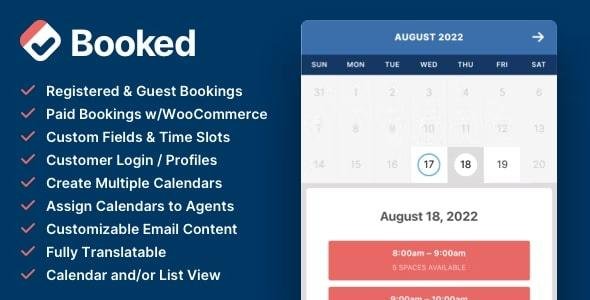
The Booked – Appointment Booking for WordPress plugin is a feature-rich, easy-to-use appointment scheduling solution designed for businesses, professionals, and service providers who want to accept bookings directly from their WordPress website. Whether you run a salon, clinic, gym, consultancy, or educational center, Booked helps you manage your appointments effortlessly with a clean and powerful interface.
With Booked, you get an interactive appointment calendar, customizable booking forms, and flexible scheduling options to suit your business needs. You can create custom time slots for holidays, vacations, or special hours, and even buffer appointment times to prevent last-minute bookings.
The plugin also includes Custom Fields so you can collect additional information from clients during the booking process. Customers get their own user accounts, where they can manage appointments, update details, and add confirmed bookings directly to Google Calendar.
The admin panel is designed to simplify appointment management, allowing you to view, approve, and edit bookings quickly. Both front-end and backend are fully responsive, ensuring a smooth experience across devices. Plus, you can customize email notifications, calendar colors, and translations to match your brand and audience.
🔑 Key Features of Booked Plugin:
Appointment calendar via shortcode or widget.
Create custom time slots for holidays, breaks, or closed dates.
Custom fields for collecting detailed client information.
Powerful backend for managing appointments.
Appointment buffering to control how close bookings can be made.
Customer accounts with self-service appointment management.
One-click “Add to Google Calendar” button for clients.
Customizable and branded email notifications.
Color pickers for calendar design customization.
Fully responsive design for front-end and backend.
100% translatable for multilingual websites.
⚡ Distributed under GPL – clean, secure, and legally redistributed.
⚡ No official support included, but works as a complete standalone booking system.
⚡ Ideal for freelancers, agencies, and service businesses looking for a professional yet easy booking solution.
Be the first to review “Booked – Appointment Booking for WordPress 2.4.4” Cancel reply
How to Install
Follow these quick steps to install from a .zip file or directly from your WP dashboard.
-
1
Go to Plugins → Add New
In your WordPress dashboard, open Plugins and click Add New.
-
2
Click Upload Plugin
Press Upload Plugin → Choose File and select the downloaded
plugin-name.zip. -
3
Install & Activate
Click Install Now, then Activate. You’re done!
-
4
(Optional) Enter License / Use Shortcode
Open Plugins → Your Plugin → Settings to enter your license. Add the box on the product page with:
[plugin_info_box]
Alternative: Install from WordPress directory
Go to Plugins → Add New, search the plugin name, click Install then Activate.
Manual (FTP) method
Unzip locally → upload the folder to /wp-content/plugins/ using FTP → activate from Plugins.
-
1
Go to Appearance → Themes
Click Add New → Upload Theme.
-
2
Upload the .zip file
Select
theme-name.zip, click Install Now, then Activate. -
3
Install Required Plugins
If prompted, click Begin installing plugins and activate them.
-
4
(Optional) Import Starter Content
Use the theme’s Demo Import (if provided) to load sample pages and settings.
Manual (FTP) theme install
Unzip the theme → upload to /wp-content/themes/ → activate from Appearance → Themes.




Reviews
There are no reviews yet.