
- ✔ Verified by VirusTotal
- ✔ 100% Original Product & Virus-Free
- ✔ Lifetime Free Updates on Single Purchase
- ✔ Unlimited Website Usage
- ✔ Prices in USD (Tax Included)
🔥 Limited-Time Deal — Ends Soon!
Botiga Pro Addon – Enhancements for the Botiga WordPress Theme 1.3.5
$57.00 Original price was: $57.00.$2.99Current price is: $2.99.
Instant Access
7 Day Money Back Guarantee
Online Support 24/7
Secure Payment
Description
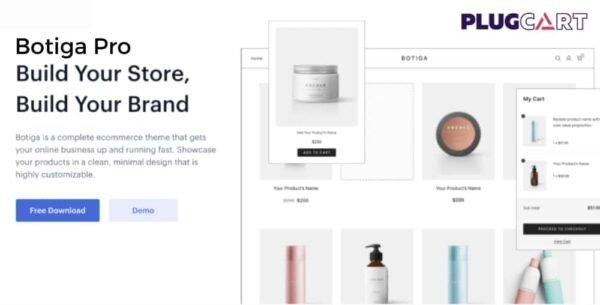
🛍️ Botiga Pro Addon – Build Your Store, Build Your Brand
The Botiga Pro Addon is a premium WooCommerce theme designed to help you launch your online store quickly and beautifully. With its clean, minimal, and modern design, Botiga gives you full control over your shop’s look and functionality—no coding required.
This is a GPL-distributed version, clean, secure, and legally redistributed under the GPL license (no official support included).
🎨 Design the Online Store You’ve Always Wanted
Botiga Pro is optimized for the WordPress block editor, allowing you to create a future-proof, flexible, and fully customizable eCommerce experience. From layout options to product styling, every detail can be tailored to match your brand and engage customers.
⚙️ Key Features of Botiga Pro Addon
🖼️ Product Galleries: Choose from three elegant gallery styles to showcase your products beautifully.
🛒 Cart Layout Options: Customize your checkout layout—display totals on the right or at the bottom.
💳 Checkout Styles: Multiple checkout templates to create a smooth shopping experience.
🔍 Product Filters: Allow shoppers to find their desired items quickly and efficiently.
🏷️ Badge Styles: Highlight sales, discounts, or exclusive offers with custom product badges.
⬆️ Scroll to Top Button: Add smooth navigation for an improved user experience.
💡 Product Recommendations: Display related or upsell products to increase conversions.
🧭 Instant Product Search: Provide a lightning-fast search experience for your visitors.
💡 What We Offer
Our GPL version of Botiga Pro Theme includes all premium features—offering a complete, high-performance WooCommerce theme without restrictions. It’s perfect for entrepreneurs, developers, and online store owners who want a professional, customizable eCommerce solution.
✅ Conclusion
With Botiga Pro Addon, building your online store has never been easier. Its powerful customization tools, elegant design, and WooCommerce integration make it the ultimate choice for anyone ready to build their store and grow their brand with style and confidence.
Be the first to review “Botiga Pro Addon – Enhancements for the Botiga WordPress Theme 1.3.5” Cancel reply
How to Install
Follow these quick steps to install from a .zip file or directly from your WP dashboard.
-
1
Go to Plugins → Add New
In your WordPress dashboard, open Plugins and click Add New.
-
2
Click Upload Plugin
Press Upload Plugin → Choose File and select the downloaded
plugin-name.zip. -
3
Install & Activate
Click Install Now, then Activate. You’re done!
-
4
(Optional) Enter License / Use Shortcode
Open Plugins → Your Plugin → Settings to enter your license. Add the box on the product page with:
[plugin_info_box]
Alternative: Install from WordPress directory
Go to Plugins → Add New, search the plugin name, click Install then Activate.
Manual (FTP) method
Unzip locally → upload the folder to /wp-content/plugins/ using FTP → activate from Plugins.
-
1
Go to Appearance → Themes
Click Add New → Upload Theme.
-
2
Upload the .zip file
Select
theme-name.zip, click Install Now, then Activate. -
3
Install Required Plugins
If prompted, click Begin installing plugins and activate them.
-
4
(Optional) Import Starter Content
Use the theme’s Demo Import (if provided) to load sample pages and settings.
Manual (FTP) theme install
Unzip the theme → upload to /wp-content/themes/ → activate from Appearance → Themes.




Reviews
There are no reviews yet.