
- ✔ Verified by VirusTotal
- ✔ 100% Original Product & Virus-Free
- ✔ Lifetime Free Updates on Single Purchase
- ✔ Unlimited Website Usage
- ✔ Prices in USD (Tax Included)
🔥 Limited-Time Deal — Ends Soon!
Breek – Minimal Lightweight Masonry AMP Theme for WordPress 4.1.0
$39.00 Original price was: $39.00.$2.99Current price is: $2.99.
Instant Access
7 Day Money Back Guarantee
Online Support 24/7
Secure Payment
Description
Breek Theme GPL Overview
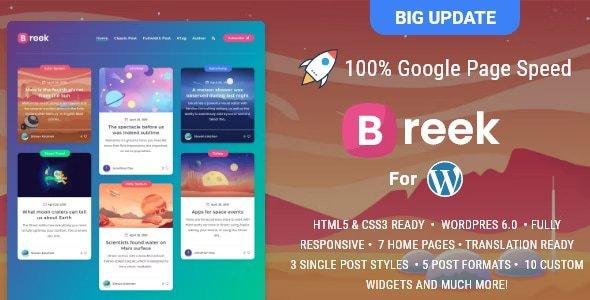
Breek Theme GPL is a super modern Blog focused on high speed and vivid colors, the theme fits perfectly any kind of blog especially personal, resources, freebies, or biography blogs. It is super light, this fast theme was made with multiple techniques to achieve excellent Scores on Google, also we keep in mind the code quality and SEO. It is easy to use and customize.
Includes 11 customs widgets and a powerful theme options panel to make easier the administration. Breek has AMP and RTL support and it is multilanguage, including Turkish, French, Portuguese, Spanish, and English.
Breek Theme GPL Features
- Tested up to WP 5.7
- Super Light and Modern design.
- Highly optimized and lightweight (just 1.5MB size).
- AMP Support (Transitional Mode) Check AMP Home and AMP Single Post.
- Constantly updated.
- Translation ready (English, Turkish, French, Portuguese, and Spanish included).
- Minified and Optimized code.
- ACF Pro bundled (save $29).
- RTL included (Feedback appreciated).
- Open Graph Support.
- Built with SCSS and pre-compiled with Prepos 6 (Windows and Mac compatible).
- Dedicated advertising section (below the header, before and after post content, custom advertising to place anywhere).
- Advertising section between grid posts.
- Supports menu with icons
- Sticky sidebar for Posts
- Lazy Load for Lists (home pages, archives, categories, etc).
- Lazy Load for post content.
- Lazy Load for embed (iframes like Youtube/Vimeo/Soundcloud).
- * New: Category cluster
- * New: 1 Click Updates
- HTML5 & CSS3 ready.
- 3 Single post dispositions
- Fullwidth: cover for large images
- Standard: image inside the article
- Fullwidth No sidebar:
- Classic No sidebar:
- No Sidebar Style for Post and Pages
- Custom Tag page,
- Custom Author page,
- Custom 404 Page
- About me Widget.
- Custom Tag Cloud Widget.
- Custom Galleries.
- Advertising sections.
- Disqus and Facebook support.
- Fully responsive.
- Video Support (Vimeo, Youtube, etc).
- Retina Display Ready.
- Font Awesome icons.
- Works on Android, Ipad, and iPhone.
- Documentation included.
- Clean Design.
- Well Coded.
- Navigation Menu.
Be the first to review “Breek – Minimal Lightweight Masonry AMP Theme for WordPress 4.1.0” Cancel reply
How to Install
Follow these quick steps to install from a .zip file or directly from your WP dashboard.
-
1
Go to Plugins → Add New
In your WordPress dashboard, open Plugins and click Add New.
-
2
Click Upload Plugin
Press Upload Plugin → Choose File and select the downloaded
plugin-name.zip. -
3
Install & Activate
Click Install Now, then Activate. You’re done!
-
4
(Optional) Enter License / Use Shortcode
Open Plugins → Your Plugin → Settings to enter your license. Add the box on the product page with:
[plugin_info_box]
Alternative: Install from WordPress directory
Go to Plugins → Add New, search the plugin name, click Install then Activate.
Manual (FTP) method
Unzip locally → upload the folder to /wp-content/plugins/ using FTP → activate from Plugins.
-
1
Go to Appearance → Themes
Click Add New → Upload Theme.
-
2
Upload the .zip file
Select
theme-name.zip, click Install Now, then Activate. -
3
Install Required Plugins
If prompted, click Begin installing plugins and activate them.
-
4
(Optional) Import Starter Content
Use the theme’s Demo Import (if provided) to load sample pages and settings.
Manual (FTP) theme install
Unzip the theme → upload to /wp-content/themes/ → activate from Appearance → Themes.




Reviews
There are no reviews yet.