
- ✔ Verified by VirusTotal
- ✔ 100% Original Product & Virus-Free
- ✔ Lifetime Free Updates on Single Purchase
- ✔ Unlimited Website Usage
- ✔ Prices in USD (Tax Included)
🔥 Limited-Time Deal — Ends Soon!
Bricks Theme – With built In Builder 2.0.2
$32.00 Original price was: $32.00.$2.99Current price is: $2.99.
Instant Access
7 Day Money Back Guarantee
Online Support 24/7
Secure Payment
Description
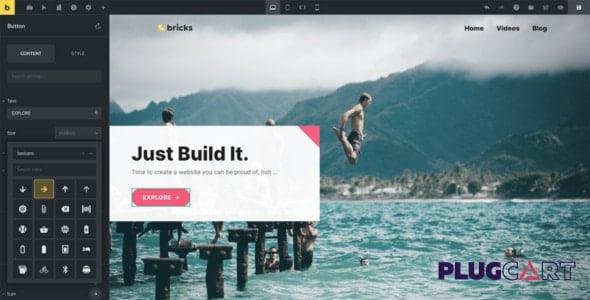
Bricks Theme – Latest Version (GPL) 🚀
Create Your Entire WordPress Site Visually 🎨
The Bricks Theme is not just another WordPress theme – it’s a complete visual site builder. From header to footer (and everything in between), you can design, edit, and customize your entire website directly in the builder. Insert dynamic data, preview across multiple breakpoints, and build a fully responsive website that looks stunning on desktop, tablet, and mobile.
With Bricks, you’ll forget you’re even using WordPress – the editing experience is seamless, intuitive, and lightning fast.
Perfect for Designers and Non-Designers 🌟
✅ Ready-made templates to get you started instantly
✅ Custom theme styles to make every design unique
✅ Visual image editing with CSS filters
✅ Unlimited gradients & shape dividers for creative freedom
✅ Custom color palettes to match your brand identity
✅ Upload your favorite fonts & SVGs for full branding control
Not a designer? No worries. Bricks makes it easy to launch professional websites quickly, even if you’re a complete beginner.
Developer-Friendly WordPress Theme 💻
Bricks isn’t just for designers – it’s a developer’s dream theme:
Write custom CSS & JavaScript globally or per block
Create your own elements using PHP, HTML, and CSS
No complicated build or compile process
Use hooks and filters to customize everything
Add your own endpoints to the Bricks API for unlimited extensibility
Whether you’re building a simple site or a complex application, Bricks gives you the tools to extend WordPress in powerful new ways.
Key Features of Bricks Theme ⚡
🔹 Visual Site Builder – Edit headers, footers, and content live
🔹 Dynamic Data Support – Display dynamic content anywhere
🔹 Responsive Design Controls – Preview & optimize for mobile, tablet & desktop
🔹 Template Library – Start with pre-built templates or save your own
🔹 Global Styling System – Create reusable theme styles & color palettes
🔹 Custom Code Ready – Insert CSS, JavaScript, or PHP easily
🔹 Advanced Media Editing – CSS filters, gradients, dividers & more
🔹 Developer API – Extend functionality with custom endpoints
🔹 Performance-Focused – Lightweight, clean code for blazing-fast sites
Why Choose Bricks Theme? 💡
Unlike traditional WordPress themes, Bricks is both a theme and a site builder. That means no need for extra page builders like Elementor or WPBakery – everything is included. It’s lightweight, fast, and highly customizable, making it perfect for:
Creative agencies 🎨
Freelancers & developers 💻
Businesses & startups 🚀
WooCommerce shops 🛒
Blogs, portfolios & corporate websites 🏢
Build Faster. Build Smarter. Build with Bricks. 🧱
The Bricks Theme (Latest GPL Version) gives you total design freedom, advanced developer tools, and performance-focused code – all inside WordPress. Whether you’re a beginner launching your first website or a developer building custom projects, Bricks is the all-in-one solution.
👉 Start building the future of WordPress websites today with Bricks Theme GPL.
Be the first to review “Bricks Theme – With built In Builder 2.0.2” Cancel reply
How to Install
Follow these quick steps to install from a .zip file or directly from your WP dashboard.
-
1
Go to Plugins → Add New
In your WordPress dashboard, open Plugins and click Add New.
-
2
Click Upload Plugin
Press Upload Plugin → Choose File and select the downloaded
plugin-name.zip. -
3
Install & Activate
Click Install Now, then Activate. You’re done!
-
4
(Optional) Enter License / Use Shortcode
Open Plugins → Your Plugin → Settings to enter your license. Add the box on the product page with:
[plugin_info_box]
Alternative: Install from WordPress directory
Go to Plugins → Add New, search the plugin name, click Install then Activate.
Manual (FTP) method
Unzip locally → upload the folder to /wp-content/plugins/ using FTP → activate from Plugins.
-
1
Go to Appearance → Themes
Click Add New → Upload Theme.
-
2
Upload the .zip file
Select
theme-name.zip, click Install Now, then Activate. -
3
Install Required Plugins
If prompted, click Begin installing plugins and activate them.
-
4
(Optional) Import Starter Content
Use the theme’s Demo Import (if provided) to load sample pages and settings.
Manual (FTP) theme install
Unzip the theme → upload to /wp-content/themes/ → activate from Appearance → Themes.




Reviews
There are no reviews yet.