
- ✔ Verified by VirusTotal
- ✔ 100% Original Product & Virus-Free
- ✔ Lifetime Free Updates on Single Purchase
- ✔ Unlimited Website Usage
- ✔ Prices in USD (Tax Included)
🔥 Limited-Time Deal — Ends Soon!
BuddyPress Auto Join Groups 1.2.5
$57.00 Original price was: $57.00.$2.99Current price is: $2.99.
Instant Access
7 Day Money Back Guarantee
Online Support 24/7
Secure Payment
Description
BuddyPress Auto Join Groups – Automate Group Memberships 🤖
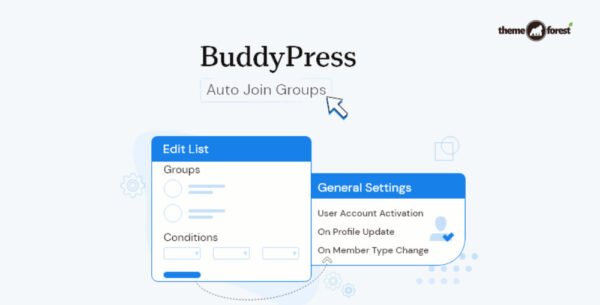
BuddyPress Auto Join Groups helps site admins automate user group memberships effortlessly. Users can be automatically added to groups based on global rules, profile fields, or member types. Perfect for communities that want smooth onboarding and active engagement!
✨ Key Features
🔹 Automate Group Joining
Users are automatically added to groups based on predefined rules
No manual intervention required
🌐 Global Lists
Add all users to selected groups regardless of profile data
Multiple global lists supported
🧩 Conditional Lists
Define conditions based on profile fields or member type
Users matching conditions are automatically added to specified groups
Users can match multiple lists and be added to all relevant groups
⚡ Trigger Options
Choose when users are tested for matching conditions:
On account activation
On profile update
On member type change
🔄 Bulk Synchronization
Automatically scan all existing users and add matching users to groups
Ensures all users stay up-to-date with current rules
🛠️ Flexible Conditions
Specify one or more conditions per list
Users must meet all conditions to match a list
Associate any number of groups with each list
✅ Conclusion
With BuddyPress Auto Join Groups, managing group memberships becomes effortless! 🚀 Automate onboarding, boost community engagement, and save admins hours of manual work. Whether you run a global community or have niche member types, this plugin ensures every user is in the right groups at the right time.
Be the first to review “BuddyPress Auto Join Groups 1.2.5” Cancel reply
How to Install
Follow these quick steps to install from a .zip file or directly from your WP dashboard.
-
1
Go to Plugins → Add New
In your WordPress dashboard, open Plugins and click Add New.
-
2
Click Upload Plugin
Press Upload Plugin → Choose File and select the downloaded
plugin-name.zip. -
3
Install & Activate
Click Install Now, then Activate. You’re done!
-
4
(Optional) Enter License / Use Shortcode
Open Plugins → Your Plugin → Settings to enter your license. Add the box on the product page with:
[plugin_info_box]
Alternative: Install from WordPress directory
Go to Plugins → Add New, search the plugin name, click Install then Activate.
Manual (FTP) method
Unzip locally → upload the folder to /wp-content/plugins/ using FTP → activate from Plugins.
-
1
Go to Appearance → Themes
Click Add New → Upload Theme.
-
2
Upload the .zip file
Select
theme-name.zip, click Install Now, then Activate. -
3
Install Required Plugins
If prompted, click Begin installing plugins and activate them.
-
4
(Optional) Import Starter Content
Use the theme’s Demo Import (if provided) to load sample pages and settings.
Manual (FTP) theme install
Unzip the theme → upload to /wp-content/themes/ → activate from Appearance → Themes.




Reviews
There are no reviews yet.