
- ✔ Verified by VirusTotal
- ✔ 100% Original Product & Virus-Free
- ✔ Lifetime Free Updates on Single Purchase
- ✔ Unlimited Website Usage
- ✔ Prices in USD (Tax Included)
🔥 Limited-Time Deal — Ends Soon!
BuddyPress Profile Visibility Manager 2.0.2
$57.00 Original price was: $57.00.$2.99Current price is: $2.99.
Instant Access
7 Day Money Back Guarantee
Online Support 24/7
Secure Payment
Description
🔐 BuddyPress Profile Visibility Manager – Latest Version
This is a GPL-distributed version — clean, secure, and legally redistributed under the GPL license. (No official support included.)
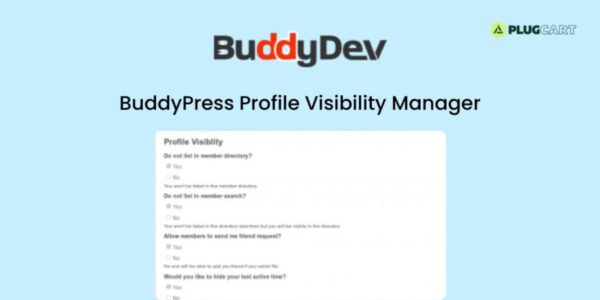
The BuddyPress Profile Visibility Manager empowers users with full control over their profile visibility and privacy settings. It helps community members decide who can view their information, appear in directories, or interact with them — ensuring a safe and personalized BuddyPress experience.
🌟 Key Features
👁️ Profile Visibility Control
Show or hide your profile from the Members Directory.
Appear or stay hidden from directory search results.
Hide or display your “last active” time.
🔧 Flexible Privacy Levels
Each user can choose who can view their profile:
Everyone – Public visibility.
Logged-In Users Only – Only site members can see the profile.
Friends Only – Visible only to friends.
My Group Members – Shared only with members of the same groups.
Only Me – Fully private (visible only to the user and the site admin).
🚫 Control Interactions
Allow or block friendship requests.
Hide profiles completely (even from widgets and lists).
🧰 Admin Controls
Admins can restrict access to the Members Directory (set to All, Logged In, or Admins Only).
Option to make visibility settings admin-only configurable.
Hooks included for developers to customize privacy levels.
🧩 Benefits
✅ Enhance privacy and user control
🛡️ Create a safer community environment
👥 Reduce spam and unwanted interactions
⚙️ Offer flexible visibility options for diverse community needs
🏁 Conclusion
💡 BuddyPress Profile Visibility Manager is the ultimate privacy tool for BuddyPress-powered communities. It combines visibility management and privacy protection, giving users confidence and control over their profiles while allowing admins to maintain a secure environment.
Be the first to review “BuddyPress Profile Visibility Manager 2.0.2” Cancel reply
How to Install
Follow these quick steps to install from a .zip file or directly from your WP dashboard.
-
1
Go to Plugins → Add New
In your WordPress dashboard, open Plugins and click Add New.
-
2
Click Upload Plugin
Press Upload Plugin → Choose File and select the downloaded
plugin-name.zip. -
3
Install & Activate
Click Install Now, then Activate. You’re done!
-
4
(Optional) Enter License / Use Shortcode
Open Plugins → Your Plugin → Settings to enter your license. Add the box on the product page with:
[plugin_info_box]
Alternative: Install from WordPress directory
Go to Plugins → Add New, search the plugin name, click Install then Activate.
Manual (FTP) method
Unzip locally → upload the folder to /wp-content/plugins/ using FTP → activate from Plugins.
-
1
Go to Appearance → Themes
Click Add New → Upload Theme.
-
2
Upload the .zip file
Select
theme-name.zip, click Install Now, then Activate. -
3
Install Required Plugins
If prompted, click Begin installing plugins and activate them.
-
4
(Optional) Import Starter Content
Use the theme’s Demo Import (if provided) to load sample pages and settings.
Manual (FTP) theme install
Unzip the theme → upload to /wp-content/themes/ → activate from Appearance → Themes.




Reviews
There are no reviews yet.