
- ✔ Verified by VirusTotal
- ✔ 100% Original Product & Virus-Free
- ✔ Lifetime Free Updates on Single Purchase
- ✔ Unlimited Website Usage
- ✔ Prices in USD (Tax Included)
🔥 Limited-Time Deal — Ends Soon!
BWL Pro Voting Manager 1.4.1
$39.00 Original price was: $39.00.$2.99Current price is: $2.99.
Instant Access
7 Day Money Back Guarantee
Online Support 24/7
Secure Payment
Description
BWL Pro Voting Manager – Advanced Voting & Feedback Plugin for WordPress
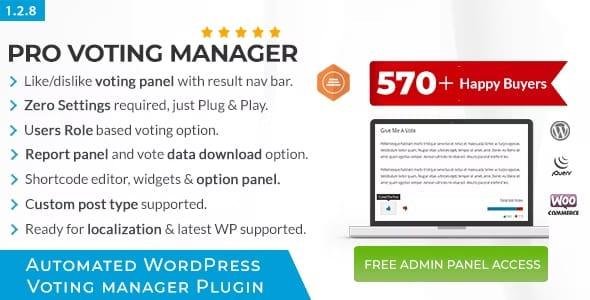
BWL Pro Voting Manager is a powerful and lightweight WordPress plugin that lets you collect user votes, likes, dislikes, and feedback on posts, pages, and custom post types. It’s the ultimate solution for site owners who want to engage visitors, gather real feedback, and display popular content dynamically.
This feature-packed plugin comes with a responsive voting box, feedback forms for dislikes, Ajax-powered voting system, and colorful animated result bars. With built-in widgets, you can showcase most liked/disliked posts in your sidebar, helping boost engagement and drive more traffic.
No coding is required – simply install the plugin, and it automatically adds voting boxes to your content. Site owners can access detailed reports, download data in CSV format, and customize voting settings with an extensive admin panel.
🔥 Key Features:
✅ Like & Dislike voting options for posts, pages, and custom post types (including WooCommerce)
✅ Instant feedback form for dislikes
✅ Ajax-powered voting with colorful animated results
✅ Detailed voting reports with CSV export
✅ Built-in widget for top voted content
✅ RTL & translation-ready
✅ Role-based voting, IP filtering, and voting limits
✅ Visual shortcode editor for custom placement
✅ Customizable icons, colors, and themes
✅ Quick & bulk edit options to reset votes
✅ Fully responsive and lightweight design
✅ Works with the latest WordPress version
📦 License: GPL – Clean, secure, and legally redistributed.
⚠️ Support: No official support included.
Perfect for blogs, eCommerce stores, review sites, news portals, and content creators who want a professional voting and feedback system for their WordPress site.
Be the first to review “BWL Pro Voting Manager 1.4.1” Cancel reply
How to Install
Follow these quick steps to install from a .zip file or directly from your WP dashboard.
-
1
Go to Plugins → Add New
In your WordPress dashboard, open Plugins and click Add New.
-
2
Click Upload Plugin
Press Upload Plugin → Choose File and select the downloaded
plugin-name.zip. -
3
Install & Activate
Click Install Now, then Activate. You’re done!
-
4
(Optional) Enter License / Use Shortcode
Open Plugins → Your Plugin → Settings to enter your license. Add the box on the product page with:
[plugin_info_box]
Alternative: Install from WordPress directory
Go to Plugins → Add New, search the plugin name, click Install then Activate.
Manual (FTP) method
Unzip locally → upload the folder to /wp-content/plugins/ using FTP → activate from Plugins.
-
1
Go to Appearance → Themes
Click Add New → Upload Theme.
-
2
Upload the .zip file
Select
theme-name.zip, click Install Now, then Activate. -
3
Install Required Plugins
If prompted, click Begin installing plugins and activate them.
-
4
(Optional) Import Starter Content
Use the theme’s Demo Import (if provided) to load sample pages and settings.
Manual (FTP) theme install
Unzip the theme → upload to /wp-content/themes/ → activate from Appearance → Themes.




Reviews
There are no reviews yet.