
- ✔ Verified by VirusTotal
- ✔ 100% Original Product & Virus-Free
- ✔ Lifetime Free Updates on Single Purchase
- ✔ Unlimited Website Usage
- ✔ Prices in USD (Tax Included)
🔥 Limited-Time Deal — Ends Soon!
Calculated Fields Form Pro 5.8.63
$57.00 Original price was: $57.00.$2.99Current price is: $2.99.
Instant Access
7 Day Money Back Guarantee
Online Support 24/7
Secure Payment
Description
📝 Calculated Fields Form Pro – Advanced Form Builder for WordPress
This is a GPL-distributed version of Calculated Fields Form Pro. It is clean, secure, and legally redistributed, with no official support included.
Build advanced WordPress forms effortlessly with calculations, conditional logic, and multi-page functionality for any project, from simple contact forms to complex product calculators.
🌟 What We Offer
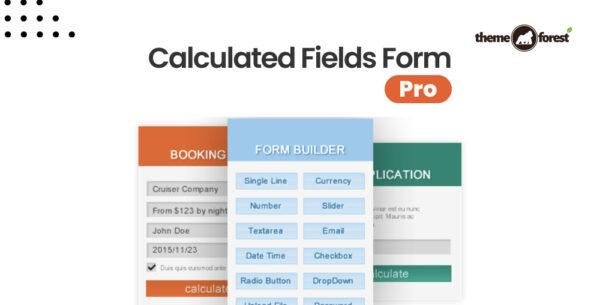
Drag-and-drop form builder with easy field selection and customization.
WooCommerce integration for calculating product prices dynamically.
Calculated fields for pricing, distances, area, weight, time ranges, and more.
Dependent fields to display specific inputs based on user selections.
Multi-page forms with summary pages for validation before submission.
Predefined templates and customizable form designs.
Add-ons to extend your form’s features and behavior.
Form processing options: save to database, send emails, and more.
🧩 Key Features
⚡ Form Builder
Add, edit, or remove fields easily.
Define validation rules like required fields, email validation, or numeric constraints.
Three tabs for field selection, attribute editing, and settings management.
💻 WordPress & WooCommerce Integration
Compatible with WordPress 3.0.5+
Seamless WooCommerce integration to calculate prices or product options dynamically.
🧮 Calculated Fields
Perform calculations for products, services, distances, area, weight, and more.
Highly flexible for almost any type of formula-based input.
🔗 Dependent & Conditional Fields
Show or hide fields based on user selections or prior inputs.
Perfect for stores, surveys, wizards, or complex forms.
📄 Multi-Page Forms
Split forms into multiple pages for better user experience.
Include summary pages before submission for validation and review.
🎨 Predefined Templates
Ready-made designs for fast deployment.
Various colors, field structures, and layouts for professional forms.
🛠️ Add-Ons & Form Processing
Extend your forms with extra modules in the Developer version.
Options to submit forms, send emails, and save data to the database.
🎯 Conclusion
Calculated Fields Form Pro is the ultimate WordPress form solution for anyone needing advanced calculations, conditional logic, and multi-page forms. With WooCommerce support, dependent fields, and a powerful form builder, it allows you to create professional, dynamic forms tailored to any project.
Effortlessly manage your forms, enhance user experience, and streamline calculations with Calculated Fields Form Pro.
Be the first to review “Calculated Fields Form Pro 5.8.63” Cancel reply
How to Install
Follow these quick steps to install from a .zip file or directly from your WP dashboard.
-
1
Go to Plugins → Add New
In your WordPress dashboard, open Plugins and click Add New.
-
2
Click Upload Plugin
Press Upload Plugin → Choose File and select the downloaded
plugin-name.zip. -
3
Install & Activate
Click Install Now, then Activate. You’re done!
-
4
(Optional) Enter License / Use Shortcode
Open Plugins → Your Plugin → Settings to enter your license. Add the box on the product page with:
[plugin_info_box]
Alternative: Install from WordPress directory
Go to Plugins → Add New, search the plugin name, click Install then Activate.
Manual (FTP) method
Unzip locally → upload the folder to /wp-content/plugins/ using FTP → activate from Plugins.
-
1
Go to Appearance → Themes
Click Add New → Upload Theme.
-
2
Upload the .zip file
Select
theme-name.zip, click Install Now, then Activate. -
3
Install Required Plugins
If prompted, click Begin installing plugins and activate them.
-
4
(Optional) Import Starter Content
Use the theme’s Demo Import (if provided) to load sample pages and settings.
Manual (FTP) theme install
Unzip the theme → upload to /wp-content/themes/ → activate from Appearance → Themes.




Reviews
There are no reviews yet.