
- ✔ Verified by VirusTotal
- ✔ 100% Original Product & Virus-Free
- ✔ Lifetime Free Updates on Single Purchase
- ✔ Unlimited Website Usage
- ✔ Prices in USD (Tax Included)
🔥 Limited-Time Deal — Ends Soon!
Chat – Support Board – WordPress Chat Plugin 3.8.2
$59.00 Original price was: $59.00.$2.99Current price is: $2.99.
Instant Access
7 Day Money Back Guarantee
Online Support 24/7
Secure Payment
Description
Support Board for WordPress
Is a powerful chat and help desk plugin designed to automate customer communication with AI-driven chatbots and real-time messaging. This GPL-distributed version is clean, secure, and legally redistributed under the GPL license (no official support included).
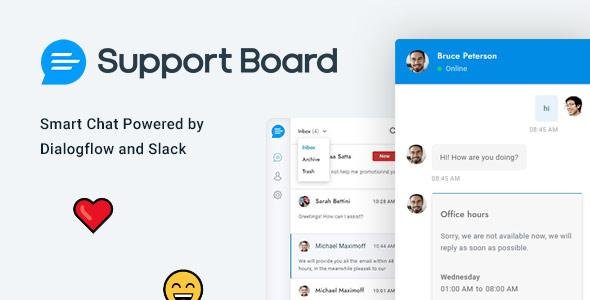
Support Board lets you connect with customers through popular platforms like Slack and Dialogflow, allowing you to manage conversations, send rich messages, and automate responses seamlessly. Perfect for businesses, agencies, and eCommerce websites, this plugin helps you save time, reduce workload, and provide exceptional customer support.
Key Features:
✔ Easy installation and seamless setup
✔ AI chatbot integration with Dialogflow
✔ Real-time messaging and rich message support
✔ Direct integration with Slack for team collaboration
✔ Multilingual and WordPress Multisite compatibility
✔ Automatic user and agent sync with login status detection
✔ Progressive Web App (PWA) functionality
✔ Import existing users & sync login forms
✔ Product and post-type understanding for smarter replies
✔ Advanced security with agent access control
Whether you run a small business, SaaS platform, or online store, Support Board for WordPress is the perfect solution to automate customer service and improve user experience without relying on third-party tools.
Be the first to review “Chat – Support Board – WordPress Chat Plugin 3.8.2” Cancel reply
How to Install
Follow these quick steps to install from a .zip file or directly from your WP dashboard.
-
1
Go to Plugins → Add New
In your WordPress dashboard, open Plugins and click Add New.
-
2
Click Upload Plugin
Press Upload Plugin → Choose File and select the downloaded
plugin-name.zip. -
3
Install & Activate
Click Install Now, then Activate. You’re done!
-
4
(Optional) Enter License / Use Shortcode
Open Plugins → Your Plugin → Settings to enter your license. Add the box on the product page with:
[plugin_info_box]
Alternative: Install from WordPress directory
Go to Plugins → Add New, search the plugin name, click Install then Activate.
Manual (FTP) method
Unzip locally → upload the folder to /wp-content/plugins/ using FTP → activate from Plugins.
-
1
Go to Appearance → Themes
Click Add New → Upload Theme.
-
2
Upload the .zip file
Select
theme-name.zip, click Install Now, then Activate. -
3
Install Required Plugins
If prompted, click Begin installing plugins and activate them.
-
4
(Optional) Import Starter Content
Use the theme’s Demo Import (if provided) to load sample pages and settings.
Manual (FTP) theme install
Unzip the theme → upload to /wp-content/themes/ → activate from Appearance → Themes.




Reviews
There are no reviews yet.