
- ✔ Verified by VirusTotal
- ✔ 100% Original Product & Virus-Free
- ✔ Lifetime Free Updates on Single Purchase
- ✔ Unlimited Website Usage
- ✔ Prices in USD (Tax Included)
🔥 Limited-Time Deal — Ends Soon!
Client Portal for WordPress Premium 5.6.0
$105.00 Original price was: $105.00.$2.99Current price is: $2.99.
Instant Access
7 Day Money Back Guarantee
Online Support 24/7
Secure Payment
Description
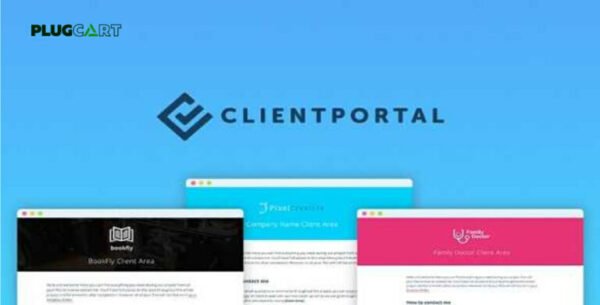
Client Portal for WordPress Premium – Latest Version
The Client Portal for WordPress Premium (GPL Latest Version) is the ultimate solution to professionalize your client projects and centralize everything in one secure location. With this premium plugin, you can create a branded client dashboard directly on your WordPress site, eliminating the need for bulky third-party project management tools.
Why Choose Client Portal for WordPress Premium?
📂 Centralized Project Dashboard
Keep all project deliverables, proposals, contracts, and files in one easy-to-access place. Clients no longer need to dig through endless emails to find important documents.
🔒 Secure & Private Client Access
Each client receives a secure login to access their personal portal. Store files, tasks, and updates safely without worrying about lost or misplaced information.
🎨 Fully Customizable & Brandable
Match the portal design with your website or your client’s brand identity. The clean, modern design integrates seamlessly with any WordPress theme.
⚡ Streamlined Workflow for Agencies & Freelancers
Whether you’re a freelancer, creative agency, law firm, or consultant, Client Portal adapts to your workflow. Add or remove modules to fit your project structure perfectly.
Key Features of Client Portal GPL
✅ Manage multiple projects and portals for each client.
✅ Track project progress and milestones in real time.
✅ Get notifications when a client completes a task.
✅ Store files securely for client downloads.
✅ Create both private and public portals.
✅ Seamlessly brand portals to look like part of your site.
✅ Unlimited usage on all domains.
✅ 100% GPL licensed, safe, clean, and secure.
Benefits for Your Business
🚀 Save Time: No more “Can you resend that file?” requests.
🛡️ Increase Security: Provide clients with a private, dedicated login.
💼 Look Professional: Impress clients with a polished, centralized project hub.
📈 Boost Productivity: Keep everything organized and avoid inbox clutter.
Final Thoughts
The Client Portal for WordPress Premium (GPL Latest Version) is a game-changer for freelancers, agencies, and professionals who want to deliver projects more efficiently. By centralizing communication, files, and progress tracking, you’ll not only improve client satisfaction but also elevate your business with a professional, branded touch
Be the first to review “Client Portal for WordPress Premium 5.6.0” Cancel reply
How to Install
Follow these quick steps to install from a .zip file or directly from your WP dashboard.
-
1
Go to Plugins → Add New
In your WordPress dashboard, open Plugins and click Add New.
-
2
Click Upload Plugin
Press Upload Plugin → Choose File and select the downloaded
plugin-name.zip. -
3
Install & Activate
Click Install Now, then Activate. You’re done!
-
4
(Optional) Enter License / Use Shortcode
Open Plugins → Your Plugin → Settings to enter your license. Add the box on the product page with:
[plugin_info_box]
Alternative: Install from WordPress directory
Go to Plugins → Add New, search the plugin name, click Install then Activate.
Manual (FTP) method
Unzip locally → upload the folder to /wp-content/plugins/ using FTP → activate from Plugins.
-
1
Go to Appearance → Themes
Click Add New → Upload Theme.
-
2
Upload the .zip file
Select
theme-name.zip, click Install Now, then Activate. -
3
Install Required Plugins
If prompted, click Begin installing plugins and activate them.
-
4
(Optional) Import Starter Content
Use the theme’s Demo Import (if provided) to load sample pages and settings.
Manual (FTP) theme install
Unzip the theme → upload to /wp-content/themes/ → activate from Appearance → Themes.




Reviews
There are no reviews yet.