
- ✔ Verified by VirusTotal
- ✔ 100% Original Product & Virus-Free
- ✔ Lifetime Free Updates on Single Purchase
- ✔ Unlimited Website Usage
- ✔ Prices in USD (Tax Included)
🔥 Limited-Time Deal — Ends Soon!
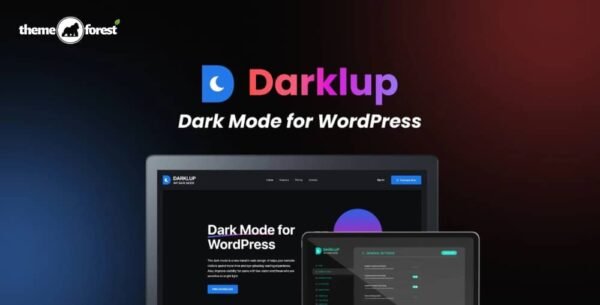
Darklup – Dark Mode Plugin For WordPress 3.2.7
$42.00 Original price was: $42.00.$2.99Current price is: $2.99.
Instant Access
7 Day Money Back Guarantee
Online Support 24/7
Secure Payment
Description
🌙 Darklup – Dark Mode Plugin Mode for WordPress
The Darklup WordPress Plugin is a premium dark mode solution that makes your website modern, stylish, and user-friendly. With OS-based detection, time-based scheduling, backend & frontend dark mode support, Darklup ensures a comfortable browsing and working experience for both visitors and admins.
Whether your audience prefers a sleek design or needs reduced brightness for eye comfort, Darklup provides customizable dark schemes, stylish switches, and smooth integration with leading page builders like Elementor, Divi, and Beaver Builder.
⚡ Key Features of Darklup – Dark Mode Plugin
OS-Based Dark Mode – Automatically matches user’s operating system dark mode preference.
Time-Based Dark Mode – Schedule dark mode activation based on local time.
Custom Switch Styles – Multiple toggle designs for an attractive dark mode switch.
Frontend & Backend Support – Dark mode for both website visitors and WordPress admin panel.
Ready-to-Use Dark Schemes – Apply pre-made dark color presets for a stunning look.
Floating Switch Button – Place the dark mode switch anywhere on the site, including the footer.
Page Builder Compatible – Works seamlessly with Elementor, Divi, Beaver Builder, Visual Composer, Themify, and more.
Lightweight & Fast – Optimized for performance without slowing down your site.
🚀 Why Choose Darklup – Dark Mode Plugin?
Darklup is more than just a design trend—it’s about user comfort and modern web experience. With advanced features like automatic OS detection, flexible time-based scheduling, and backend support, it ensures both site visitors and admins enjoy a smooth, eye-friendly dark interface.
✅ Conclusion
The Darklup Dark Mode Plugin for WordPress is the ultimate solution to give your site a stylish, user-friendly dark experience. With its wide compatibility, customizable options, and automation features, it’s the perfect plugin to modernize your website while enhancing accessibility and user comfort.
Be the first to review “Darklup – Dark Mode Plugin For WordPress 3.2.7” Cancel reply
How to Install
Follow these quick steps to install from a .zip file or directly from your WP dashboard.
-
1
Go to Plugins → Add New
In your WordPress dashboard, open Plugins and click Add New.
-
2
Click Upload Plugin
Press Upload Plugin → Choose File and select the downloaded
plugin-name.zip. -
3
Install & Activate
Click Install Now, then Activate. You’re done!
-
4
(Optional) Enter License / Use Shortcode
Open Plugins → Your Plugin → Settings to enter your license. Add the box on the product page with:
[plugin_info_box]
Alternative: Install from WordPress directory
Go to Plugins → Add New, search the plugin name, click Install then Activate.
Manual (FTP) method
Unzip locally → upload the folder to /wp-content/plugins/ using FTP → activate from Plugins.
-
1
Go to Appearance → Themes
Click Add New → Upload Theme.
-
2
Upload the .zip file
Select
theme-name.zip, click Install Now, then Activate. -
3
Install Required Plugins
If prompted, click Begin installing plugins and activate them.
-
4
(Optional) Import Starter Content
Use the theme’s Demo Import (if provided) to load sample pages and settings.
Manual (FTP) theme install
Unzip the theme → upload to /wp-content/themes/ → activate from Appearance → Themes.




Reviews
There are no reviews yet.