
- ✔ Verified by VirusTotal
- ✔ 100% Original Product & Virus-Free
- ✔ Lifetime Free Updates on Single Purchase
- ✔ Unlimited Website Usage
- ✔ Prices in USD (Tax Included)
🔥 Limited-Time Deal — Ends Soon!
DHVC Form 2.3.8
$20.00 Original price was: $20.00.$2.99Current price is: $2.99.
Instant Access
7 Day Money Back Guarantee
Online Support 24/7
Secure Payment
Description
📋 DHVC Form – Advanced Form Builder for WPBakery Page Builder
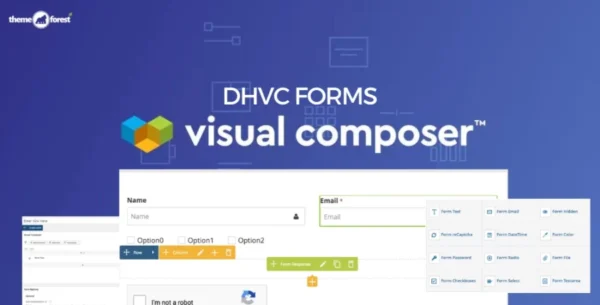
The DHVC Form plugin is a powerful, drag-and-drop form manager for WPBakery Page Builder that allows you to create any kind of form in minutes — from simple contact forms to complex booking, registration, or login forms. With its intuitive interface and zero coding required, building advanced forms has never been easier.
Not only can you create forms, but DHVC Form also lets you customize your WordPress login and registration pages, including WooCommerce login/register forms, giving you complete control over your site’s user experience.
✨ Why Choose DHVC Form?
⚡ Drag & Drop Form Builder – Create forms quickly with a visual editor.
🔀 Conditional Logic – Show or hide fields dynamically based on user input.
🖌 Flexible Design – Unlimited colors, easy styling, and responsive layouts.
🔒 Secure & Reliable – reCaptcha support, AJAX validation, and no resubmission issues.
📊 Data Management – Store entries in your WP Admin, export to CSV, and set up email notifications.
🔄 Marketing Ready – Works with Mailchimp, MailPoet, and myMail newsletters.
💳 E-Commerce Friendly – Supports multi-step forms and PayPal checkout for payments.
🌟 Key Features of DHVC Form
🎛 Drag & drop form elements with live preview
🔀 Conditional logic for smart, interactive forms
🧩 Custom form element templates
📱 Fully responsive and mobile-ready design
🎨 Unlimited colors and styling options
🗂 View form entries inside WordPress Admin
📝 Multi-step form support
💳 PayPal checkout integration
📧 Send form data directly to email
📤 Export form submissions to CSV
🔁 Autoresponder emails supported
🔐 TLS and custom SMTP port support for secure email delivery
📨 Customizable email notifications
⚡ AJAX form validation (no page reload)
🔑 Create Login, Register, Lost Password forms (WordPress & WooCommerce)
🔄 Display forms with shortcode or popup
✅ Google reCaptcha v2 support
📬 Newsletter integrations: Mailchimp, MailPoet, myMail
🚀 Who Is It For?
🛠 Web designers & developers who want an easy but flexible form builder.
🛒 WooCommerce store owners who need custom login/register or checkout forms.
🏢 Businesses & agencies that require booking, feedback, or inquiry forms.
📣 Marketers looking to integrate forms with newsletter services for lead generation.
🏆 Conclusion
The DHVC Form plugin is more than just a form builder — it’s a complete form management system for WordPress and WooCommerce. With drag-and-drop simplicity, powerful conditional logic, PayPal integration, and full newsletter support, it’s the perfect solution for anyone who needs to build beautiful, functional, and conversion-focused forms without touching code.
Whether you’re building a contact form, booking form, survey, registration form, or checkout form, DHVC Form makes the process fast, flexible, and user-friendly.
Be the first to review “DHVC Form 2.3.8” Cancel reply
How to Install
Follow these quick steps to install from a .zip file or directly from your WP dashboard.
-
1
Go to Plugins → Add New
In your WordPress dashboard, open Plugins and click Add New.
-
2
Click Upload Plugin
Press Upload Plugin → Choose File and select the downloaded
plugin-name.zip. -
3
Install & Activate
Click Install Now, then Activate. You’re done!
-
4
(Optional) Enter License / Use Shortcode
Open Plugins → Your Plugin → Settings to enter your license. Add the box on the product page with:
[plugin_info_box]
Alternative: Install from WordPress directory
Go to Plugins → Add New, search the plugin name, click Install then Activate.
Manual (FTP) method
Unzip locally → upload the folder to /wp-content/plugins/ using FTP → activate from Plugins.
-
1
Go to Appearance → Themes
Click Add New → Upload Theme.
-
2
Upload the .zip file
Select
theme-name.zip, click Install Now, then Activate. -
3
Install Required Plugins
If prompted, click Begin installing plugins and activate them.
-
4
(Optional) Import Starter Content
Use the theme’s Demo Import (if provided) to load sample pages and settings.
Manual (FTP) theme install
Unzip the theme → upload to /wp-content/themes/ → activate from Appearance → Themes.




Reviews
There are no reviews yet.