
- ✔ Verified by VirusTotal
- ✔ 100% Original Product & Virus-Free
- ✔ Lifetime Free Updates on Single Purchase
- ✔ Unlimited Website Usage
- ✔ Prices in USD (Tax Included)
🔥 Limited-Time Deal — Ends Soon!
Directorist Digital Marketplace Addon 2.1.1
$58.00 Original price was: $58.00.$2.99Current price is: $2.99.
Instant Access
7 Day Money Back Guarantee
Online Support 24/7
Secure Payment
Description
💻 Directorist Digital Marketplace Addon Add-on (Latest GPL Version)
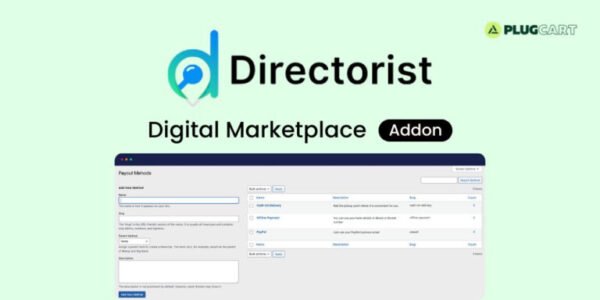
The Directorist Digital Marketplace Add-on lets you transform your directory into a digital product marketplace where vendors can sell fixed-price services or downloadable items. Fully integrated with WooCommerce, it allows both admins and listing owners to earn commissions on every sale.
This is a GPL-distributed version – clean, secure, and legally redistributed. (⚠️ No official support included.)
🛒 Create Your Own Directorist Digital Marketplace Addon
With this add-on, you can:
Enable listing owners/vendors to sell digital products.
Set commission rates for each vendor or apply global defaults.
Manage payouts with ease, setting minimum payout thresholds.
Connect all digital product sales directly to the WooCommerce checkout for secure transactions.
💵 Commission & Payout System
Define admin commissions for each sale.
Allow vendors to request payouts from their dashboard.
Set minimum payout amounts to ensure smooth fund management.
Offer multiple payout methods (PayPal, Bank, Stripe, etc.).
📊 Vendor Dashboard & Control
Vendors/listing owners get a clean and simple interface to track:
✅ Total Orders
✅ Total Amount Earned
✅ Total Products Sold
✅ Payout Requests & History
✅ Current Earnings
✨ Key Features of Directorist Digital Marketplace Addon
🛍️ Create unlimited tiers & extras with different pricing.
💸 Set commissions for each digital product order.
⏳ Minimum payout threshold option.
📦 Manage stock & availability for downloads.
⏱️ Hourly pricing support for services.
📂 Limit downloads per order for better control.
📥 Buyers get a personalized download list with remaining download counts.
🚀 Benefits
🔗 Seamless WooCommerce Integration – secure checkout & payment gateways.
💵 Multiple Revenue Streams – commissions, sales, and service extras.
⚡ Admin Control + Vendor Freedom – flexible commission & payout settings.
🎯 Scalable Marketplace Model – create unlimited listings and vendors.
📊 Transparent Earnings – both admin & vendors can track income easily.
🏁 Conclusion
The Directorist Digital Marketplace Add-on (GPL Version) is a powerful tool to monetize your directory site. Whether selling digital downloads, services, or extras, it gives you full control over commissions, payouts, and sales management — making your directory a complete digital eCommerce hub.
Be the first to review “Directorist Digital Marketplace Addon 2.1.1” Cancel reply
How to Install
Follow these quick steps to install from a .zip file or directly from your WP dashboard.
-
1
Go to Plugins → Add New
In your WordPress dashboard, open Plugins and click Add New.
-
2
Click Upload Plugin
Press Upload Plugin → Choose File and select the downloaded
plugin-name.zip. -
3
Install & Activate
Click Install Now, then Activate. You’re done!
-
4
(Optional) Enter License / Use Shortcode
Open Plugins → Your Plugin → Settings to enter your license. Add the box on the product page with:
[plugin_info_box]
Alternative: Install from WordPress directory
Go to Plugins → Add New, search the plugin name, click Install then Activate.
Manual (FTP) method
Unzip locally → upload the folder to /wp-content/plugins/ using FTP → activate from Plugins.
-
1
Go to Appearance → Themes
Click Add New → Upload Theme.
-
2
Upload the .zip file
Select
theme-name.zip, click Install Now, then Activate. -
3
Install Required Plugins
If prompted, click Begin installing plugins and activate them.
-
4
(Optional) Import Starter Content
Use the theme’s Demo Import (if provided) to load sample pages and settings.
Manual (FTP) theme install
Unzip the theme → upload to /wp-content/themes/ → activate from Appearance → Themes.




Reviews
There are no reviews yet.