
- ✔ Verified by VirusTotal
- ✔ 100% Original Product & Virus-Free
- ✔ Lifetime Free Updates on Single Purchase
- ✔ Unlimited Website Usage
- ✔ Prices in USD (Tax Included)
🔥 Limited-Time Deal — Ends Soon!
Directorist Listing FAQs 2.2.1
$25.00 Original price was: $25.00.$2.99Current price is: $2.99.
Instant Access
7 Day Money Back Guarantee
Online Support 24/7
Secure Payment
Description
❓ Directorist Listing FAQs 2.2.1 (GPL Version)
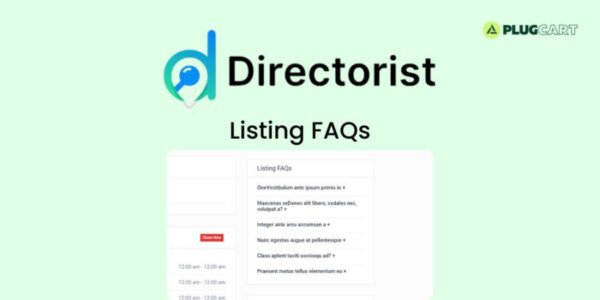
Directorist Listing FAQs is a premium-quality extension that lets you easily add organized and responsive FAQ sections to your directory listings. This GPL-distributed version is 100% legal, secure, and clean — offering full functionality without official support.
Perfect for directory owners who want to boost user experience, reduce repetitive queries, and help customers make faster purchase decisions.
⚙️ Key Features
🧩 Easy FAQ Integration: Add FAQs directly to any directory listing with a few clicks.
📋 Organized Information: Display frequently asked questions in a clean, structured format.
🎨 Responsive Accordion Layout: All FAQs are shown in an elegant and mobile-friendly accordion style.
💬 Quick Answers: Keep responses short and to the point for better readability and faster user decision-making.
🔄 Seamless Compatibility: Works smoothly with all Directorist themes and extensions.
⚡ Improved User Experience: Help users find information quickly, reducing support requests.
🚀 Why Choose the GPL Version
✅ 100% GPL-licensed – install on unlimited websites.
💻 Fully functional and safe to use.
💰 No recurring license fees.
🔓 Freedom to customize and integrate as needed.
🏁 Conclusion
With Directorist Listing FAQs 2.2.1 GPL, you can transform your directory website into a more helpful, organized, and user-friendly platform. Provide quick answers, reduce customer hesitation, and enhance listing credibility — all with a simple, lightweight, and responsive FAQ system.
Be the first to review “Directorist Listing FAQs 2.2.1” Cancel reply
How to Install
Follow these quick steps to install from a .zip file or directly from your WP dashboard.
-
1
Go to Plugins → Add New
In your WordPress dashboard, open Plugins and click Add New.
-
2
Click Upload Plugin
Press Upload Plugin → Choose File and select the downloaded
plugin-name.zip. -
3
Install & Activate
Click Install Now, then Activate. You’re done!
-
4
(Optional) Enter License / Use Shortcode
Open Plugins → Your Plugin → Settings to enter your license. Add the box on the product page with:
[plugin_info_box]
Alternative: Install from WordPress directory
Go to Plugins → Add New, search the plugin name, click Install then Activate.
Manual (FTP) method
Unzip locally → upload the folder to /wp-content/plugins/ using FTP → activate from Plugins.
-
1
Go to Appearance → Themes
Click Add New → Upload Theme.
-
2
Upload the .zip file
Select
theme-name.zip, click Install Now, then Activate. -
3
Install Required Plugins
If prompted, click Begin installing plugins and activate them.
-
4
(Optional) Import Starter Content
Use the theme’s Demo Import (if provided) to load sample pages and settings.
Manual (FTP) theme install
Unzip the theme → upload to /wp-content/themes/ → activate from Appearance → Themes.




Reviews
There are no reviews yet.