
- ✔ Verified by VirusTotal
- ✔ 100% Original Product & Virus-Free
- ✔ Lifetime Free Updates on Single Purchase
- ✔ Unlimited Website Usage
- ✔ Prices in USD (Tax Included)
🔥 Limited-Time Deal — Ends Soon!
Directory Pro 2.5.6
$39.00 Original price was: $39.00.$2.99Current price is: $2.99.
Instant Access
7 Day Money Back Guarantee
Online Support 24/7
Secure Payment
Description
📘 Directory Pro 2.5.6 – The Complete Directory & Listing Plugin for WordPress
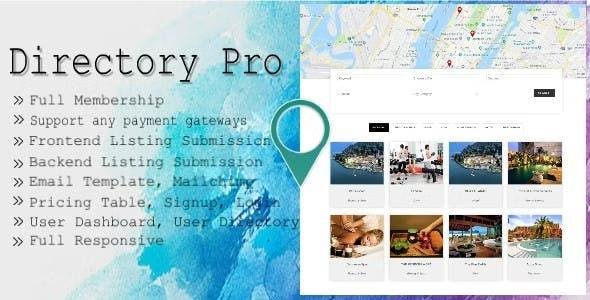
Directory Pro is a powerful and feature-rich WordPress plugin that allows you to build fully functional directory and listing websites. From business directories and service listings to event directories and coupon deals — this plugin provides all the tools to manage, monetize, and customize your directory with ease.
Integrated with major payment gateways, page builders, and multilingual support, Directory Pro ensures flexibility, scalability, and complete control over your listings.
🌟 Key Features
🧾 Frontend Directory Management
Empower users to add, edit, and manage listings directly from the front end via the “My Account” dashboard. Users can view favorites, claim listings, contact owners, and even check who’s interested in their listings.
💳 Payment Gateway Integration
Supports multiple payment options:
PayPal Express Checkout
Stripe (full synchronization with Stripe Plans)
WooCommerce Payments
Offer free, one-time, recurring, or trial-based memberships for flexible monetization.
🎟️ Membership & Coupon Management
Create multiple membership types and custom packages with coupon options for signups, renewals, and limited-time offers. Easily manage subscription upgrades, downgrades, and cancellations.
🌍 Multilingual & Builder Integration
Compatible with WPML, Loco Translate, and Polylang for global reach. Fully integrated with WPBakery Page Builder for drag-and-drop page design.
🧩 Advanced Listing Features
Featured listings & category map markers
Event and booking shortcodes
Responsive touch sliders
User role-based access to read/write listings
Admin-controlled field customization
“My Payment History” & transaction management
🧠 User Account & Profile Management
Users can manage everything from their dashboard:
Update profiles and passwords
Manage social profiles
Edit or insert posts with custom fields
View all posts and payment records
Set privacy preferences
💼 What We Offer
100% GPL-licensed, clean, and secure version
Complete directory solution with flexible monetization
Built-in email marketing integration with Mailchimp
Seven pricing tables and two signup styles
Template overriding and page redirection options
🚀 Conclusion
Directory Pro 2.5.6 is your all-in-one WordPress solution for creating dynamic directory or listing websites. Whether you’re building a business directory, real estate portal, events listing, or coupon marketplace, this plugin offers every tool you need — from payment gateways and user dashboards to multilingual support and front-end editing.
Be the first to review “Directory Pro 2.5.6” Cancel reply
How to Install
Follow these quick steps to install from a .zip file or directly from your WP dashboard.
-
1
Go to Plugins → Add New
In your WordPress dashboard, open Plugins and click Add New.
-
2
Click Upload Plugin
Press Upload Plugin → Choose File and select the downloaded
plugin-name.zip. -
3
Install & Activate
Click Install Now, then Activate. You’re done!
-
4
(Optional) Enter License / Use Shortcode
Open Plugins → Your Plugin → Settings to enter your license. Add the box on the product page with:
[plugin_info_box]
Alternative: Install from WordPress directory
Go to Plugins → Add New, search the plugin name, click Install then Activate.
Manual (FTP) method
Unzip locally → upload the folder to /wp-content/plugins/ using FTP → activate from Plugins.
-
1
Go to Appearance → Themes
Click Add New → Upload Theme.
-
2
Upload the .zip file
Select
theme-name.zip, click Install Now, then Activate. -
3
Install Required Plugins
If prompted, click Begin installing plugins and activate them.
-
4
(Optional) Import Starter Content
Use the theme’s Demo Import (if provided) to load sample pages and settings.
Manual (FTP) theme install
Unzip the theme → upload to /wp-content/themes/ → activate from Appearance → Themes.




Reviews
There are no reviews yet.