
- ✔ Verified by VirusTotal
- ✔ 100% Original Product & Virus-Free
- ✔ Lifetime Free Updates on Single Purchase
- ✔ Unlimited Website Usage
- ✔ Prices in USD (Tax Included)
🔥 Limited-Time Deal — Ends Soon!
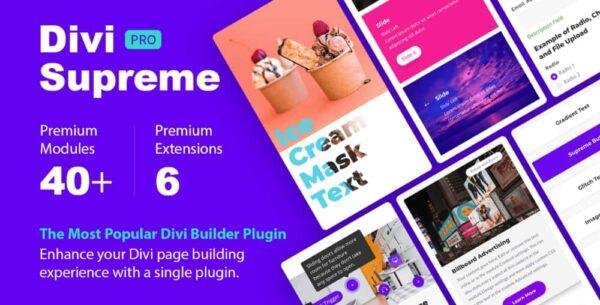
Divi Supreme Pro 4.9.97.35
$50.00 Original price was: $50.00.$2.99Current price is: $2.99.
Instant Access
7 Day Money Back Guarantee
Online Support 24/7
Secure Payment
Description
🌟 Divi Supreme Pro – Advanced Modules & Extensions for Divi (GPL)
This is a GPL-distributed version of Divi Supreme Pro. It is 100% clean, secure, and legally redistributed under the GPL license. (No official developer support included.)
Divi Supreme Pro is one of the most powerful and popular add-ons for the Divi theme & Divi Builder. Packed with 40+ premium Divi modules and exclusive extensions, it empowers you to design stunning, professional websites with ease — without touching a single line of code.
If you’re a web designer, developer, or business owner who uses Divi, Supreme Pro gives you everything you need to speed up your workflow, enhance creativity, and extend Divi’s native capabilities.
✨ Why Choose Divi Supreme Pro?
✅ 40+ Premium Divi Modules – Creative, interactive, and practical modules that unlock endless design possibilities.
✅ 5 Powerful Extensions – Unique tools like Divi Shortcodes, Popup Builder, and Display Conditions to enhance how you build with Divi.
✅ Faster Workflow – Save time with prebuilt functionality missing from the default Divi Builder.
✅ No Coding Needed – Create animations, popups, effects, and interactive layouts without writing custom code.
✅ Lightweight & Reliable – Built with clean code for performance and full compatibility with Divi updates.
🔥 Divi Supreme Pro Features
🎨 40+ Creative Divi Modules
Dual Heading
Gradient Text
Image Hotspots
Animated Text
Content Timeline
Price List & Price Box
Business Hours
Flipbox
Typing Effect
Card Carousel
Lottie Animations
Text Divider
…and many more!
⚡ 5 Divi Extensions
Display Conditions – Show or hide sections, rows, columns, or modules based on advanced rules.
Divi Shortcodes – Insert any saved Divi Library layout anywhere with a simple shortcode.
Popup Builder – Build beautiful popups using any Divi Library layout with animation and triggers.
Divi Library Widgets – Add Divi modules or layouts directly inside sidebars, footers, or widget areas.
Reading Mode Extension – Add “Read More / Close” toggle for long text blocks to improve UX.
🚀 What You Can Do with Divi Supreme Pro
✅ Create interactive landing pages with engaging animations.
✅ Build marketing popups with advanced triggers.
✅ Display dynamic layouts anywhere using shortcodes.
✅ Add advanced header effects like fixed or shrinking menus.
✅ Improve site UX with expandable text and content timelines.
✅ Style your site beyond Divi’s defaults — faster, smarter, better.
🛠️ Perfect for Designers & Agencies
Works seamlessly with Divi Theme and Divi Builder.
Fully responsive modules for desktop, tablet, and mobile.
Multilingual & RTL support.
Unlimited website usage under GPL.
Be the first to review “Divi Supreme Pro 4.9.97.35” Cancel reply
How to Install
Follow these quick steps to install from a .zip file or directly from your WP dashboard.
- 1
Go to Plugins → Add New
In your WordPress dashboard, open Plugins and click Add New.
- 2
Click Upload Plugin
Press Upload Plugin → Choose File and select the downloaded
plugin-name.zip. - 3
Install & Activate
Click Install Now, then Activate. You’re done!
- 4
(Optional) Enter License / Use Shortcode
Open Plugins → Your Plugin → Settings to enter your license. Add the box on the product page with:
[plugin_info_box]
Alternative: Install from WordPress directory
Go to Plugins → Add New, search the plugin name, click Install then Activate.
Manual (FTP) method
Unzip locally → upload the folder to /wp-content/plugins/ using FTP → activate from Plugins.
- 1
Go to Appearance → Themes
Click Add New → Upload Theme.
- 2
Upload the .zip file
Select
theme-name.zip, click Install Now, then Activate. - 3
Install Required Plugins
If prompted, click Begin installing plugins and activate them.
- 4
(Optional) Import Starter Content
Use the theme’s Demo Import (if provided) to load sample pages and settings.
Manual (FTP) theme install
Unzip the theme → upload to /wp-content/themes/ → activate from Appearance → Themes.

Reviews
There are no reviews yet.