
- ✔ Verified by VirusTotal
- ✔ 100% Original Product & Virus-Free
- ✔ Lifetime Free Updates on Single Purchase
- ✔ Unlimited Website Usage
- ✔ Prices in USD (Tax Included)
🔥 Limited-Time Deal — Ends Soon!
Docly Theme – Documentation And Knowledge Base WordPress Theme with bbPress Helpdesk Forum 2.1.5
$35.00 Original price was: $35.00.$2.99Current price is: $2.99.
Instant Access
7 Day Money Back Guarantee
Online Support 24/7
Secure Payment
Description
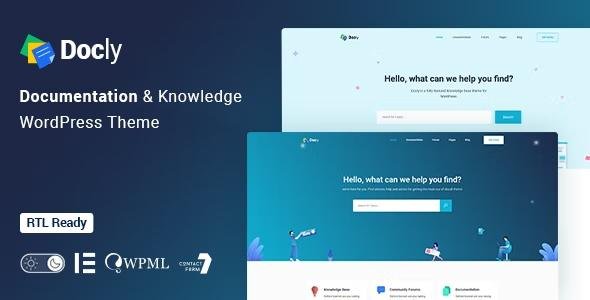
📘 Docly Theme – Documentation Modern WordPress Theme for Documentation & Knowledge Base
Docly Theme is a powerful, responsive, and high-performance WordPress theme built for creating professional product documentation and knowledge base websites. Ideal for APIs, frameworks, plugins, or SaaS tools, Docly provides a clean, reader-friendly interface and advanced functionality to make your documentation engaging and easy to navigate.
⚙️ Key Features of Docly Theme – Documentation
Fully Responsive Design: Looks perfect on desktops, tablets, and mobile devices.
Dark & Light Mode: Give users a comfortable reading experience with a dark mode switcher.
Customizable Layouts: Choose between full-width or boxed documentation layouts.
Advanced Table of Contents: Automatically generated TOC with smooth scroll navigation.
Sticky Header & Sidebar: Keep important navigation elements visible while reading.
Syntax Highlighter: Perfect for code documentation and technical tutorials.
Font Size Switcher: Let users adjust text size for better readability.
Dynamic Preloader: Visually appealing and informative page loaders.
Footnotes & Tooltips: Add quick references and explanations for technical content.
Image Hotspot: Highlight and explain specific parts of images effectively.
Conditional Content: Display content based on user type or device.
SEO Optimized: Built following w3.org standards for superior performance and indexing.
Clean & Semantic Code: Developed with HTML5 and CSS3 for fast, secure websites.
40+ Prebuilt Pages: Includes ready-to-use templates for documentation and FAQs.
💼 What We Offer
With Docly Theme – Documentation you can build structured, interactive, and user-friendly documentation that enhances your product’s usability. It’s designed to improve the reading experience and streamline how information is presented, making it perfect for developers and software companies.
🏁 Conclusion
Docly Theme – Documentation is the ultimate WordPress solution for creating professional documentation and knowledge base websites. Combining powerful features, SEO optimization, and responsive design, Docly ensures your users enjoy a seamless and informative reading experience — every time.
Be the first to review “Docly Theme – Documentation And Knowledge Base WordPress Theme with bbPress Helpdesk Forum 2.1.5” Cancel reply
How to Install
Follow these quick steps to install from a .zip file or directly from your WP dashboard.
-
1
Go to Plugins → Add New
In your WordPress dashboard, open Plugins and click Add New.
-
2
Click Upload Plugin
Press Upload Plugin → Choose File and select the downloaded
plugin-name.zip. -
3
Install & Activate
Click Install Now, then Activate. You’re done!
-
4
(Optional) Enter License / Use Shortcode
Open Plugins → Your Plugin → Settings to enter your license. Add the box on the product page with:
[plugin_info_box]
Alternative: Install from WordPress directory
Go to Plugins → Add New, search the plugin name, click Install then Activate.
Manual (FTP) method
Unzip locally → upload the folder to /wp-content/plugins/ using FTP → activate from Plugins.
-
1
Go to Appearance → Themes
Click Add New → Upload Theme.
-
2
Upload the .zip file
Select
theme-name.zip, click Install Now, then Activate. -
3
Install Required Plugins
If prompted, click Begin installing plugins and activate them.
-
4
(Optional) Import Starter Content
Use the theme’s Demo Import (if provided) to load sample pages and settings.
Manual (FTP) theme install
Unzip the theme → upload to /wp-content/themes/ → activate from Appearance → Themes.




Reviews
There are no reviews yet.