
- ✔ Verified by VirusTotal
- ✔ 100% Original Product & Virus-Free
- ✔ Lifetime Free Updates on Single Purchase
- ✔ Unlimited Website Usage
- ✔ Prices in USD (Tax Included)
🔥 Limited-Time Deal — Ends Soon!
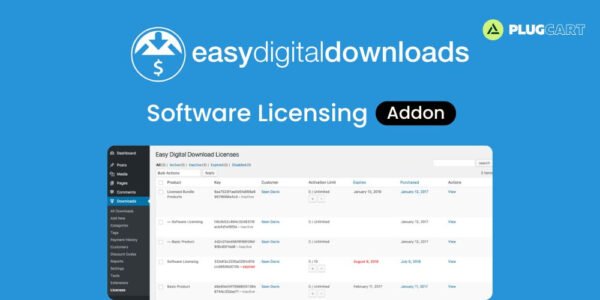
Easy Digital Downloads Software Licensing Addon 3.8.14
$57.00 Original price was: $57.00.$2.99Current price is: $2.99.
Instant Access
7 Day Money Back Guarantee
Online Support 24/7
Secure Payment
Description
🔐 Easy Digital Downloads – Software Licensing Addon
The Software Licensing Addon for Easy Digital Downloads (EDD) provides a complete system for license key generation, activation, validation, and renewal — making it the ultimate tool for selling software securely and professionally.
Whether you sell WordPress plugins, themes, apps, or desktop software, this addon helps you manage licenses, deliver updates, and keep your customers happy.
🧩 Key Features of Easy Digital Downloads Software
🗝️ License Key Management
Easily generate, view, and manage customer license keys with an intuitive admin interface.
Each product in your store can have its own settings — perfect for selling multiple software variations or even non-licensed products simultaneously.
🌐 Powerful Licensing API
Easy Digital Downloads SoftwareLicensing includes a complete JSON API that lets developers activate, validate, and deactivate licenses remotely.
API Methods include:
🔓 License Activation
🔒 License Deactivation
✅ License Validation
🔄 Version Checking & Update Details
This allows your apps or plugins to communicate directly with your website for smooth, automated licensing control.
🔁 License Renewals Made Easy
Keep your customers coming back! The addon includes a built-in renewal system with:
📧 Automated renewal reminder emails
💸 Renewal discounts & incentives
🧑💻 Manual renewal or reminder options for admins
Customers can renew their licenses with a single click, ensuring continuous access and support.
⬆️ License Upgrade Paths
Offer upgrade options between license tiers or products with flexible, prorated pricing and custom discounts.
Perfect for software businesses that offer basic, pro, and premium editions of their products.
🔄 One-Click Updates for WordPress Plugins & Themes
Add seamless, one-click updates for your licensed plugins and themes — just like WordPress.org.
Users can update to the latest version directly from their dashboard, keeping their products secure and up-to-date.
The addon supports:
🧱 WordPress UI standard update system
📜 Readme.txt parsing for changelog display
🧰 GitHub & BitBucket integration via the Git Download Updater extension
💻 For WordPress & Beyond
Although built for WordPress developers, the EDD Software Licensing Addon can be used for any software — including desktop apps and games.
It includes detailed examples and documentation for:
⚙️ WordPress implementation (themes/plugins)
💡 Non-WordPress applications (via API)
🧪 Beta Version Support
Prepare for smooth product launches with built-in beta release support.
Easily distribute beta versions to testers before your public release, improving software stability and customer satisfaction.
⚡ Why Choose Easy Digital Downloads Software Licensing Addon?
🔐 Protects your digital products with secure licensing
⚙️ Automates renewals, updates, and upgrades
💬 Provides complete developer API & documentation
💼 Works for both WordPress & standalone software
🧠 Saves time, increases revenue, and boosts customer trust
🏁 Conclusion of Easy Digital Downloads Software
🚀 Easy Digital Downloads Software Licensing Addon transforms your EDD store into a full-featured software licensing platform.
From secure key generation to automatic updates and renewal management, it provides everything you need to run a professional software business.
Be the first to review “Easy Digital Downloads Software Licensing Addon 3.8.14” Cancel reply
How to Install
Follow these quick steps to install from a .zip file or directly from your WP dashboard.
-
1
Go to Plugins → Add New
In your WordPress dashboard, open Plugins and click Add New.
-
2
Click Upload Plugin
Press Upload Plugin → Choose File and select the downloaded
plugin-name.zip. -
3
Install & Activate
Click Install Now, then Activate. You’re done!
-
4
(Optional) Enter License / Use Shortcode
Open Plugins → Your Plugin → Settings to enter your license. Add the box on the product page with:
[plugin_info_box]
Alternative: Install from WordPress directory
Go to Plugins → Add New, search the plugin name, click Install then Activate.
Manual (FTP) method
Unzip locally → upload the folder to /wp-content/plugins/ using FTP → activate from Plugins.
-
1
Go to Appearance → Themes
Click Add New → Upload Theme.
-
2
Upload the .zip file
Select
theme-name.zip, click Install Now, then Activate. -
3
Install Required Plugins
If prompted, click Begin installing plugins and activate them.
-
4
(Optional) Import Starter Content
Use the theme’s Demo Import (if provided) to load sample pages and settings.
Manual (FTP) theme install
Unzip the theme → upload to /wp-content/themes/ → activate from Appearance → Themes.




Reviews
There are no reviews yet.