
- ✔ Verified by VirusTotal
- ✔ 100% Original Product & Virus-Free
- ✔ Lifetime Free Updates on Single Purchase
- ✔ Unlimited Website Usage
- ✔ Prices in USD (Tax Included)
🔥 Limited-Time Deal — Ends Soon!
EGovt Theme – City Government WordPress Theme 1.6.0
$59.00 Original price was: $59.00.$2.99Current price is: $2.99.
Instant Access
7 Day Money Back Guarantee
Online Support 24/7
Secure Payment
Description
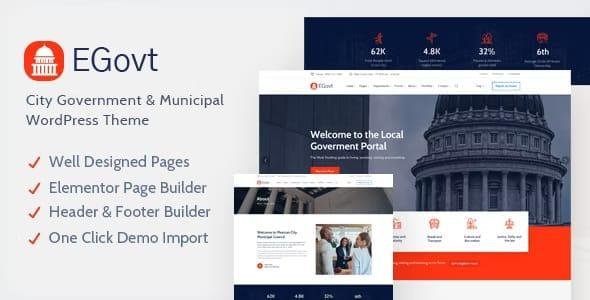
EGovt Theme – City Government & Municipal WordPress Theme 🏛️
Note: This is the GPL-distributed version — clean, secure, and legally redistributed under the GPL license. No official developer support is included with this copy (the original purchase may include vendor support and auto-updates).
EGovt is purpose-built for local governments, city portals, municipal departments and public agencies. It provides ready-made tools to publish news, manage events, accept public reports and donations, share official documents, and present departments, services and teams — all through a modern, responsive, and easy-to-edit WordPress interface.
Why EGovt? ✅
EGovt focuses on the specific needs of public sector websites:
Present policies, services and projects clearly
Promote events and public consultations with calendars and filters
Let citizens report issues and download official documents
Accept donations and run civic programs (WooCommerce-supported)
Build accessible, multilingual portals with Elementor-driven editing
Key Features & Modules ⭐
Core Government Functionality
Events Management — create & filter events (start/end date, type) with calendar and timeline views. 📅
Department Management — list departments, responsibilities, contacts and service links. 🏢
Service Manager — publish municipal services, requirements, steps and contact points. ⚙️
Document Management — upload, categorize and search official documents (PDFs, forms). 📄
Donations & Fundraising — accept PayPal/WooCommerce-based payments for campaigns. 💳
Citizen Engagement & Content
Issue / Report Submission — let citizens report problems (roads, lights, sanitation) from front-end forms. 🛠️
Team & Staff Profiles — highlight officials, contact details and bios. 👥
History Timelines — showcase milestones and development history. ⏳
Design, Editing & UX
Elementor Compatibility — full support for Elementor, including header/footer building (live visual editing). 🖌️
Multiple Header Styles — choose ready-made header layouts and variations. 🔝
Live Customizer & Typography Control — tweak colors, fonts and site settings with instant preview. 🎨
Responsive & Mobile-Ready — optimized for all devices and screen sizes. 📱🖥️
Translation, Accessibility & Integrations
WPML-ready & RTL support — multilingual portals and right-to-left languages supported. 🌐
WooCommerce Compatibility — run stores, sell permits or manage paid services. 🛒
Contact Form 7 compatibility and rich icon/font packs (Font Awesome, Themify, Flat Icon). ✉️
Admin & Performance
One-click demo import — replicate demo content to jumpstart setup. ⚡
Wide & Boxed Layouts — flexible page framing options.
SEO-optimized markup & performance-focused design. 🔎
Documentation included with step-by-step setup guidance. 📘
Who Is EGovt Ideal For? 🎯
City / town portals and municipal websites
Local government departments and public agencies
Councils, public utilities and community organizations
Civic event organizers and public outreach teams
Top Benefits for Municipalities 🏙️
Launch a professional government portal fast (one-click demos).
Centralize public info: events, documents, services and reporting.
Improve transparency and citizen engagement (reports, events, docs).
Multilingual ready for diverse communities.
Monetize or accept contributions via WooCommerce/donations modules.
Quick Setup Checklist (Recommended) ⚙️
Install WordPress and the EGovt theme (GPL package).
Install recommended plugins (Elementor, Contact Form 7, WooCommerce, WPML if needed).
Run One-click demo import (demo files included).
Customize header/footer with Elementor and set global colors/typography in Customizer.
Add departments, services, events and documents via the theme manager panels.
Configure donation/payment settings (WooCommerce or payment gateway).
Test forms, event filters, search and RTL/multilingual behavior.
Launch and announce to your community.
Best Practices & Accessibility Tips ♿
Use clear, plain language for services and forms.
Provide downloadable documents in accessible formats (tagged PDF where possible).
Ensure navigation and forms are keyboard-accessible and screen-reader friendly.
Keep event data up-to-date and display contact points prominently.
GPL Distribution & Support Note ⚠️
This listing is a GPL-distributed copy — legally redistributed but does not include official vendor support or licensed media (demo images). If you require official support, automatic updates, or bundled premium plugin licenses directly from the theme developer, consider purchasing from the original marketplace or vendor.
Short FAQ ❓
Q: Can I build a multilingual municipal site?
A: Yes — EGovt is WPML-ready and supports RTL languages.
Q: Can citizens submit reports from mobile?
A: Yes — responsive submission forms and event calendars are mobile-friendly.
Q: Does EGovt support online payments/donations?
A: Yes — WooCommerce compatibility lets you accept payments or donations.
Q: Are demo images included?
A: Demo images are usually not included in GPL distributions; use your own or stock images.
Be the first to review “EGovt Theme – City Government WordPress Theme 1.6.0” Cancel reply
How to Install
Follow these quick steps to install from a .zip file or directly from your WP dashboard.
-
1
Go to Plugins → Add New
In your WordPress dashboard, open Plugins and click Add New.
-
2
Click Upload Plugin
Press Upload Plugin → Choose File and select the downloaded
plugin-name.zip. -
3
Install & Activate
Click Install Now, then Activate. You’re done!
-
4
(Optional) Enter License / Use Shortcode
Open Plugins → Your Plugin → Settings to enter your license. Add the box on the product page with:
[plugin_info_box]
Alternative: Install from WordPress directory
Go to Plugins → Add New, search the plugin name, click Install then Activate.
Manual (FTP) method
Unzip locally → upload the folder to /wp-content/plugins/ using FTP → activate from Plugins.
-
1
Go to Appearance → Themes
Click Add New → Upload Theme.
-
2
Upload the .zip file
Select
theme-name.zip, click Install Now, then Activate. -
3
Install Required Plugins
If prompted, click Begin installing plugins and activate them.
-
4
(Optional) Import Starter Content
Use the theme’s Demo Import (if provided) to load sample pages and settings.
Manual (FTP) theme install
Unzip the theme → upload to /wp-content/themes/ → activate from Appearance → Themes.



Reviews
There are no reviews yet.