
- ✔ Verified by VirusTotal
- ✔ 100% Original Product & Virus-Free
- ✔ Lifetime Free Updates on Single Purchase
- ✔ Unlimited Website Usage
- ✔ Prices in USD (Tax Included)
🔥 Limited-Time Deal — Ends Soon!
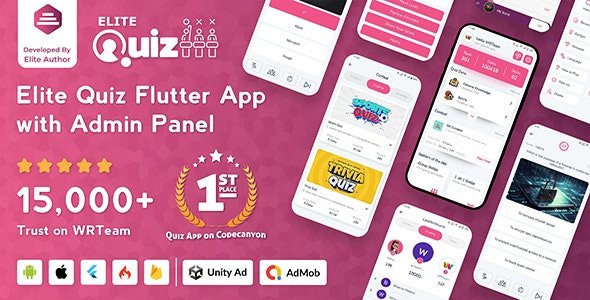
Elite Quiz – Trivia Quiz Quiz Game – Flutter Full App + Admin Panel 2.0.5
$59.00 Original price was: $59.00.$2.99Current price is: $2.99.
Instant Access
7 Day Money Back Guarantee
Online Support 24/7
Secure Payment
Description
🧠 Elite Quiz – Trivia Quiz | Quiz Game – Flutter Full App + Admin Panel (v2.0.5)
GPL Licensed | Clean & Secure | No Official Support | Legally Redistributed
Elite Quiz is a full-featured Trivia Quiz Game built with Flutter, designed for both Android and iOS platforms. It comes with a powerful web-based Admin Panel that allows you to manage users, quizzes, categories, and settings with ease — no coding required.
This app offers an engaging, user-friendly interface, real-time performance tracking, and multiplayer options, making it ideal for creating your own quiz app or educational game platform.
🎯 Key Features of Elite Quiz
Cross-Platform Flutter App
Built with Flutter for smooth performance on both Android and iOS.Powerful Admin Panel
Manage users, quizzes, questions, and categories directly from the dashboard.Multiplayer Quiz Mode
Real-time competition between players to boost engagement.Category & Subcategory Management
Create unlimited quiz topics for any niche — entertainment, education, sports, etc.Offline & Online Play Modes
Allow users to enjoy quizzes even without an internet connection.In-App Coins & Rewards System
Encourage participation through gamification and rewards.User Authentication
Includes Google, Facebook, and Email login options.Leaderboard & Statistics
Track top players, performance, and quiz history.Push Notifications
Keep users engaged with announcements and new quiz alerts.AdMob Integration
Monetize your app easily with Google AdMob ads.
📱 Technical Highlights
Developed with Flutter 3+ and Dart
Clean, responsive UI with modern design principles
Secure PHP & MySQL-based Admin Panel
Easy customization with well-structured code
Supports multi-language setup
Regular updates and improvements
💡 Use Cases
Educational quiz applications
Trivia & entertainment quiz games
Employee training quiz systems
School or university test preparation apps
🔚 Conclusion
Elite Quiz – Trivia Quiz Game (v2.0.5) is a complete Flutter quiz solution perfect for developers, educators, or entrepreneurs looking to launch a professional-grade trivia app. With its feature-packed Admin Panel, multiplayer support, and monetization-ready system, you can easily customize, manage, and grow your own quiz game business — all without advanced coding knowledge.
Be the first to review “Elite Quiz – Trivia Quiz Quiz Game – Flutter Full App + Admin Panel 2.0.5” Cancel reply
How to Install
Follow these quick steps to install from a .zip file or directly from your WP dashboard.
-
1
Go to Plugins → Add New
In your WordPress dashboard, open Plugins and click Add New.
-
2
Click Upload Plugin
Press Upload Plugin → Choose File and select the downloaded
plugin-name.zip. -
3
Install & Activate
Click Install Now, then Activate. You’re done!
-
4
(Optional) Enter License / Use Shortcode
Open Plugins → Your Plugin → Settings to enter your license. Add the box on the product page with:
[plugin_info_box]
Alternative: Install from WordPress directory
Go to Plugins → Add New, search the plugin name, click Install then Activate.
Manual (FTP) method
Unzip locally → upload the folder to /wp-content/plugins/ using FTP → activate from Plugins.
-
1
Go to Appearance → Themes
Click Add New → Upload Theme.
-
2
Upload the .zip file
Select
theme-name.zip, click Install Now, then Activate. -
3
Install Required Plugins
If prompted, click Begin installing plugins and activate them.
-
4
(Optional) Import Starter Content
Use the theme’s Demo Import (if provided) to load sample pages and settings.
Manual (FTP) theme install
Unzip the theme → upload to /wp-content/themes/ → activate from Appearance → Themes.




Reviews
There are no reviews yet.