
- ✔ Verified by VirusTotal
- ✔ 100% Original Product & Virus-Free
- ✔ Lifetime Free Updates on Single Purchase
- ✔ Unlimited Website Usage
- ✔ Prices in USD (Tax Included)
🔥 Limited-Time Deal — Ends Soon!
Elite Video Player – WordPress plugin 11.0.1
$49.00 Original price was: $49.00.$2.99Current price is: $2.99.
Instant Access
7 Day Money Back Guarantee
Online Support 24/7
Secure Payment
Description
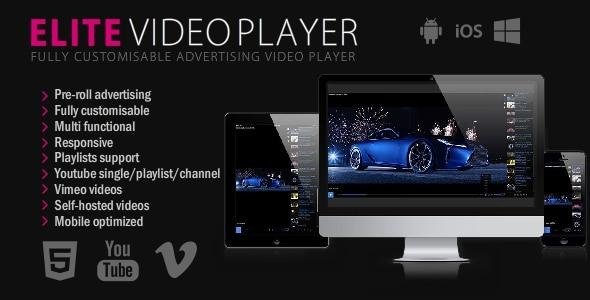
Elite Video Player is a modern, fully responsive, and highly customizable video player for WordPress. Designed for professional websites, it supports multiple video sources, advertising, live streaming, and advanced features, making it one of the most versatile video players available. This GPL-distributed version is clean, secure, and legally redistributed, with no official support included.
Key Features:
1. Multiple Video Sources
YouTube: Play single videos, playlists, or user channels. Supports custom controls, 360 VR, and live streaming.
Vimeo: Use default Vimeo player or Elite custom player.
Self-Hosted: Play MP4 videos directly from your server.
Google Drive & Dropbox: Host and play large video files efficiently.
Amazon S3 & Amazon Cloud Drive: Stream videos directly from Amazon servers.
HTTP Live Streaming (HLS): Play .m3u8 livestream videos.
Openload: Play any Openload video.
Mixed Playlists: Combine any video type (YouTube, Vimeo, self-hosted, cloud) in a single playlist.
2. Advertising Integration
Pre-roll, mid-roll, post-roll, and pop-up ads for every video.
Custom skip options for each video.
Full support for all video sources.
3. Advanced Player Features
Google Analytics Integration: Track views, downloads, ad plays, and clicks.
Live Video Thumbnails: Real-time hover thumbnails for the progress bar.
VTT Thumbnails: Use sprite sheet images for pre-made thumbnails.
Subtitles/Caption Support: Compatible with HTML5, self-hosted, cloud, HLS, and Amazon S3 videos.
Sticky Mode: Keep videos visible while scrolling; automatically hides or shows based on viewport.
Lightbox Mode: Open videos in lightbox with customizable image, size, and autoplay options.
Responsive Mode: Fits perfectly within page content.
Fullscreen Mode: Covers the entire page for an immersive experience.
4. Ease of Use
Quick installation with shortcode support.
Fully customizable player for branding and design flexibility.
Supports multiple players on a single page without conflicts.
Perfect For:
Online courses, media websites, marketing pages, live streaming events, video portfolios, or any WordPress site looking for a professional, all-in-one video solution.
Be the first to review “Elite Video Player – WordPress plugin 11.0.1” Cancel reply
How to Install
Follow these quick steps to install from a .zip file or directly from your WP dashboard.
-
1
Go to Plugins → Add New
In your WordPress dashboard, open Plugins and click Add New.
-
2
Click Upload Plugin
Press Upload Plugin → Choose File and select the downloaded
plugin-name.zip. -
3
Install & Activate
Click Install Now, then Activate. You’re done!
-
4
(Optional) Enter License / Use Shortcode
Open Plugins → Your Plugin → Settings to enter your license. Add the box on the product page with:
[plugin_info_box]
Alternative: Install from WordPress directory
Go to Plugins → Add New, search the plugin name, click Install then Activate.
Manual (FTP) method
Unzip locally → upload the folder to /wp-content/plugins/ using FTP → activate from Plugins.
-
1
Go to Appearance → Themes
Click Add New → Upload Theme.
-
2
Upload the .zip file
Select
theme-name.zip, click Install Now, then Activate. -
3
Install Required Plugins
If prompted, click Begin installing plugins and activate them.
-
4
(Optional) Import Starter Content
Use the theme’s Demo Import (if provided) to load sample pages and settings.
Manual (FTP) theme install
Unzip the theme → upload to /wp-content/themes/ → activate from Appearance → Themes.




Reviews
There are no reviews yet.