
- ✔ Verified by VirusTotal
- ✔ 100% Original Product & Virus-Free
- ✔ Lifetime Free Updates on Single Purchase
- ✔ Unlimited Website Usage
- ✔ Prices in USD (Tax Included)
🔥 Limited-Time Deal — Ends Soon!
EventON – WordPress Virtual Event Calendar Plugin 5.0
$25.00 Original price was: $25.00.$2.99Current price is: $2.99.
Instant Access
7 Day Money Back Guarantee
Online Support 24/7
Secure Payment
Description
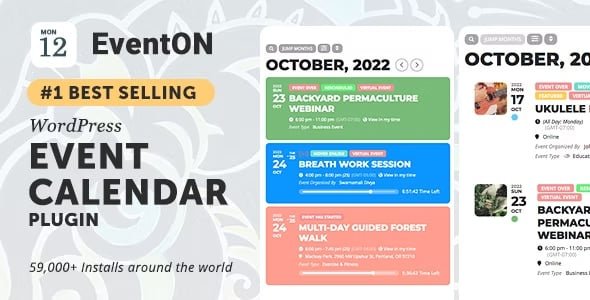
📅 WordPress Virtual Event Calendar Plugin – EventON
The EventON Virtual Event Calendar Plugin is a beautifully designed WordPress calendar that allows you to create, manage, and display events in a minimal, clutter-free design. Packed with over 200 features, EventON is the #1 best-selling Event Calendar on CodeCanyon, perfect for showcasing single or multi-day virtual and physical events.
This is a GPL-distributed version, clean, secure, and legally redistributed under the GPL license (no official support included).
⚙️ Key Features
🗓️ Event Creation & Management
Create single-day, multi-day, or all-day events.
Option to create events without end day or time.
Duplicate events in WordPress admin for faster setup.
Exclude specific events from being displayed on the calendar.
🌐 Event Locations & Organizers
Set event locations with images or latitude/longitude.
Save and reuse locations and organizers for multiple events.
Add organizer contact information for better communication.
✨ Display & Customization Options
Multiple calendar layouts and eventCards display options.
Show upcoming events lists by month, and set featured events on top.
Customize month/year formats, date & time formats, and add custom CSS.
Ability to reset calendar appearance to default with ease.
🔄 Advanced Event Features
Repeat events with customizable intervals.
Assign multi data types to events, supporting complex event setups.
Auto-archive past events to keep your calendar fresh.
Schema SEO support for better visibility in search engines.
🌟 User Interaction & Performance
Control how users interact with events via links and eventCards.
Supports universal time and date formats.
Pre-set calendar event order (ASC/DESC).
💼 Benefits
Display events in a modern, clutter-free design.
Easily manage hundreds of events without overwhelming your website.
Improve SEO and event discoverability with schema markup.
Save time by reusing locations and organizers across events.
Perfect for virtual, in-person, or hybrid events.
✅ Conclusion
The EventON WordPress Virtual Event Calendar Plugin is the ultimate solution for organizing and showcasing events on your website. With its powerful customization, multi-day support, SEO features, and intuitive interface, EventON helps you create professional, visually appealing event calendars that keep users informed and engaged.
Be the first to review “EventON – WordPress Virtual Event Calendar Plugin 5.0” Cancel reply
How to Install
Follow these quick steps to install from a .zip file or directly from your WP dashboard.
-
1
Go to Plugins → Add New
In your WordPress dashboard, open Plugins and click Add New.
-
2
Click Upload Plugin
Press Upload Plugin → Choose File and select the downloaded
plugin-name.zip. -
3
Install & Activate
Click Install Now, then Activate. You’re done!
-
4
(Optional) Enter License / Use Shortcode
Open Plugins → Your Plugin → Settings to enter your license. Add the box on the product page with:
[plugin_info_box]
Alternative: Install from WordPress directory
Go to Plugins → Add New, search the plugin name, click Install then Activate.
Manual (FTP) method
Unzip locally → upload the folder to /wp-content/plugins/ using FTP → activate from Plugins.
-
1
Go to Appearance → Themes
Click Add New → Upload Theme.
-
2
Upload the .zip file
Select
theme-name.zip, click Install Now, then Activate. -
3
Install Required Plugins
If prompted, click Begin installing plugins and activate them.
-
4
(Optional) Import Starter Content
Use the theme’s Demo Import (if provided) to load sample pages and settings.
Manual (FTP) theme install
Unzip the theme → upload to /wp-content/themes/ → activate from Appearance → Themes.




Reviews
There are no reviews yet.