
- ✔ Verified by VirusTotal
- ✔ 100% Original Product & Virus-Free
- ✔ Lifetime Free Updates on Single Purchase
- ✔ Unlimited Website Usage
- ✔ Prices in USD (Tax Included)
🔥 Limited-Time Deal — Ends Soon!
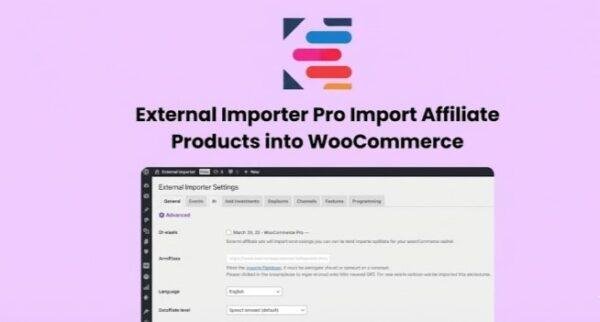
External Importer Pro – Import Affiliate Products Into WooCommerce 2.18.1
$58.00 Original price was: $58.00.$2.99Current price is: $2.99.
Instant Access
7 Day Money Back Guarantee
Online Support 24/7
Secure Payment
Description
External Importer Pro – Import Affiliate Products Into WooCommerce 🚀
External Importer Pro is a powerful WordPress plugin that allows you to import affiliate products directly into WooCommerce without the need for APIs or CSV files. With this plugin, you can easily extract product data from any store, automatically generate affiliate links, and start earning commissions on autopilot.
Extract Product Data From Any eCommerce Site 🔍
With External Importer Pro, you can:
Extract complete product data by simply entering the product URL
Avoid complicated API setups or CSV file handling
Collect gallery images, old prices, brand info, specifications, categories, and user reviews
Import Products Directly Into WooCommerce 🛒
This plugin gives you full control over your WooCommerce catalog:
Import individual products or entire sections of a website with auto-pagination
Automatically update prices and availability
Customize product titles, descriptions, and affiliate links for maximum profits
Start Earning Affiliate Commissions 💰
External Importer Pro ensures you get 100% of your commissions:
Use your affiliate IDs to automatically generate links
Set custom profit margins for dropshipping products
Supports over 90 popular affiliate programs worldwide with advanced parsers
Additional Features of External Importer Pro ✅
1. Advanced Parsers for Affiliate Programs 🌐
Extract additional product data like specifications, gallery images, and user reviews.
2. Full Catalog Import 🗂️
Import multiple products or full website sections automatically with pagination support.
3. Automatic Updates 🔄
Keep product prices, availability, and affiliate links always up-to-date.
4. Easy-to-Use Interface 🖥️
Manage imports efficiently with a simple and user-friendly dashboard.
External Importer Pro is ideal for affiliate marketers, dropshippers, and WooCommerce store owners who want to quickly scale their online store with automated product imports and boosted affiliate earnings.
Be the first to review “External Importer Pro – Import Affiliate Products Into WooCommerce 2.18.1” Cancel reply
How to Install
Follow these quick steps to install from a .zip file or directly from your WP dashboard.
-
1
Go to Plugins → Add New
In your WordPress dashboard, open Plugins and click Add New.
-
2
Click Upload Plugin
Press Upload Plugin → Choose File and select the downloaded
plugin-name.zip. -
3
Install & Activate
Click Install Now, then Activate. You’re done!
-
4
(Optional) Enter License / Use Shortcode
Open Plugins → Your Plugin → Settings to enter your license. Add the box on the product page with:
[plugin_info_box]
Alternative: Install from WordPress directory
Go to Plugins → Add New, search the plugin name, click Install then Activate.
Manual (FTP) method
Unzip locally → upload the folder to /wp-content/plugins/ using FTP → activate from Plugins.
-
1
Go to Appearance → Themes
Click Add New → Upload Theme.
-
2
Upload the .zip file
Select
theme-name.zip, click Install Now, then Activate. -
3
Install Required Plugins
If prompted, click Begin installing plugins and activate them.
-
4
(Optional) Import Starter Content
Use the theme’s Demo Import (if provided) to load sample pages and settings.
Manual (FTP) theme install
Unzip the theme → upload to /wp-content/themes/ → activate from Appearance → Themes.




Reviews
There are no reviews yet.