
- ✔ Verified by VirusTotal
- ✔ 100% Original Product & Virus-Free
- ✔ Lifetime Free Updates on Single Purchase
- ✔ Unlimited Website Usage
- ✔ Prices in USD (Tax Included)
🔥 Limited-Time Deal — Ends Soon!
FooEvents Calendar Extension 1.7.10
$57.00 Original price was: $57.00.$2.99Current price is: $2.99.
Instant Access
7 Day Money Back Guarantee
Online Support 24/7
Secure Payment
Description
📅 FooEvents Calendar Extension – Elegant Event Display for WordPress
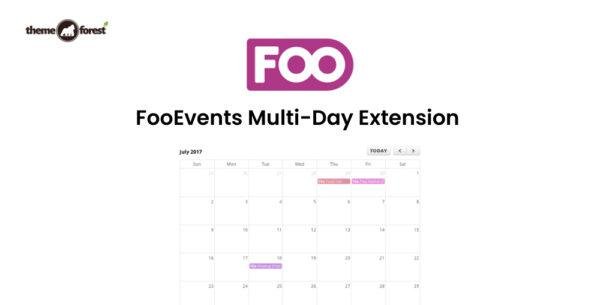
The FooEvents Calendar Extension brings your events to life by showcasing them in a beautiful, flexible, and easy-to-use calendar on your WordPress website. With simple shortcodes and widgets, you can effortlessly display your events in calendar or list views, making it the perfect solution for event organizers, businesses, and creators.
🌟 Key Features of FooEvents Calendar Extension
🧭 Stylish & Flexible Calendar Display
Easily add and display events on any post, page, or custom post type using shortcodes or widgets. Choose from multiple calendar themes including Default, Light, Dark, Flat, and Minimalist to match your site’s design perfectly.
⚙️ Complete FooEvents Integration
Fully integrated with FooEvents for WooCommerce, this extension allows you to create advanced events, sell branded tickets, and manage attendees — all without paying commissions or ticket fees.
🔄 Event Synchronization with Eventbrite
Automatically sync your events to and from Eventbrite, ensuring your listings are always up to date across platforms.
📋 Multiple Views & Filters
Display your events in calendar or list view and let users filter by category for a personalized browsing experience. You can even show multiple calendars on a single page.
💡 Easy Setup & Use
Built with simplicity in mind, FooEvents Calendar uses the native WordPress interface, so you can set up and manage your event calendar in just a few clicks — no coding required.
💼 What We Offer
100% GPL-licensed version — clean, secure, and legal
Seamless integration with FooEvents and WooCommerce
Customizable themes and layouts
Shortcode and widget support for easy embedding
Smooth event syncing with Eventbrite
🚀 Conclusion
The FooEvents Calendar Extension is your all-in-one solution for displaying and managing events beautifully on WordPress. With its powerful integration, customizable layouts, and flexible display options, it empowers you to present your events professionally and engage your audience effectively. Whether you’re hosting workshops, conferences, or concerts — this plugin ensures your events always shine.
Be the first to review “FooEvents Calendar Extension 1.7.10” Cancel reply
How to Install
Follow these quick steps to install from a .zip file or directly from your WP dashboard.
-
1
Go to Plugins → Add New
In your WordPress dashboard, open Plugins and click Add New.
-
2
Click Upload Plugin
Press Upload Plugin → Choose File and select the downloaded
plugin-name.zip. -
3
Install & Activate
Click Install Now, then Activate. You’re done!
-
4
(Optional) Enter License / Use Shortcode
Open Plugins → Your Plugin → Settings to enter your license. Add the box on the product page with:
[plugin_info_box]
Alternative: Install from WordPress directory
Go to Plugins → Add New, search the plugin name, click Install then Activate.
Manual (FTP) method
Unzip locally → upload the folder to /wp-content/plugins/ using FTP → activate from Plugins.
-
1
Go to Appearance → Themes
Click Add New → Upload Theme.
-
2
Upload the .zip file
Select
theme-name.zip, click Install Now, then Activate. -
3
Install Required Plugins
If prompted, click Begin installing plugins and activate them.
-
4
(Optional) Import Starter Content
Use the theme’s Demo Import (if provided) to load sample pages and settings.
Manual (FTP) theme install
Unzip the theme → upload to /wp-content/themes/ → activate from Appearance → Themes.




Reviews
There are no reviews yet.